
Digital Intake Forms for Spa and Fitness Studios

Digital intake forms are secure, web-based questionnaires that collect client information before an appointment, replacing paper forms with a process that saves staff time, improves data accuracy, and gives practitioners everything they need before a client walks through the door.
It's 8 AM. Your first clients are queueing, the phone's ringing off the hook, and someone's just arrived for their initial consultation. Instead of a seamless welcome, they're handed a clipboard overflowing with paper forms. You know the drill: hurried scribbles, missing details, and an admin mountain waiting to be re-keyed into your system. It's not just inefficient; it's a first impression killer and a potential compliance headache for any Australian studio.
Here's the sharp truth: digital intake forms aren't just a nice-to-have; they're the non-negotiable bedrock of a professional, compliant, and client-centric studio operation in Australia. These secure, web-based questionnaires collect every crucial bit of client information before they even step through your door. Think less paper, more precision, and practitioners fully prepped for every session. For Australian spas, yoga studios, clinics, and dance schools, a robust digital intake system, like the one built into Revively, connects vital form data directly to bookings, client records, and payments, all on one unified dashboard.
What Information Should Your Digital Intake Forms Collect?
The core challenge isn't what you can ask, but what you actually need for that crucial first session. Every extraneous question adds friction, wastes client time, and tanks completion rates. Our goal? Laser-focused data collection.
For Australian wellness and fitness businesses, these are the essential categories:
- Personal Details: Full name, contact number, email, and that all-important emergency contact. Basic, but often rushed on paper.
- Health & Medical Conditions: Injuries, chronic conditions, allergies, medications, and any contraindications directly relevant to their chosen treatment or activity. This is where precision prevents problems.
- Service Preferences: Are they after deep tissue, gentle stretching, or high-intensity interval training? What are their specific goals or sensitivities?
- Consent & Waivers: Acknowledgment of risks, photo consent, and agreement to your studio's cancellation policy. Critical for protecting your business.
- Communication Preferences: How do they want to hear from you? SMS, email, or both?
Fact: Fewer questions improve both completion rates and data quality. Long, sprawling forms invite clients to skim, rush, or simply abandon the process. Keep it concise, keep it purposeful.
This is where conditional logic becomes your secret weapon. Instead of one monstrous form for everyone, conditional logic intelligently displays specialty-specific questions only when relevant. Booking a remedial massage? They see injury questions. Signing up for a yoga class? They'll get fitness goal questions instead. It makes the form feel shorter and ensures every question asked serves a direct purpose.

Pro Tip: Always place your signature or consent field at the very end of the form. Clients feel psychologically committed once they sign. Placing it early, before they've read everything, dramatically increases abandonment rates.
Crafting & Automating Digital Intake Forms for Efficiency
Building a world-class intake form doesn't mean starting from scratch. A smart, structured approach saves time and yields far superior results.
- Start from a Proven Template. Why reinvent the wheel? Industry-specific templates for massage, yoga, Pilates, and beauty treatments already include the fields most practitioners need. It's often a case of minor tweaks, not major overhauls, getting you live in under 15 minutes.
- Leverage a Drag-and-Drop or AI-Powered Builder. For Australian studios transitioning from years of paper records, AI-powered form builders can convert existing paper or PDF intake packets into digital forms almost instantly. This preserves established clinical fields and saves immense data migration effort.
- Automate Delivery at the Point of Booking. The moment a client books, the form should trigger. Forms sent automatically at booking - often with a strategic reminder 24 hours prior - drastically cut down manual follow-up. This gives clients ample time to complete it without feeling rushed or forgetting.
- Integrate Seamlessly with Client Records. This is where the magic happens. Completed forms should sync directly with your client's electronic profile. No more manual data entry, no more transcription errors. Your staff arrives at each session with accurate, up-to-date client information already at their fingertips.
- Implement Automated Reminders. Life happens. Clients forget. An automated reminder for incomplete forms, sent 24 hours before their appointment, is a single, powerful step that dramatically boosts completion rates without any manual staff intervention.
Here's how key automation features translate into tangible operational benefits for your Australian studio:
| Automation Feature | Operational Benefit |
|---|---|
| Send form at booking confirmation | Client completes form before arrival; zero paper at reception desk. |
| 24-hour reminder for incomplete | Higher completion rates; no manual staff follow-up required. |
| Conditional logic routing | Shorter, more relevant forms; reduces client fatigue and improves focus. |
| Auto-sync to client record | Eliminates manual data entry; ensures accurate records from day one. |
| Signature capture at form end | Legally valid consent; no printing, scanning, or storing physical paper. |

Pro Tip: Connect your intake forms directly to your online booking software. This removes the need for staff to send forms manually and ensures a consistent, professional workflow for every single client.
Best Practises for Optimising Client Experience Through Customisation
This is where intake forms transcend mere functionality and become a powerful extension of your brand and client care. A thoughtfully designed form respects your clients' time, reflects your studio's professionalism, and arms your team with precisely what they need.
- Write in Plain Language. Ditch the clinical jargon. "Do you have any injuries or areas of pain?" is infinitely more approachable than "List current musculoskeletal contraindications." Speak your client's language.
- Design for Mobile-First. Most of your clients will complete forms on their phones. Ensure fields are large enough for easy tapping, and that the form loads quickly and renders perfectly on a standard mobile connection.
- Utilise Progressive Disclosure. Start with basic questions. Only reveal follow-up questions when a client's answer necessitates more detail. This keeps the form feeling short and manageable, even when collecting substantial information.
- Protect Client Data with Australian Privacy Principles. This is non-negotiable. Your form responses must be stored in a system with robust access controls and comply fully with Australia's Privacy Act 1988 and the Australian Privacy Principles (APPs). Revively, being Australian-made, ensures all client data, sensitive health notes, and booking histories are stored securely in Australia, providing peace of mind and full regulatory compliance.
- Review Submission Analytics Regularly. Track which questions lead to high skip rates or cause clients to drop off. A question consistently left blank is either unnecessary or poorly worded. Refine or remove it.
Clients who complete intake forms before arriving allow your practitioners to focus entirely on the session, not on administrative data gathering. This directly elevates the quality of treatment and significantly enhances the client's perception of your studio's professionalism.
Common Pitfalls When Implementing Digital Intake Forms
Avoid these predictable mistakes to ensure a smooth transition and maximum benefit.
- Overloading the Form. Every extra, unnecessary field increases the chance a client will abandon the form. Be ruthless: if you won't use the data in the first session, cut it.
- Sending Forms Too Late or in Isolation. A form sent days after booking feels disconnected. It should feel like a natural, integrated part of the booking confirmation process.
- Placing the Signature Field Too Early. As we've discussed, an early signature request can lead to premature abandonment. Keep consent and signature at the very end.
- Ignoring the Mobile Experience. A form that works beautifully on a desktop but crumbles on a phone will frustrate clients and result in incomplete, useless submissions. Test, test, test on various devices.
- Failing to Follow Up on Incomplete Forms. Without automated reminders, a significant portion of clients will inevitably arrive without completing their form, pushing the data collection burden right back onto your reception staff.
"The primary challenge in digital intake is not how to ask, but what to ask. Focus ruthlessly on collecting only the data essential to prepare for the session, ensuring in-person time is fully optimised." The studios that get this right treat their intake form as a critical clinical tool, not just another administrative checkbox.
Monitoring your form completion rate is the fastest way to flag problems. If rates drop unexpectedly, review form length, delivery timing, and the mobile experience before attributing it to client behaviour.
Key Takeaways
Digital intake forms shine brightest when they are concise, automated, and fully integrated with your core client records and booking system.
| Point | Details |
|---|---|
| Collect Only What You Need | Remove fields you won't use in the first session. This reduces abandonment and improves the quality of collected data. |
| Automate Delivery & Reminders | Send forms at booking confirmation and automatically follow up 24 hours prior to the appointment. |
| Use Conditional Logic | Display only relevant questions based on appointment type or previous answers, keeping forms concise and purposeful. |
| Signature at the End | Placing consent fields last reduces abandonment and ensures clients have reviewed all information before committing. |
| Integrate with Client Records | Forms that sync directly to client profiles eliminate manual data entry, streamline check-in, and provide accurate histories. |
What I've Learned from Watching Australian Studios Go Digital with Intake
The studios that hit snags with digital intake almost always make the same fundamental mistake: they treat the shift as a mere technology upgrade, not a complete workflow overhaul. They set up a shiny new form, send it out, and then wonder why their reception staff are still scrambling with paper backups.
The real heavy lifting is in the operational handoff. Your front-desk team needs a crystal-clear protocol for clients who arrive with an incomplete form. Your therapists must know exactly where to find submitted data before they walk into the treatment room. Without that clarity, the digital form becomes just another task, not a true replacement.
The second powerful observation is how much Australian clients genuinely appreciate being asked the right questions upfront. A client who thoughtfully completes an intake form before their first massage or Pilates session feels genuinely seen and understood before the experience even begins. That impression of care and professionalism permeates the entire treatment.
Finally, the most successful studios treat their digital intake workflows as living, evolving documents. They regularly review completion data, courageously trim questions that clients consistently skip, and add new fields when recurring issues in sessions reveal a gap in their initial intake. This iterative, data-driven approach compounds over time, transforming a basic form into a powerhouse of client intelligence.
- Andreea, Revively Co-founder
How Revively Handles Intake Forms for Australian Studios
Revively builds comprehensive digital intake forms and waivers directly into its unified studio management platform. This means forms trigger automatically the moment a client books a class or appointment - no separate tool to manage, no manual sending required, and a seamless experience for both your clients and your team.
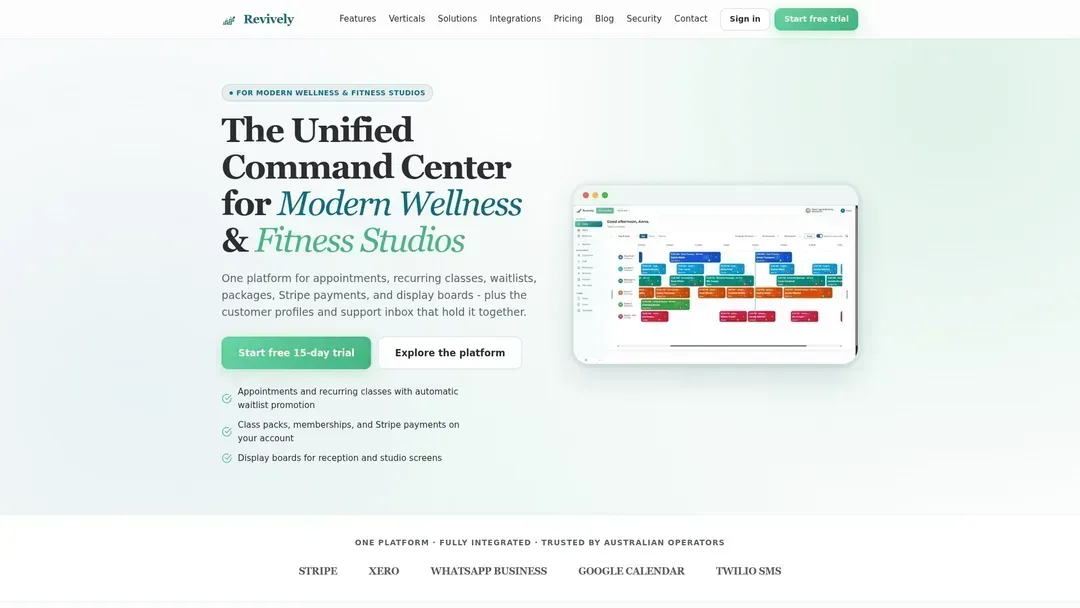
With Revively, your intake data doesn't just sit in a silo. It connects immediately to client profiles, class scheduling, memberships, and your Xero-integrated payments on a single, intuitive dashboard. This integrated approach ensures:
- Australian Data Residency: All client data, sensitive health notes, and form responses are stored securely in Australia, fully complying with local privacy regulations and the Australian Privacy Principles (APPs).
- Flawless GST & Tax Invoice Handling: Intake data feeds into a system that natively handles 10% GST calculations across all services - from casual classes to memberships and multi-resource packages - automatically issuing legally compliant Australian Tax Invoices to your clients.
- 100% Legal Xero Integration for BAS Accuracy: Our two-way Xero integration isn't just a sync tool. It guarantees 100% legal tax compliance, automating the mapping of tax codes, revenue accounts, and liabilities. This ensures your quarterly Business Activity Statements (BAS) are flawless and audit-proof, removing the manual spreadsheet errors that often plague growing studios.
Your staff always sees completed forms before each session, and your clients experience a consistent, professional onboarding process from the very first booking. If you manage a spa, yoga studio, Pilates studio, recovery centre, or dance school in Australia, Revively delivers the robust, compliant intake workflow your business needs without adding software complexity or subscription sprawl.
FAQ
What are digital intake forms?
Digital intake forms are web-based questionnaires that collect essential client information before an appointment. They replace traditional paper forms, syncing data directly to client records, which reduces manual entry and significantly speeds up the check-in process.
How do I send digital intake forms to clients automatically?
Most modern studio management platforms, like Revively, automate this. Forms are typically sent automatically when a client confirms a booking, often with a helpful follow-up reminder 24 hours before their scheduled appointment, eliminating the need for staff to send forms manually.
What information should a spa intake form include?
A comprehensive spa intake form should cover personal contact details, relevant health conditions (allergies, medical history), specific treatment preferences (e.g., pressure, areas of focus), and a clear consent or waiver section, ideally positioned at the end of the form.
Are digital intake forms compliant with Australian privacy law?
Absolutely. Digital intake forms for Australian businesses must fully comply with the Privacy Act 1988 and the Australian Privacy Principles (APPs), which dictate how personal and sensitive health information is collected, stored, and accessed. Choosing an Australian-made platform that stores data locally provides critical trust and compliance.
How long should a digital intake form take to complete?
A well-designed, optimised digital intake form should ideally take clients between three to five minutes to complete. Shorter, more focused forms lead to significantly higher completion rates and better data quality, as clients engage more carefully with fewer questions.