
Class display boards
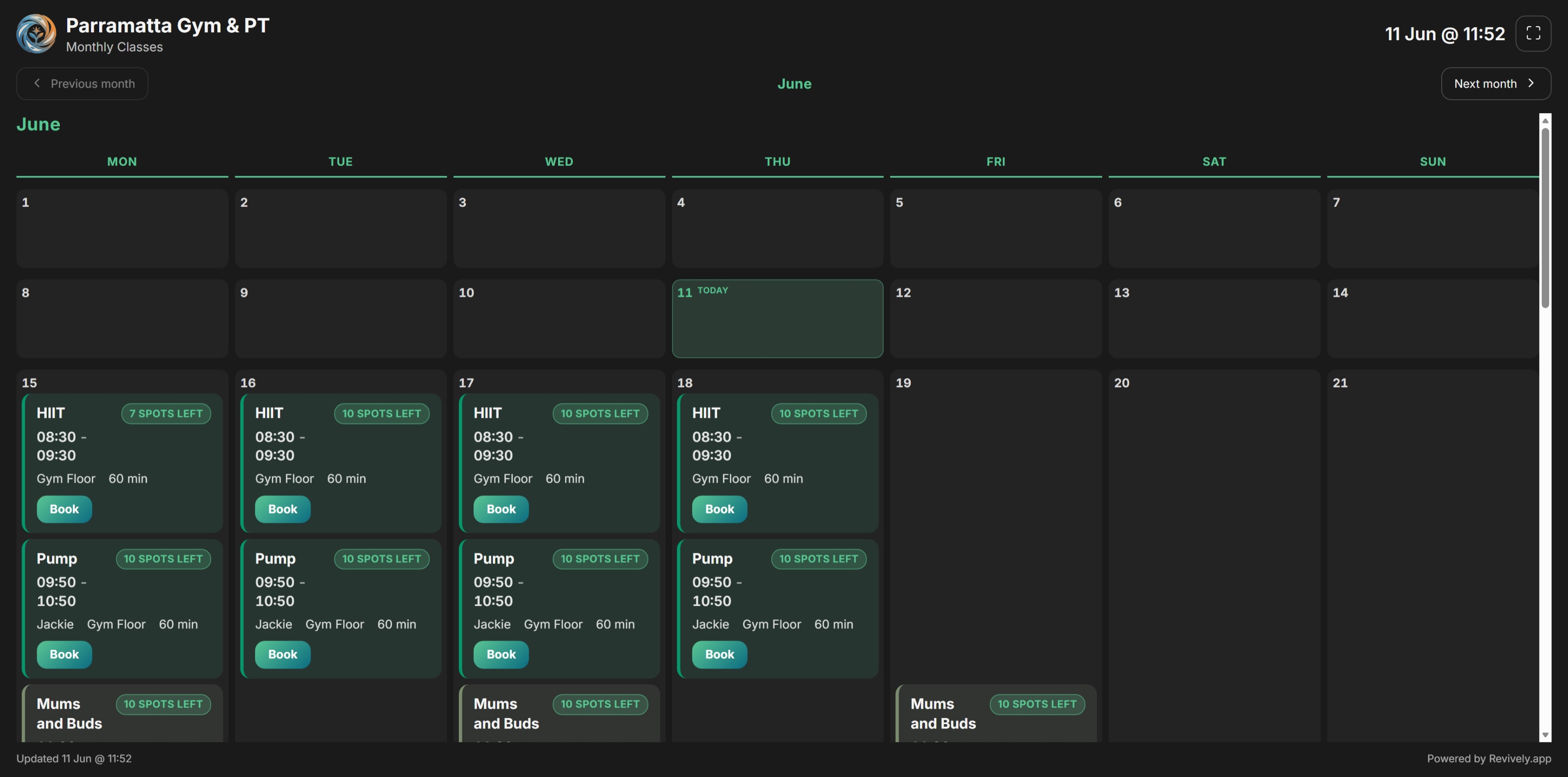
Parents, members, and walk-ins ask 'what's on today?' constantly. Class Display Boards show today's timetable on any screen - reception TV, studio foyer, or a shareable public URL for recital week.
- Today's classes and bookings on a live screen
- Month overview or now-focused layouts
- Public display URLs - no login required on the screen
- Filter by location, instructor, or class type
- Works on any browser - TV, tablet, or reception PC
- Updates in real time as bookings change
Built right into the product
No bolt-ons, no surprise add-ons. Class display boards ships on plans labelled Growth and Pro.
- Today's classes and bookings on a live screen
- Month overview or now-focused layouts
- Public display URLs - no login required on the screen
- Filter by location, instructor, or class type
- Works on any browser - TV, tablet, or reception PC
- Updates in real time as bookings change
Inside Revively
Class display boards, up close
Step through live class display boards screens from the product - each one captioned so you can see how it works.
How it works
Three moves and you're live
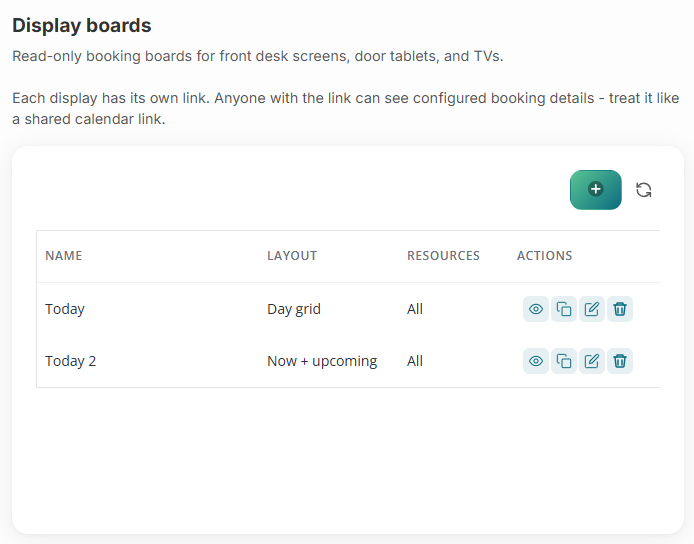
Create a display board
Settings → Display Boards: pick a layout (month or now) and choose which classes to show.
Get the public URL
Copy the shareable link and open it on any screen in reception or the studio.
Run it all day
The board refreshes as bookings and roster changes happen - no manual updates.
Related
Pair it with
Help & guides
Set it up
Ready to run your day, not your inbox?
Start a 15-day free trial. No credit card needed. Import your services in minutes - or pick a vertical pack and we'll seed sensible defaults.