
LocationsPro
Multi-location workspaces
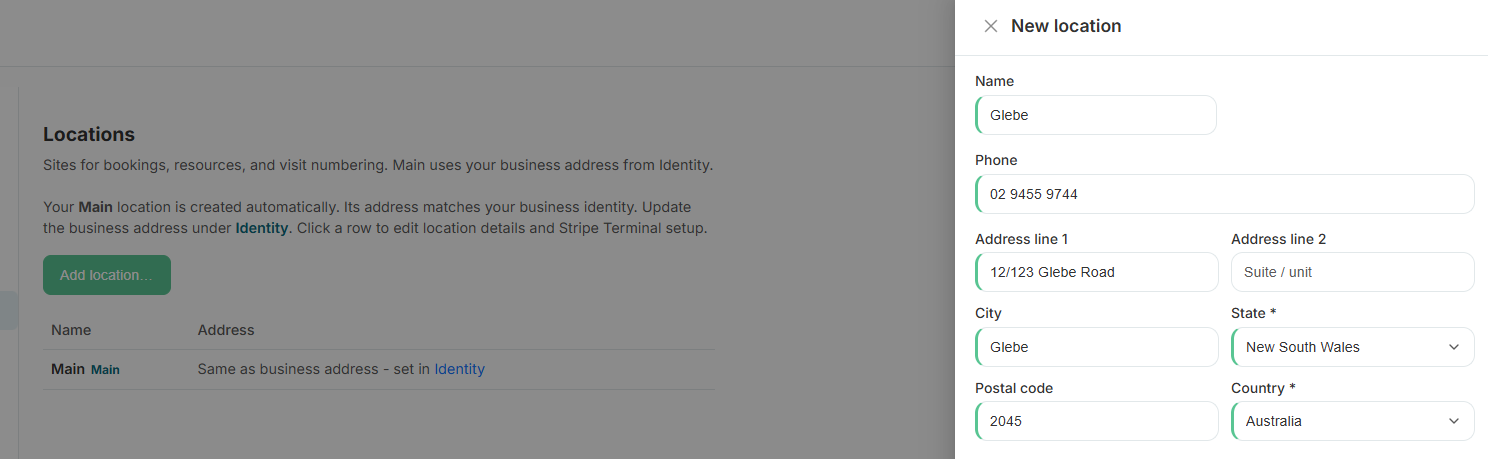
Second site opening soon? Pro accounts add locations with their own address, business hours, and resource pool - while billing and staff access stay under one workspace.
- Multiple locations per workspace (Pro)
- Per-location address, timezone, and business hours
- Resources and schedules scoped to each site
- Online portal can filter by location
- Reports roll up or filter by location
- Staff can be assigned to one or all sites
What's included
Built right into the product
No bolt-ons, no surprise add-ons. Multi-location workspaces ships on plans labelled Pro.
- Multiple locations per workspace (Pro)
- Per-location address, timezone, and business hours
- Resources and schedules scoped to each site
- Online portal can filter by location
- Reports roll up or filter by location
- Staff can be assigned to one or all sites
How it works
Three moves and you're live
1
Add a location
Settings → Locations: name the site, set address and timezone.
2
Assign resources
Rooms and equipment belong to a location - the scheduler filters accordingly.
3
Book and report
Customers pick a site when booking online; reports can compare or combine locations.
Related
Pair it with
Help & guides
Set it up
Ready to run your day, not your inbox?
Start a 15-day free trial. No credit card needed. Import your services in minutes - or pick a vertical pack and we'll seed sensible defaults.