
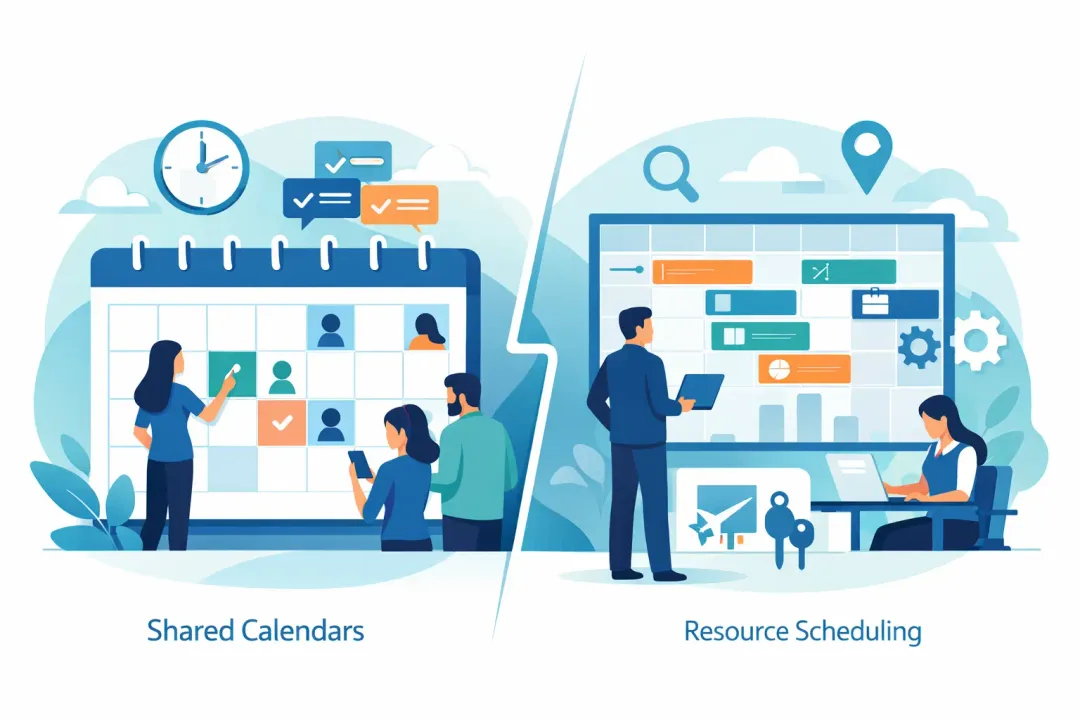
Shared calendars versus resource scheduling: see which system prevents clashes, protects capacity and gives wellness teams control over every booking.
The call comes in: a client wants to book a remedial massage for tomorrow. Your receptionist pulls up the calendar, sees an open slot, and punches it in. All good, right?
Not so fast.
Behind the scenes, the same slot might require a specific therapist, a particular treatment room, and a heated bed - all of which could already be tied up in another booking. Or perhaps that Pilates class just hit its reformer limit, but your calendar doesn't know it. The result? A frantic dash to fix a clash that should never have happened, a frustrated client, and a front desk that looks more like a crisis management centre than a calm welcome point.
This isn't about seeing the diary. It's about whether your system understands what each booking needs to actually happen. For thriving spas, recovery centres, yoga/Pilates studios, clinics, dance schools - that distinction directly impacts your revenue, your client experience, and the sanity of your team. A visible calendar is a starting point. It's rarely operationally intelligent enough for a growing business.
When a Simple Calendar Becomes Your Biggest Headache
A shared calendar is a step up from a paper diary, sure. It lets multiple staff members view schedules, add appointments, block out leave, and see who's working. Great for a solo operator whose only resource is their time.
It works perfectly when time is the only thing being booked. If your consultant just needs a 30-minute call from any desk, a shared calendar can handle it. Everyone sees availability, obvious overlaps are avoided.
The wheels fall off the moment a booking depends on more than just a person's availability. That remedial massage? It needs a specific therapist, a designated treatment room, and specialised equipment. A reformer Pilates session? It demands an instructor, a studio space, and a fixed number of reformers. A high-tech skin treatment? A qualified practitioner and highly specific machinery.
A bog-standard shared calendar expects your staff to mentally juggle all these dependencies. It's fine until it's not. One rushed phone call, one last-minute staff change, one hasty diary edit - and suddenly, a conflict is brewing that no one spots until a client is standing in reception, ready for a service you can't deliver.
Shared Calendars vs. Resource Scheduling: The Operational Reality Check
This is where resource scheduling steps in. It fundamentally changes how you view and manage your business. Instead of just blocking out time, it treats everything you need to deliver a service - people, rooms, equipment, and capacity - as bookable operational assets.
Before confirming any booking, the system automatically checks that every single required resource is available at that precise moment.
This isn't just a minor upgrade; it's a paradigm shift for your studio:
- No Double-Bookings: If Room Two is already assigned, the system won't let you book it again. Simple.
- Qualified Staff Only: If a practitioner isn't qualified or available for a specific service, it won't appear as an option.
- Capacity Control: If your reformer class has 12 spots and 12 clients are booked, the 13th client automatically joins a waitlist instead of squeezing into an over-capacity session.
Your studio's diary isn't just a timeline. It's a precise map of your usable, sellable capacity.
CRITICAL AUSTRALIAN COMPLIANCE ALERT:
"A robust resource scheduling system for Australian studios isn't just about avoiding double bookings; it's your first line of defence for seamless financial compliance. Revively ensures every booking automatically calculates 10% GST and generates legally compliant Australian Tax Invoices for casual classes, memberships, and multi-resource packages. This isn't just convenient; it's non-negotiable for keeping your books audit-proof and your quarterly BAS submissions flawless."
Consider an Australian recovery centre with two infrared sauna rooms, a single compression therapy area, and three staff members. A basic shared calendar shows each booking, but it relies entirely on your receptionist to manually cross-reference room allocation, treatment durations, cleaning buffers, and staff coverage. Resource scheduling bakes those rules directly into the booking process.
The outcome? Fewer stressful judgment calls at the front counter, fewer expensive mistakes hiding in your busy day, and a far smoother experience for both your team and your clients.
The Hidden Costs of "Making Do"
The real cost of a bare-bones shared calendar isn't its subscription fee. It's the mountain of invisible admin that piles up around it.
When your team has to:
- Consult a separate room schedule
- Message a colleague about equipment availability
- Manually update a spreadsheet for class numbers
- Shuffle clients when a practitioner calls in sick
...your calendar isn't doing its job. Your highly paid team is compensating for its glaring limitations, turning into calendar detectives.
This breeds three common, costly problems:
- Double-Bookings Multiply: Two bookings might not clash on a staff member's personal calendar, but they're still vying for the same room, the same expensive machine, or the same studio space. And yes, double-bookings become more likely.
- Underutilised Capacity: Staff, playing it safe, might block out empty time buffers because they're simply not confident about what's genuinely available. This feels secure, but it silently erodes your sellable hours each week.
- Inconsistent Client Experience: A client books online, only to get a sheepish call asking them to reschedule because your "system" accepted a booking your operation couldn't actually deliver. From the client's perspective, this isn't a scheduling glitch; it's a breach of trust.
Shared Calendar vs. Resource Scheduling: A Quick Comparison
| Feature/Benefit | Shared Calendar (Basic) | Resource Scheduling (Advanced) |
|---|---|---|
| Primary Focus | Time slots & staff availability | All bookable assets (staff, rooms, equipment, capacity) |
| Clash Prevention | Manual oversight, prone to human error | Automated, system-enforced rules |
| Capacity Management | Relies on staff memory/manual checks | Built-in limits, waitlists, real-time availability |
| Client Experience | Risk of last-minute changes due to internal clashes | Consistent, reliable bookings, fewer cancellations/reschedules |
| Admin Burden | High manual cross-checking, "firefighting" | Significantly reduced, automated checks |
| Growth Support | Strains quickly with multiple services/resources | Scales seamlessly with complex offerings |
| Financial Compliance | Manual GST calculation & invoice generation | Automated 10% GST, legally compliant AU Tax Invoices, Xero integration |
| Data Protection (AU) | No specific local data residency guarantee | Australian Data Residency & APPs compliance |
When a Basic Calendar Is Still Enough (And When It Absolutely Isn't)
Let's be real: not every start-up studio needs advanced resource scheduling from day one. If you're a solo practitioner, offering a single service, with no equipment dependencies, and a straightforward appointment model, a shared calendar can be a sensible, cost-effective fit.
It also works perfectly for internal coordination. Team meetings, leave, supplier visits, general reminders - these don't typically require complex booking rules. Keep those simple where you can.
But be honest about your growth trajectory. The moment you introduce:
- Multiple practitioners
- Specialised rooms
- Diverse treatment types
- Group classes with specific equipment
- High-value, shared machinery
...that calendar, which only displays events, transforms into a gaping vulnerability. You might still see the work, but you can no longer reliably govern it.
The ultimate test is simple: Can a brand-new staff member take a booking correctly, without needing to memorise every single operational rule in their head? If the answer is no, your system is dangerously reliant on 'tribal knowledge' - a recipe for chaos.
Resource Scheduling: Your Studio's Unsung Revenue Protector
The most effective scheduling system does far more than just prevent errors. It actively makes your available capacity easier to sell, and your business more profitable.
- For appointments: It seamlessly matches the right service to the right qualified staff member, the correct room, and the precise duration. Crucially, it accounts for practical necessities like setup and turnaround time. A 60-minute treatment might occupy a room for 75 minutes once cleaning and resetting are factored in. Ignore that, and your day looks profitable until staff are perpetually running late.
- For classes: Resource scheduling vigilantly protects the capacity clients can actually use. It keeps numbers accurate, manages waitlists with Aussie efficiency, and lets operators instantly see if a class is limited by instructor availability, room size, or equipment count.
This is where truly connected operational software like Revively.app earns its place. Bookings, class capacity, detailed client records, essential health intake forms, payment processing, and front-of-house visibility all live in one unified, Australian-made system. You're not trying to reconcile a calendar with a separate payment gateway or client database after the fact. The booking rules, the customer record, and the payment flow are intrinsically linked.
"At Revively, all client data, including booking histories and sensitive health intake forms, is stored locally in Australia, fully complying with the Australian Privacy Principles (APPs). This isn't just about speed; it's about trust and meeting strict Australian regulatory standards for your peace of mind and your clients' data security."
This integration is invaluable when a client needs to change an appointment, joins a waitlist, or arrives for a service with a crucial intake form still incomplete. Your front desk needs one clear, definitive answer, not six browser tabs battling each other.
Furthermore, Revively's seamless, two-way Xero integration ensures that every transaction is mapped to the correct tax codes and revenue accounts. This guarantees your Business Activity Statements (BAS) are 100% legally compliant and audit-proof, eliminating manual spreadsheet errors and giving you back precious time usually spent stressing over tax reporting. This is true GST compliant studio software designed for the Australian market.
Configure Your Resources for Real-World Delivery
Resource scheduling only delivers its full power when its setup precisely mirrors your real-world operations. Don't just dump a generic list of rooms and hope for the best. Build rules around the way each service is actually delivered.
- Define Your Service Requirements: Start with your service requirements. Identify every specific asset each service needs: a particular practitioner skill, a room type, a piece of equipment, a class space, or a unique combination. Then, honestly define booking durations, including crucial buffer times that protect service quality and prevent staff burnout.
- Map True Availability: A practitioner might work an eight-hour day but only be available for specific services or during certain periods. A treatment room might be physically open all day but unavailable during a class, a deep clean, or equipment maintenance. These critical details must be embedded in your scheduling rules, not tucked away in a note someone has to remember.
- Test the Edge Cases: Push your system. Try to book two services requiring the same room simultaneously. Attempt to add a 13th client to a 12-person class. Move an appointment when the original practitioner is genuinely unavailable. If the system accepts a booking that would cause onsite mayhem, your configuration needs more refining.
Choose Control Over Chaos
A truly effective scheduling platform shouldn't make your staff more vigilant. It should automate routine decisions and make exceptions glaringly obvious.
Shared calendars excel at visibility. Resource scheduling, particularly an all-in-one spa booking software like Revively, is purpose-built for control. For a truly minimalist operator, visibility might suffice. But for any growing Australian salon, clinic, yoga studio, pilates centre, spa, or recovery business, control is the bedrock that prevents capacity clashes, protects your valuable staff time, and shields your clients from ever seeing the chaos behind the counter.
The best next step isn't adding another calendar view. It's mapping out one incredibly busy day in your business. Ask yourself: does every single booking have the guaranteed staff, space, equipment, and capacity it requires? If your answer depends on someone checking three different places, then the fix is undeniably clear. It's time to explore unified cloud command centres, Mindbody alternatives Australia, and dedicated solutions like Revively.
Related Articles