
Resources
Rooms, equipment, and buffers
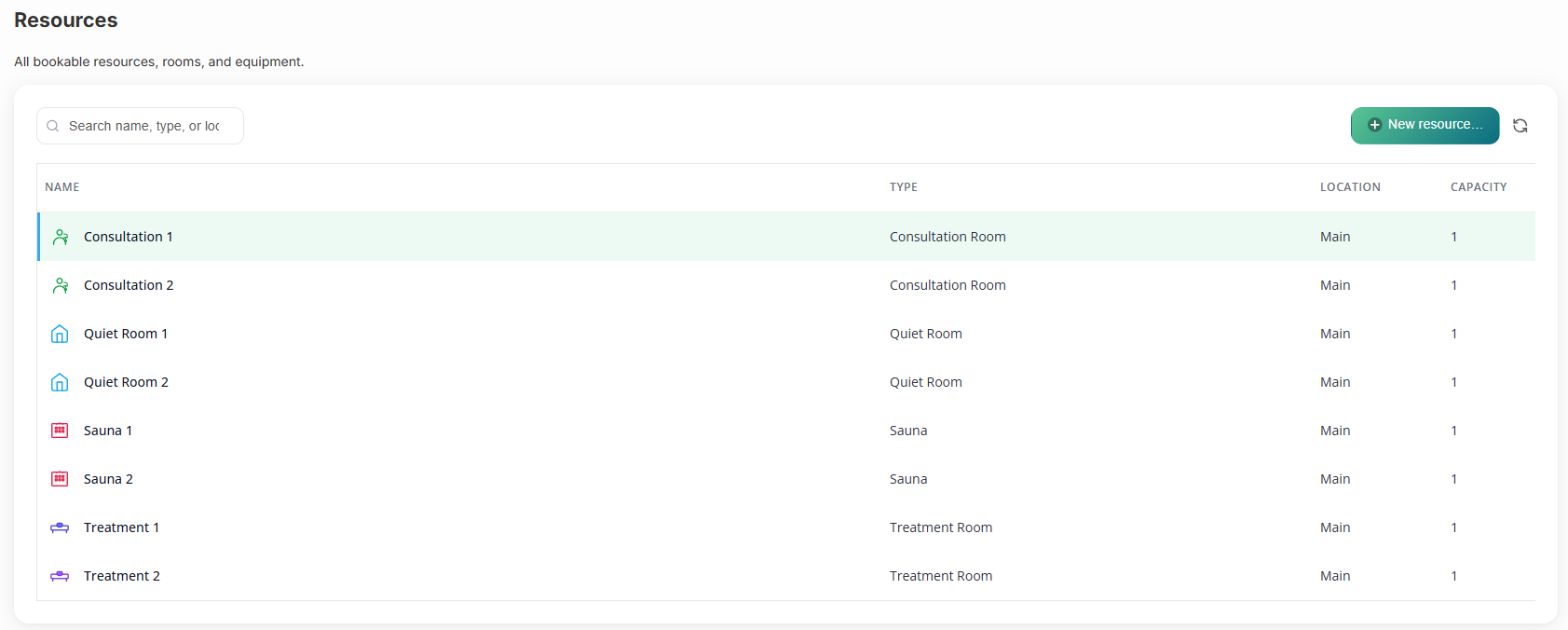
Most calendars treat a room and a therapist as the same thing. Revively doesn't. Build resource types (saunas, beds, treatment rooms), assign individual resources, and the schedule does the math.
- Resource types with default interval and cleaning time
- Individual bookable resources with capacity
- Per-service buffer minutes (turnover gap)
- Cleaning phase rendered on the schedule
- Color and icon per resource type for instant scanning
- Multi-resource bookings - one appointment, many rooms
What's included
Built right into the product
No bolt-ons, no surprise add-ons. Rooms, equipment, and buffers ships on plans labelled All plans.
- Resource types with default interval and cleaning time
- Individual bookable resources with capacity
- Per-service buffer minutes (turnover gap)
- Cleaning phase rendered on the schedule
- Color and icon per resource type for instant scanning
- Multi-resource bookings - one appointment, many rooms
How it works
Three moves and you're live
1
Type it once
Create a resource type (e.g. Sauna) with a default 30-minute slot and 15-minute cleaning buffer.
2
Add the rooms
Create Sauna 1, Sauna 2, Sauna 3 - each gets its own column on the calendar.
3
Service knows the rest
A 60-min Recovery uses one bed plus a sauna at the same time. Revively only books when both are actually free.
Related
Pair it with
Help & guides
Set it up
Ready to run your day, not your inbox?
Start a 15-day free trial. No credit card needed. Import your services in minutes - or pick a vertical pack and we'll seed sensible defaults.