
Studio & Spa Operators: 7 Rules to Fix Sauna Scheduling
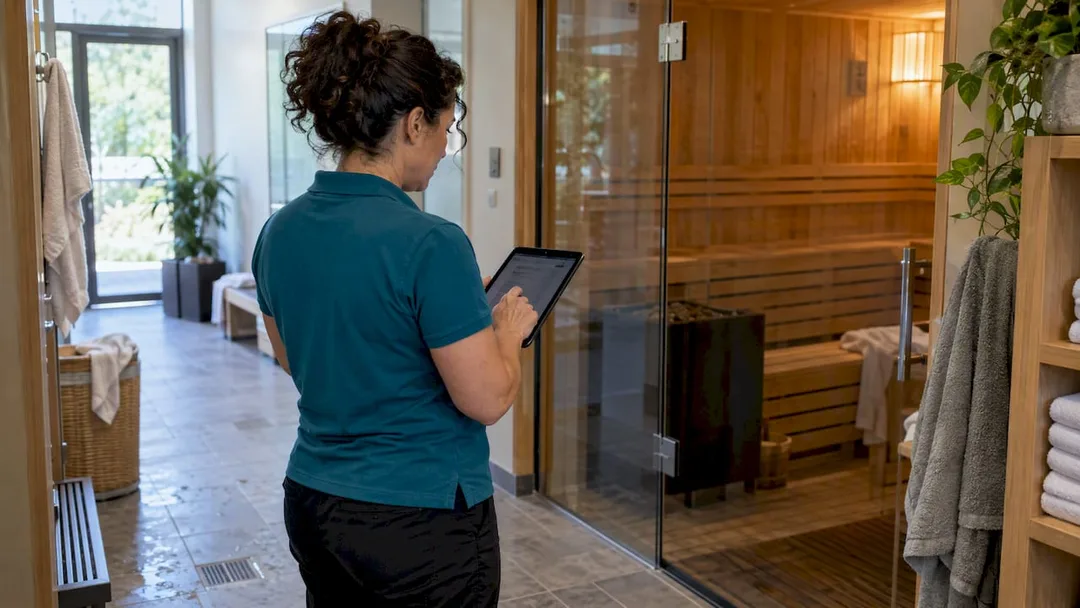
! Operator checking sauna bookings beside sauna
Seven rules decide whether your sauna bookings run smoothly: the inventory model, capacity enforcement, access rules, turnover buffers, booking windows, cancellation policy and waitlist behaviour.
Ever felt that familiar knot of dread in your stomach when a client turns up for their sauna session, only to find it double-booked? Or perhaps you've stared at an empty slot in your prime-time schedule, knowing full well you could have filled it if only your waitlist had actually worked.
Running a wellness or fitness studio in Australia, especially one offering high-demand resources like saunas, isn't just about providing an amazing experience. It's a relentless juggling act of client bookings, staff rostering, cleaning schedules, and, let's be honest, trying to keep all your systems talking to each other. When your sauna booking process is clunky, manual, or scattered across half a dozen spreadsheets and a prayer, you're not just losing revenue - you're losing sanity.
It doesn't have to be this way. The truth is, whether your sauna bookings run like a well-oiled machine or a chaotic free-for-all comes down to mastering seven core operational areas. These aren't just "rules"; they're the foundational pillars for a seamless, profitable, and stress-free sauna schedule, designed to eliminate those embarrassing double-bookings and phantom availabilities.
Let's unpack how you can get your sauna schedule working for you, not against you.
Table of Contents
- The Core Challenge: Accurate Capacity Management
- Rule 1: Model Sauna Inventory Correctly (Room vs. Seat)
- Rule 2: Streamline Access Rules for All Client Types
- Rule 3: Implement Non-Negotiable Turnover & Cleaning Buffers
- Rule 4: Craft Robust Booking Windows & Cancellation Policies
- Rule 5: Automate Waitlists & Spot Promotions for Maximum Fill
- Rule 6: Optimise Session Lengths for Profitability & Client Experience
- Rule 7: Adapt Rules for Peak, Off-Peak & Special Circumstances
- Your Action Plan: An Implementation Checklist
- How Revively Transforms Your Sauna Scheduling
- Frequently Asked Questions
- Curated Resources for Deeper Configuration Examples
- Recommended Articles
The Core Challenge: Accurate Capacity Management
Before we dive into the rules, let's get one thing straight: every single booking, whether it's a casual drop-in, a membership visit, or a full private buyout, must draw from the same, single pool of physical sauna capacity. Get this wrong, and your calendar will show open slots that simply don't exist in reality, leading to infuriated clients and overstretched staff. This isn't just about avoiding a headache; it's about maintaining your studio's reputation and bottom line.
Rule 1: Model Sauna Inventory Correctly (Room vs. Seat)
This is where the foundation of your entire sauna scheduling system is laid. How you define your sauna's capacity directly impacts everything from double-bookings to accurate revenue forecasting.
You've got two primary models:
- Room-based: The entire sauna space is booked as one unit. Ideal for private sessions, couples, or exclusive group hire.
- Seat-based: Individual spots within a shared sauna session are booked. Perfect for communal sessions where multiple clients share the space.
Choosing the right model for each offering is crucial. Revively, as a robust multi-resource studio scheduling solution, treats whichever you choose as a single, finite resource that every sellable product draws from. This means a membership visit and a drop-in pass both correctly reduce the same, real-time count.
Warning: The most common cause of phantom availability? Running a separate "private booking" calendar that doesn't communicate with your shared session calendar. It's a silent killer of your studio's efficiency.
Here's a quick breakdown to help you decide:
| Feature | Room-Based Model (Private) | Seat-Based Model (Shared) |
|---|---|---|
| Best For | Private buyouts, couples' sessions, exclusive groups. | Group sessions, individual bookings sharing the space. |
| Capacity Unit | The entire physical room/sauna. | Individual spots/seats within a timed session. |
| Availability Check | Locks out the whole room for the booked duration. | Reduces available seat count for the specific time slot. |
| Example | "Book the Private Sauna for 60 minutes." | "Book 1 seat in the 3 PM Shared Sauna Session." |
| Risk of Error | Lower, if properly linked to shared capacity. | Higher if seat counts don't match physical capacity. |
Practical Steps:
- Define your resource first: Create one sauna resource (room or seat-based) within your all-in-one spa booking software before building any products.
- Attach every product: Class passes, memberships, and private buyout options should all check availability against this single, live pool.
- Test against reality: If your sauna comfortably fits six people, don't set eight seats to boost sales. That's not optimism; it's creating phantom availability.
Rule 2: Streamline Access Rules for All Client Types
Members, casuals, pass holders, and private clients - they all need access, but how they consume capacity must be consistent. Your entitlements are about who can book, not separate inventory pools.
- Members: Often get priority access or a reserved allocation within shared sessions.
- Pass and credit holders: Consume capacity the same way as members but might have usage limits per period.
- Private buyouts: These are critical. A private buyout must lock the entire resource, closing all shared session availability for that slot.
- Walk-ins: Can only fill spots that remain after all pre-bookings and holds are accounted for.
The mixed scenario pitfall: A common scenario where systems fail quietly: a member books a shared session, then someone else buys a private buyout for the exact same window. Without a truly unified capacity pool, both bookings confirm, leaving you with a very awkward conversation at the front desk.
Pro Tip: Before launch, conduct a test: try to book a member into a shared session, then simultaneously attempt a private buyout for the same time. Does your system flag a conflict, or does it happily double-book? This is a core feature you expect from any reliable Mindbody alternative Australia has to offer.
Rule 3: Implement Non-Negotiable Turnover & Cleaning Buffers
This is where hygiene meets operational efficiency. Turnover time isn't a suggestion; it's a crucial, non-negotiable block of time that must be reserved as blocked resource time immediately after a session ends. Relying on staff notes or memory is a recipe for a stressed team and a less-than-sparkling sauna.
If your buffer isn't exposed to the scheduling grid, the next booking can be sold before the room is actually ready. That means a guest standing outside a sauna still being wiped down. Not exactly the premium experience you're striving for.
- Placement is key: Slot the buffer directly after session end. 10 to 15 minutes is typical for a quick wipe-down and reset. Allow longer for deeper cleans, especially between private bookings.
- Internal visibility: Your staff and rostering systems need to clearly see this blocked time. Nobody should be scheduled to clean while the slot shows as sold.
- Client visibility: Decide if you want clients to see the buffer. Some studios hide it, others show a slightly shorter available window so clients understand the gap.
- Back-to-back private bookings: Ensure the buffer is stacked between each, rather than hoping staff remember to clean.
- Stagger shared session starts: If multiple groups share a changeover window, offset start times to prevent the buffer from being skipped under pressure.
Key takeaway: Reserving turnover as resource time rather than a verbal habit is the single most impactful change you can make to stop rushed, unclean handovers and improve client experience.
Rule 4: Craft Robust Booking Windows & Cancellation Policies
Your lead times and cancellation policies aren't isolated rules; they're intertwined. A generous booking window paired with a weak cancellation policy is a quick route to empty slots that were locked in weeks ago and never released. This impacts revenue and frustrates waitlisted clients.
- Minimum lead time: An hour or two for casual bookings stops last-minute scrambles to prep the room.
- Maximum advance window: Most studios cap this at four to eight weeks. This prevents the calendar from filling with speculative bookings that might not materialise.
- Same-day cut-offs: A cut-off a few hours before closing can reduce no-shows for walk-in style sessions.
- Cancellation window: 12 to 24 hours' notice is a common benchmark before a fee or credit loss applies.
- Auto-release: Crucially, a cancelled spot should immediately return to availability, not sit held until staff manually check. This is where modern sauna scheduling software shines.
Align with membership terms: Your cancellation rules must align with your membership terms. A rolling membership that allows unlimited cancellations undermines a strict no-show fee applied to everyone else. Consistency is key to avoiding client disputes.
Rule 5: Automate Waitlists & Spot Promotions for Maximum Fill
A vacated spot should only promote automatically when your system can confirm the next person's entitlement and payment in the same step. Manual promotion still has its place for private buyouts or VIP handling, but shared sessions with straightforward passes or memberships are perfectly suited for automation.
- Set the promotion trigger: For high-demand sessions, promote immediately upon cancellation. For others, batch promotions a set time before the session starts.
- Verify first: Your system needs to check membership status or pass credit before locking the spot, not after.
- Track metrics: Keep an eye on no-show rates among promoted bookings. How often is a promoted spot cancelled again shortly after? This data helps you refine your rules.
Automated waitlist promotion is a game-changer. It removes the tedious admin of manually checking a waitlist spreadsheet every time a slot frees up, ensuring your saunas are always working hard for your business.
Rule 6: Optimise Session Lengths for Profitability & Client Experience
Session duration is a delicate balancing act. You want guests to feel relaxed and unhurried, but you also need to maximise the number of paying sessions you can run in a day.
- Longer slots: Feel more luxurious but cut down on available peak-hour spots.
- Shorter slots: Increase turnover but risk guests feeling rushed, especially in shared sessions with staggered arrivals.
Data over guesswork: Instead of guessing, look at your actual usage. If most bookings consistently finish early, you're losing capacity. If sessions regularly run over, your buffer isn't doing its job - it's absorbing overflow, not dedicated cleaning time.
A smart approach is a standard duration for shared sessions (long enough to be valuable, not so long it restricts availability) and a separate, often longer, duration for private buyouts where clients pay for exclusive use. Test different lengths and compare fill rates against client feedback.
Keep buffers separate: Configure your cleaning buffer as distinct from the session length. Stretching booking duration to cover cleaning simply reduces your sellable inventory, when a dedicated buffer achieves the same result without shrinking your revenue potential.
Rule 7: Adapt Rules for Peak, Off-Peak & Special Circumstances
Peak and off-peak periods aren't just for pricing; they justify different operational rules too. Early evenings and weekends typically see the highest demand for shared sessions, while mid-morning weekdays often sit underbooked.
- Differentiated pricing: The most common lever. Higher rates or pass-credit costs during peak hours, discounted or off-peak-only passes to fill quieter times. Crucially, your GST compliant studio software must correctly apply these different pricing structures and handle the 10% GST accurately, automatically issuing compliant Australian Tax Invoices.
- Availability shifts: Some studios reserve peak-hour seats exclusively for members, opening remaining spots to casual bookings closer to the session. Off-peak sessions might be open to everyone from the moment they're published.
- Flexing booking windows: A shorter lead time for off-peak sessions encourages last-minute fills, while peak sessions benefit from a longer minimum lead time for clearer staffing and cleaning rosters.
Special Event Scheduling (Holidays & Closures):
Whether it's a public holiday, planned maintenance, or an unexpected equipment issue, your system needs to override standing rules cleanly. Blocking the sauna resource directly for the closure period - just like you'd block turnover time - stops new bookings automatically and flags any existing conflicts.

Holiday scheduling often involves altered hours, so your booking windows and session times need the flexibility to shift for specific dates without rebuilding the entire timetable. For unplanned closures, ensure every affected booking (recurring and one-off) gets a notification and a clear path to rebook or receive a credit, consistent with your existing cancellation policy.
Handling Recurring Bookings & Membership Limitations:
Recurring bookings need the same capacity checks every time they renew. A booking valid initially could conflict months later if a private buyout or event closure is added. Your system needs to re-check capacity at each occurrence.
Membership limitations, like a weekly or monthly cap on sauna access, need to be enforced against actual usage, not just booking count. A member who cancels and rebooks repeatedly shouldn't bypass a weekly limit. If your membership structure includes rolling plans, ensure recurring bookings check entitlement at the time of each occurrence, not just when the series was created.
Your Action Plan: An Implementation Checklist
Rolling out these rules works best in a fixed order, ensuring each layer has a solid foundation before you build the next.
- Define your sauna resource: Room or seat-based, accurately matched to real physical capacity.
- Attach every sellable product: Memberships, passes, and buyout options must all link to that one resource.
- Set turnover buffers: Blocked as resource time and visible to your rostering.
- Configure access priority: Members, pass holders, private buyouts, and walk-ins, in that clear order.
- Set booking windows and cancellation rules: Define lead times, cut-offs, and auto-release parameters.
- Enable waitlist promotion: With entitlement and payment checks built-in.
- Test mixed bookings: During a quiet period, test a member booking, a guest booking, and then a private buyout attempt against an existing shared session.
- Verify real-time capacity: Confirm the displayed availability matches what's physically bookable.
Pro Tip: After any pricing or product change, run every test in step 7 again. A new product can accidentally bypass your shared resource pool, leading to unforeseen headaches.
How Revively Transforms Your Sauna Scheduling
Setting up accurate, resilient sauna scheduling rules becomes significantly easier when your resources, products, and waitlist all live in one unified system, rather than being patched together across disparate calendars and spreadsheets. Revively, an Australian-made, all-in-one spa booking software, is engineered to streamline these complexities.

Revively models rooms, seats, and cleaning buffers as a single, intuitive multi-resource appointment grid. This means a membership visit, a class pack credit, and a private buyout all check against the same live capacity, eradicating double-bookings and operational chaos.
Australian Compliance & Local Trust Pillars are Built-In:
As an Australian-made platform, Revively is meticulously designed to support your local business needs:
- Australian Data Residency & Privacy: All your client data, booking histories, and sensitive health intake forms are stored locally in Australia, fully complying with the Australian Privacy Principles (APPs). You can rest assured your sensitive information is kept safe and local.
- Flawless GST & Tax Invoice Handling: Revively seamlessly handles 10% GST calculations across casual classes, memberships, and multi-resource packages. It automatically issues legally compliant Australian Tax Invoices to your clients, taking the guesswork out of your financial transactions.
- 100% Legal Xero Integration for BAS Accuracy: Our deep, automated two-way Xero integration maps tax codes, revenue accounts, and liabilities. This ensures your quarterly Business Activity Statements (BAS) are flawless and audit-proof, removing manual spreadsheet errors and giving you confidence in your financial reporting.
Key Revively Features for Sauna Scheduling:
- Multi-resource appointment grids: Saunas, treatment rooms, and buffers tracked together on one intuitive schedule.
- Automatic waitlist promotion: Vacated spots fill without manual admin,
optimisingyour capacity. - Xero-integrated reconciliation: Bookings and payments tie back to
GST reportingwithout separate spreadsheets, guaranteeingBAS accuracy.
Forget cobbling together foreign software solutions that don't understand Australian tax laws or local privacy requirements. Revively is the Mindbody alternative Australia has been waiting for.
Our pricing page lays out our Solo, Growth, and Pro plans, and our class scheduling and memberships and packs pages show how entitlements connect to inventory. Start a trial to see your own sauna bookings mapped correctly and experience the peace of mind that comes with a truly unified system.
Frequently Asked Questions
What is the difference between room-based and seat-based sauna scheduling?
Room-based scheduling treats the whole sauna as one bookable unit, best suited to private buyouts and couples sessions. Seat-based scheduling tracks individual spots within a shared session, suited to group sessions where guests book separately but share the space.
How long should a cleaning buffer be between sauna sessions?
A buffer of 10 to 15 minutes is typical for a standard wipe-down and reset between shared sessions, with longer buffers recommended after private bookings that involve deeper cleaning. Crucially, the buffer should be reserved as blocked resource time to prevent the next booking from being sold before the room is ready.
Should private sauna buyouts close the shared session calendar?
Yes, absolutely. A private buyout must lock the entire sauna resource. This prevents shared sessions from being booked into the same window, avoiding double-bookings and ensuring a seamless experience for your clients.
How does automated waitlist promotion work for sauna bookings?
When a booked spot is cancelled, an automated system immediately checks the next waitlisted guest's entitlement and payment before confirming the spot. This ensures the spot is filled quickly without manual intervention, working best for shared sessions with straightforward memberships or passes. Manual promotion may still be better suited for complex private buyouts.
What cancellation window should studios set for sauna bookings?
A notice period of 12 to 24 hours before the session is common before a cancellation fee or credit loss applies. Pairing this with an auto-release setting ensures that a cancelled spot returns to availability immediately, optimising your chances of filling it.
Curated Resources for Deeper Configuration Examples
- Wellness business scheduling software that actually fits your flow
- Master your space: multi-resource scheduling explained
- Stop the scheduling chaos: buffers and rostering
- No more double-bookings: automation examples
- Website design for therapy and wellness businesses
Recommended Articles
- Master Your Space: Why Multi-Resource Scheduling is Non-Negotiable for Australian Wellness Studios
- Stop the Studio Scramble: Mastering Spa & Wellness Bookings Without the Mayhem
- Stop the Studio Mayhem: How to Really Reduce Double Bookings (Without More Admin Headaches)
- Stop the Scheduling Circus: A Practical Guide to Multi-Resource Booking for Australian Studios & Spas