
1 - 3 Week Migration: Switch from GetTimely, Xero, GST & Stripe Ready
! Coordinator testing studio booking migration
Switching from Timely makes sense once per-staff fees or missing features start slowing your growth.
That familiar dread creeping in as you review your monthly software bill? Or maybe it's the frustration of wrestling with multiple apps just to manage bookings, payments, and stock? If you're running a wellness or fitness studio in Australia, you know the drill. For many, Timely served its purpose. But there comes a point when per-staff fees or glaring feature gaps start actively slow ing your growth, rather than supporting it.
If your team has grown past three or four bookable staff, or you're paying for SMS overages and still can't run class packs properly, it's time to move. Don't let the thought of migration paralyse you. Start today: request your Timely account export and run a small test import before committing to anything.

Ready to ditch the per-staff fees and clunky workarounds?
- Cost-Benefit: When per-staff or SMS overage fees outweigh the value, a flat-rate platform makes sense, especially as your team grows beyond a few members.
- Test, Don't Guess: Always get a recent data export, test a small sample import, and run both systems in parallel for 1-2 weeks. This avoids booking disasters.
- Compliance First: Prioritise platforms that natively handle 10% GST, issue compliant Australian Tax Invoices, and integrate flawlessly with Xero for audit-proof BAS.
- Hidden Costs: Factor in staff training time, potential setup fees, and add-ons like dedicated SMS numbers. Get a full price breakdown upfront.
- Unified Power: Look for multi-resource scheduling software like Revively that integrates Xero, Stripe, class packs, and stock control under one roof.
Table of Contents
- Why salons and studios typically leave Timely
- What to look for in an alternative: a practical decision checklist
- Step-by-step migration checklist to switch from Timely
- [Data export and import specifics: what Timely provides and common gaps](#data-export-and-import-specif ics-what-timely-provides-and-common-gaps)
- Migration checklist and testing: why the parallel run matters most
- How long does switching from Timely actually take?
- What does switching actually cost, including hidden fees?
- Questions to ask when evaluating alternative scheduling software
- Handling support and training during the switch
- Author perspective: common pitfalls and how to avoid them
- How Revively supports your migration from Timely
- Helpful vendor and migration guides
- Sources
- FAQ
Why salons and studios typically leave Timely
Per-staff pricing works fine for a two or three-person operation. The wheels come off once you're rostering a fourth or fifth therapist, instructor, or stylist, because every seat you add stacks directly onto the bill. Many Australian studios make the switch precisely at this headcount, when a flat-rate, per-location model suddenly starts costing noticeably less than paying per person every month.
SMS allowances are the second, often overlooked, trigger. Booking confirmations and reminders eat through allowances fast in a busy studio, and overage charges creep onto invoices without much warning. If you've ever opened a bill and wondered why it jumped $40 to $60 for no obvious reason, these sneaky SMS fees are usually why.
Feature gaps compound the problem as you grow. Common frustrations voiced by studio owners include:
- POS depth that can't seamlessly handle retail sales alongside services in a single transaction.
- Stock control that's either completely missing or tacked on as a separate, clunky module, making inventory management a headache.
- Payroll and commission tracking that still forces you to export data into a spreadsheet for any meaningful analysis.
- Class packs and memberships that feel like an afterthought rather than a core, robust feature designed for multi-resource studio scheduling.
- GST-ready invoicing that doesn't sync cleanly with Australian accounting software like Xero, creating manual reconciliation nightmares.
None of these gaps are fatal on their own. But combined, they typically become the tipping point, pushing studio owners to look for alternatives that unify booking, retail, and finance in one intuitive dashboard.
What to look for in an alternative: a practical decision checklist
Before you commit to any new platform, rigorously test its numbers and features against your actual operation, not just a glossy sales page. Here's the order to work through it:
- Model the pricing properly. Calculate your current per-staff cost against a flat-rate, per-location price. Pinpoint the exact headcount where a flat-rate model wins, then check whether you're already past it or rapidly approaching it.
- Confirm the integrations you actually need. For Australian businesses, a robust Xero integration for flawless 10% GST reconciliation and Stripe for secure payments aren't 'nice-to-haves'; they're the absolute backbone of your bookkeeping. Ask directly whether the integration is native and two-way, or a fragile third-party workaround.
- Check class and group scheduling depth. If you run yoga, Pilates, dance classes, or recovery centre sessions, you need genuine multi-resource grids, automatic waitlist promotion, and proper class packs - not just a single-instructor booking calendar dressed up to look like one.
- Assess inventory and POS capability. Wellness centres, spas, and salons selling retail products need stock tracking that communicates directly with the same system handling appointments, not a separate silo.
- Ask about migration and onboarding support. Does the provider actually help with data import and mapping, or are you left to wrestle with a CSV file and a prayer?
Pro Tip: Before you sign anything, ask the sales team one blunt question: "What happens to my client history, appointment records, and Australian data residency if I switch?" Their answer tells you more about the company's commitment and compliance than their pricing page ever will.
Working through this checklist before you demo anything saves you from the most common mistake: choosing on price alone and discovering crucial feature gaps three months in, right when you're trying to run your busiest season.
Step-by-step migration checklist to switch from Timely
Treat this as a defined project with a clear start and end date, not an open-ended task that drags on for months.
- Audit your current setup. List every service on your menu, every staff member and their permissions, every bookable resource (rooms, saunas, equipment), and any third-party integrations you rely on. Document your current Xero tax codes.
- Request your Timely export. Timely provides a full account export on request, delivered as a ZIP file of CSV spreadsheets covering clients and appointments.
- Import a small sample first. Resist the urge to dump your entire client database on day one. Bring across a subset, then run test bookings to confirm services, durations, resource buffers, and crucially, that any 10% GST calculations map correctly.
- Run both systems in parallel. Keep Timely live while your new platform handles a trial slice of bookings. Track every manual edit you have to make during this period, since repeated fixes usually point to a mapping problem worth solving before your final go-live.
- Set a go-live window. Pick a specific date, ideally during a quieter week, rather than letting the transition drift.
- Switch your booking links and notify clients. Update every public link - including social media bios, your website footer, and Google My Business - on the same day to avoid double bookings or client confusion.
- Reconcile after the move. Scrutinise your first week of Xero and Stripe records against what actually happened in the studio. Confirm that all 10% GST amounts and legally compliant Australian Tax Invoices are flowing through correctly, ensuring BAS accuracy.
A few things worth flagging before you start:
- Book the export shortly before your migration date, not weeks in advance, so nothing entered afterward gets missed.
- Brief your front desk on the parallel-run period so nobody double-books a client by mistake.
- Keep a shared note of every discrepancy you find during testing, rather than fixing issues one by one and forgetting the pattern.
Data export and import specifics: what Timely provides and common gaps
Timely's export process is generally straightforward on paper. You request it, and you receive a ZIP file containing CSV spreadsheets with your client and appointment data. The advice from most experienced onboarding teams is consistent: share the file exactly as supplied.
- Don't unzip the export before handing it to a migration specialist. Many import tools expect the original file structure and are designed to read the archive directly.
- Expect gaps in service metadata. Detailed service descriptions, specific booking notes, and some staff-roster nuances often don't survive the export cleanly. Prepare a manual service list as a backup.
- Secure sharing is key. Onboarding teams typically ask for a secure share link (e.g., via a protected cloud drive) rather than an email attachment, along with clear mapping instructions on which fields go where.
- Time the export carefully. Anything entered in Timely after the export was generated won't be included. Schedule it as close to your actual migration date as practically possible.
Once the file lands with your new provider, the real validation work starts: a sample import, a round of test bookings, and a critical check that your Xero mapping is pulling 10% GST correctly before you trust it with real Australian transactions.
Migration checklist and testing: why the parallel run matters most
The single biggest predictor of a smooth software switch isn't the platform you choose. It's whether you actually test before going live. Migration walkthroughs commonly report that core setup steps take roughly 45 to 90 minutes once your export is ready, but that number only holds if your data maps cleanly the first time.
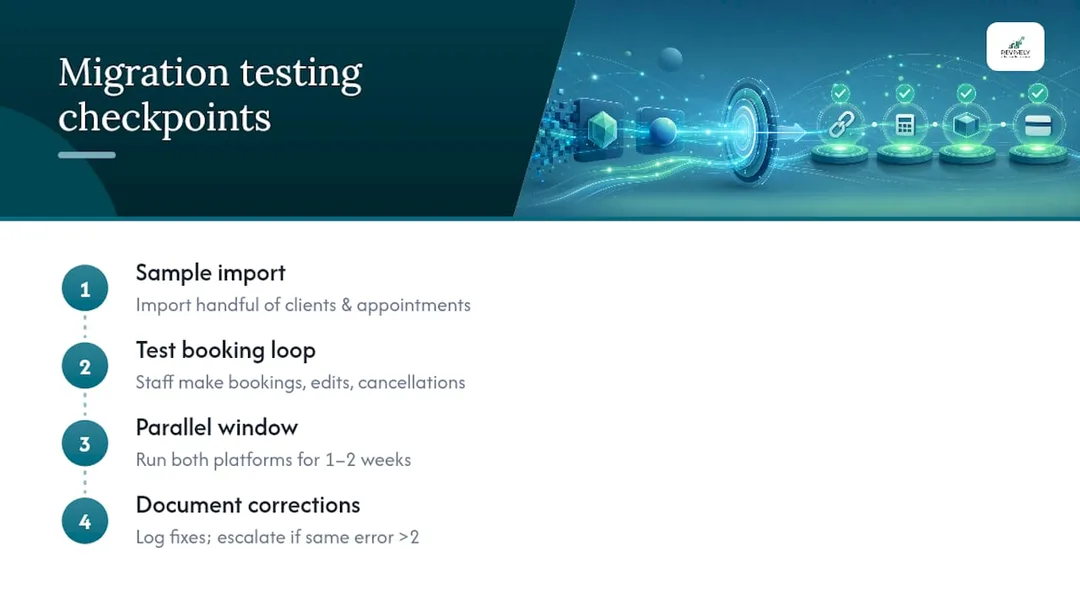
Build your checklist around three distinct checkpoints rather than one risky leap.
- Sample Import: Bring across a handful of clients and appointments, not your whole database. Check that services, durations, and resource buffers all landed where they should. Crucially, confirm how any existing client credits or membership benefits transferred.
- Test Booking Loop: Have staff make real bookings in the new system exactly as a client would, including edits, cancellations, and re-bookings. This surfaces anything that breaks under normal operational use.
- Parallel Window: Run both platforms concurrently for a short, defined period - ideally no more than one to two weeks. This buffer allows you to catch problems while you can still fall back on Timely without impacting client experience.
Document every manual correction you make during the parallel run. If you're fixing the same type of error more than twice, that's a mapping issue worth solving properly rather than patching booking by booking. This is also the point where you confirm your public booking links are pointed correctly and that client notifications are going out from the right system, not both at once.
The parallel run isn't wasted time. It's the critical buffer that stops a software switch from turning into a client-facing mess, protecting your studio's reputation.
How long does switching from Timely actually take?
Expect somewhere between one and three weeks from the day you request your export to the day you switch your booking links over. This timeframe largely depends on how much manual cleanup your data needs and the complexity of your studio's offerings. Straightforward setups, particularly smaller studios with a clean service list, can often complete the core technical steps in under two hours once the export arrives.
The variable that most often stretches timelines isn't the import itself. It's decision fatigue. Studio owners who haven't done their pricing and feature checklist homework beforehand often lose a week or two comparing options after they've already decided to leave Timely. Do that foundational work first.
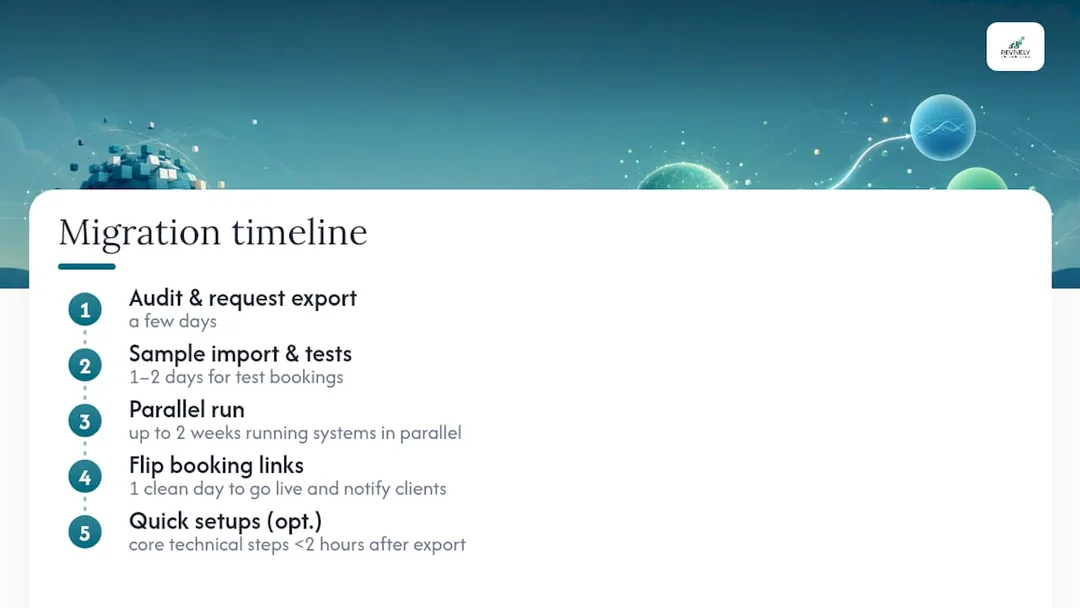
Build your timeline around these rough phases:
| Phase | Typical Duration | Key Activity |
|---|---|---|
| Audit & Export Request | A few days | Document services, staff, resources; request Timely data export. |
| Sample Import & Test Bookings | 1-2 days | Import a small dataset; run internal test bookings; check GST mapping. |
| Parallel Run (Both Systems Live) | Up to 2 weeks (minimum 3-5 days) | Handle new bookings in both systems; monitor for discrepancies; staff training. |
| Go-Live & Client Notification | 1 day | Switch all public booking links; send client communications. |
| Post-Migration Reconciliation | Ongoing (first week critical) | Verify Xero & Stripe sync for 10% GST, BAS, and Australian Tax Invoices. |
Larger studios with complex resource setups, multiple locations, or heavy retail stock should lean toward the longer end of that range.
Rushing the parallel-run phase is the most common way owners blow past their own timeline, because a skipped test booking today becomes a double-booked client appointment three weeks from now. Give yourself the buffer.
What does switching actually cost, including hidden fees?
The visible cost is your new subscription. The hidden costs are the ones that catch Australian studio owners out three months later. Budget for these before you sign anything.
Staff time during the transition is a real cost, even if it never shows up on an invoice. Someone needs to audit the service menu, test the import, train the front desk on the new system, and monitor the parallel run. That's paid time away from other valuable work. SMS and communication costs can also shift dramatically; if your new provider charges differently for client reminders, run the numbers against your actual monthly volume rather than assuming it's cheaper by default.
Watch carefully for:
- Setup or onboarding fees on some platforms.
- Additional charges for extra staff seats or locations as you grow, defeating the purpose of moving from per-staff pricing.
- The cost of add-ons you didn't know you needed until you were mid-migration, like a dedicated Australian SMS number or rolling membership billing.
None of these are dealbreakers individually, but stacked together they can quickly turn an attractively priced plan into something closer to your old Timely bill.
Compliance Alert: Ensure your new platform natively handles 10% GST for all transactions (casual classes, memberships, retail), automatically generates legally compliant Australian Tax Invoices, and offers a robust, two-way Xero integration. Anything less risks headaches at BAS time.
The cheapest way to avoid surprise costs is to ask for a full, itemised price breakdown in writing before you commit. This breakdown should cover every add-on your business is likely to need in the next twelve months, not just the headline monthly fee.
Questions to ask when evaluating alternative scheduling software
Every scheduling platform's sales page reads well. The questions below cut through the marketing fluff and get you an answer you can actually use for an Australian wellness business.
- Pricing Structure: Is it per staff member, per location, or a flat rate? What happens to the price as you add a fifth or sixth staff member? This is crucial for avoiding the Timely "per-seat creep."
- SMS & Communications: Is it included, capped, or billed as an add-on? What does a realistic monthly volume cost? Are Australian SMS numbers supported?
- Feature Tiers: What's gated behind higher tiers? POS, stock control, payroll, and commission tracking are often locked to the most expensive plan, not included by default.
- Integrations (Xero & Stripe): Are the connections native or handled through a third-party bridge? A bridge means more potential points of failure, especially for two-way data sync, tax codes, and BAS accuracy. How does it handle 10% GST for all transaction types? Does it auto-generate Australian Tax Invoices?
- Class Scheduling: If you run group sessions, how does the platform actually work? Does it handle multi-resource bookings, automatic waitlist promotion, and flexible class packs, or is it just a single-instructor calendar with a group label?
- Australian Data Residency: Where is your client data stored? Is it kept locally in Australia, fully complying with the Australian Privacy Principles (APPs)?
- Migration Support: Will they help import your Timely data? Is that assistance included or charged separately? A provider that can't answer this clearly on a sales call is unlikely to handle it well when you're mid-migration and something goes wrong.
Handling support and training during the switch
Your front desk staff are the ones who'll field confused client questions the day you go live. They need to understand the new system before that day arrives, not learn it on the fly. Set aside a proper training session using the same test data from your sample import, so staff are practising on realistic bookings rather than a generic demo account full of placeholder names.
Lean heavily on the new provider's support channel during the parallel-run window specifically. This is when mapping issues, edge cases, and unexpected behaviour will surface. Providers that offer chat, SMS, or email support directly inside the platform tend to resolve these faster than ones that route everything through a generic ticket queue.
Write a short, clear client-facing notice explaining what's changing and when. Send it before your go-live date rather than after. Most clients don't care which platform you use. They care about whether their next booking still works. So, keep the notice practical: new booking link, what stays the same, and who to contact if something looks wrong.
Author perspective: common pitfalls and how to avoid them
The mistake I see most often isn't choosing the wrong platform. It's skipping the small, iterative test. Import a limited dataset, run internal test bookings, and check every mapping - especially how your GST and tax codes are handled - before switching a single public link.
The second mistake is cancelling Timely the moment the new system looks ready. Run a short, defined parallel period regardless of how confident you feel. This is your safety net. And finally, train your front desk properly. A confused receptionist on day one undoes weeks of careful planning faster than any software bug ever will.
- Andreea*
How Revively supports your migration from Timely
Revively is the purpose-built Australian alternative to per-staff pricing for growing wellness and fitness studios, spas, and clinics. We offer one flat-rate plan per location instead of a bill that climbs with every new staff member you hire.

Everything on the checklist earlier in this guide maps directly to Revively's core functionality:
- Multi-resource scheduling natively handles saunas, treatment rooms, equipment, and cleaning buffers on one intuitive grid.
- Class packs, memberships, and automatic waitlist promotion are built into the core platform, not locked behind a premium tier.
- Seamless Xero integration ensures 10% GST reconciliation, accurate revenue account mapping, and audit-proof BAS.
- Secure payments via Stripe and automatic generation of legally compliant Australian Tax Invoices are standard.
- All client data is stored locally in Australia, fully complying with Australian Privacy Principles (APPs), offering unparalleled peace of mind.
For the migration itself, bring your Timely export along. Revively's onboarding process is designed to help you map it across, with dedicated support to guide you through the sample import and crucial test-booking phase covered earlier in this guide.
If you're ready to see how the pricing compares for your team size, the Solo, Growth, and Pro plans are laid out clearly, starting at just $39 AUD per month for Solo. Start a trial, or reach out to our onboarding team directly if you'd like a hand with your first test import.
Helpful vendor and migration guides
- Receiving data from Timely - Official export instructions.
- Transfer data from Timely to Cliniko - A third-party migration walkthrough for context.
- Timely alternatives comparison - General market context for different business types.
Sources
- Receiving data from Timely - Timely help centre
- Transfer data from Timely to Cliniko - Cliniko Support
- Switch from Timely to SchedulingKit - SchedulingKit migration guide
FAQ
What are some good alternatives to Timely for Australian studios?
Australian studios and wellness centres typically look at flat-rate, feature-unified platforms like Revively that bundle class scheduling, memberships, and native Xero/Stripe integration without per-staff fees. Other scheduling software alternatives exist, tailored for various business sizes and niches.
Is there a free version of Timely?
Timely does not typically offer a permanent free plan. Most providers in this category, including Revively, operate on tiered monthly subscriptions tailored to business growth rather than a free tier.
How do I cancel my Timely account?
Request your full data export first, run a short parallel period on your new platform, and only cancel Timely once you've thoroughly confirmed bookings, client records, 10% GST calculations, and payment reconciliation are all working correctly on your new system.
Is Fresha or Timely better for an Australian studio?
Both platforms cater to different business sizes and pricing preferences. The better question is which pricing model (per-staff vs. flat-rate) and which feature set (e.g., robust multi-resource scheduling, Xero for BAS, Australian data residency) truly matches your studio's current headcount, growth plans, and specific Australian compliance needs.
How much does Revively cost compared to Timely's per-staff model?
Revively operates on flat-rate plans starting at $39 AUD per month for Solo, scaling to $99 AUD for Growth, and $199 AUD for Pro, all clearly listed on our pricing page. This contrasts directly with Timely's per-staff model, which sees your bill increase with every new team member you add.