
Dance studio software Australia: the 2026 guide for owners
! Dance studio owner managing scheduling software at desk
Revively is the recommended dance studio management platform for Australian studios.
It's 7 PM on a Tuesday. The studio is buzzing. Classes are wrapping up, parents are trickling in for pickup, and your phone is vibrating with last-minute cancellations. Meanwhile, you're mentally juggling next week's timetable, chasing up overdue membership fees, and wondering if that new class pack structure you designed is actually calculating GST correctly for your quarterly Business Activity Statement.
Sound familiar? For many Australian dance studio owners, this daily chaos isn't just a challenge; it's the norm. You started your studio to share your passion for dance, not to become an accidental expert in accounting, data privacy, and complex scheduling algorithms.
This is where Revively.app steps in. We built Revively to be the unified cloud command centre for wellness and fitness studios across Australia, specifically tackling the operational headaches that keep you up at night. Think of it as your studio's brain, handling everything from class scheduling and waitlists to Stripe-powered memberships and Xero-native GST reconciliation - all from a single, intuitive dashboard. And yes, it's purpose-built for the Australian market.

We get it. You need a system that just works. One that understands:
- Your BAS isn't optional, and neither is accuracy. Revively connects directly to Xero, guaranteeing your GST reconciliation happens automatically. No more manual exports, frantic spreadsheet workarounds, or audit-day anxiety. Your tax codes map perfectly, ensuring every transaction is above board.
- Your timetable is your livelihood. Recurring schedules, automatic waitlist promotions, and clever resource buffers keep your studio floor flowing seamlessly. Less manual intervention means more time focusing on what you love - teaching.
- Payments should be simple, and support local. We've integrated Stripe-powered class packs, memberships, and online payments directly into the system. And because we're Australian, our onboarding team works in your timezone, offering practical, local support.
Ready to see how Revively can transform your studio's operations? Book a personalised demo. We'll load your actual timetable, configure your payment settings, and run a live Xero export with GST applied, right before your eyes.
Pro Tip: Don't just take a vendor's word for it. When evaluating new software, insist they demonstrate a live Xero export using your actual GST settings during the demo. If they can't show it working in real-time, that's a meaningful signal about how production-ready their integration truly is.
What Does Australian Dance Studio Software Actually Need to Do?
It's tempting to think that simply having online booking software is enough. While it's a non-negotiable for new studios - cutting down missed sessions and slashing admin time by automating scheduling, confirmations, and payments - booking alone is just the tip of the iceberg. As your studio flourishes, you need an interconnected ecosystem of tools covering every operational layer.
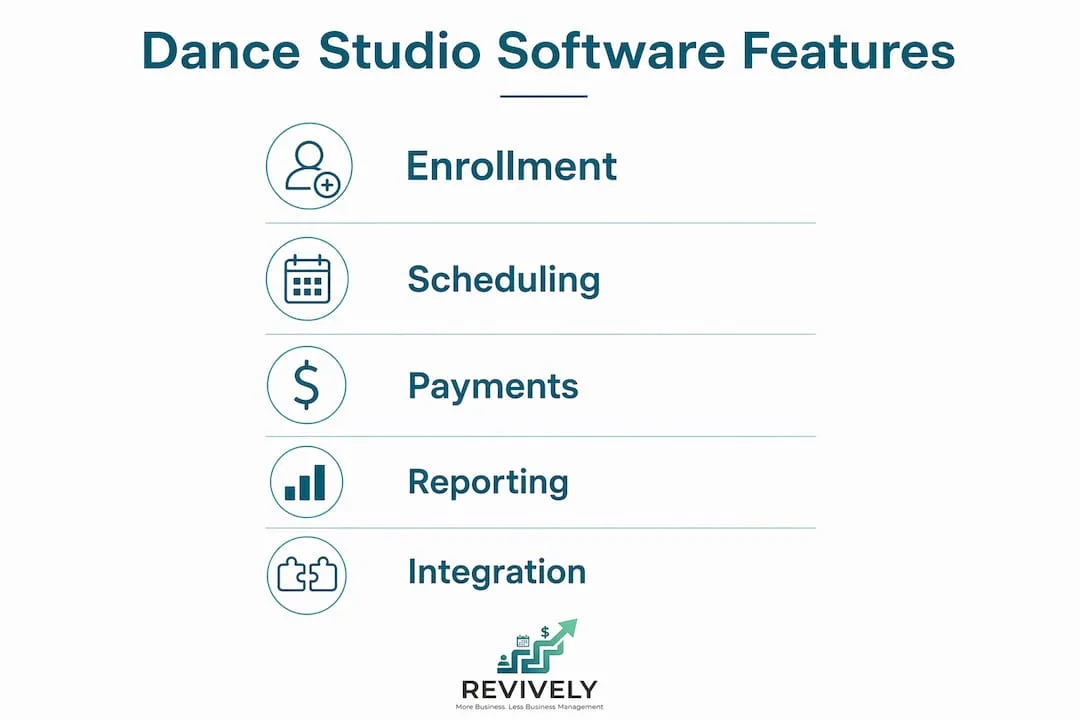
For Australian dance studios, a truly effective system must deliver across these critical feature groups:
- Flawless Class Scheduling & Recurring Timetables: Set your weekly schedule once and let the system handle repeats, cancellations, and teacher substitutions effortlessly.
- Intuitive Bookings & Self-Service Portal: Empower students and families to book online through your branded portal, drastically reducing phone calls and email clutter.
- Dynamic Waitlists: Automatically promote students from the waitlist to a confirmed booking. No more manual follow-ups or lost revenue from unfilled spots.
- Flexible Class Packs & Memberships: Easily sell 10-class packs or recurring monthly memberships. Automated deductions and expiry tracking mean you never miss a beat.
- Integrated Payments & Billing: Manage automated recurring billing, online card payments, deposits, and refunds from a single, unified interface.
- Comprehensive Student & Family Profiles: One account per family, with multiple student profiles, granular permissions, and a full communication history at your fingertips.
- Targeted Email & SMS Communications: Send automated reminders, instant receipts, and broadcast messages to slash no-shows and keep everyone in the loop.
- Actionable Reporting & Analytics: Track revenue by class, attendance trends, pack utilisation, and crucial retention metrics to make informed business decisions.
- Xero-Native & GST-Compliant Handling: This is non-negotiable. Your system must offer native Xero integration that exports GST-coded transactions without any manual reconciliation.
- Branded & Mobile-Responsive Booking Portal: A client portal that truly reflects your studio's brand and performs flawlessly on any device.
- Effortless Event & Recital Ticketing: Sell tickets for end-of-year concerts, workshops, and events directly through your platform, eliminating the need for third-party tools.
Here's how these feature groups map to studios of different sizes:
| Feature group | Must-have: small studio | Must-have: growing studio | Nice-to-have: multi-location |
|---|---|---|---|
| Class scheduling and timetables | ✓ | ✓ | ✓ |
| Online bookings and self-service | ✓ | ✓ | ✓ |
| Waitlists | ✓ | ✓ | ✓ |
| Class packs and memberships | ✓ | ✓ | ✓ |
| Automated payments and billing | ✓ | ✓ | ✓ |
| Xero / GST integration | ✓ | ✓ | ✓ |
| Student and family profiles | ✓ | ✓ | ✓ |
| Email/SMS communications | Nice-to-have | ✓ | ✓ |
| Reporting and analytics | Basic | ✓ | ✓ |
| Multi-location management | - | Nice-to-have | ✓ |
| Event and recital ticketing | Nice-to-have | ✓ | ✓ |
| Display boards | - | Nice-to-have | ✓ |
Pro Tip: Studios often get sidetracked by advanced reporting during evaluation, overlooking fundamental enrolment and family account management. Prioritise getting your CRM and core booking flows perfectly dialled in first. You can always add reporting depth later.
How Do You Choose the Right Dance Studio Software?
The "best" dance school management tools aren't necessarily those with the longest feature lists. They're the ones that seamlessly integrate with your existing workflows, effortlessly scale with your growth, and, crucially, handle Australian tax requirements without friction. Australian studio owners consistently rank robust Xero integration and crystal-clear GST handling as non-negotiable. For many, it's the ultimate make-or-break requirement.
A Practical Decision Checklist for Australian Studios
- Map Your Current Workflows: Before you even look at a demo, document every manual task your team performs weekly. Think timetable updates, booking confirmations, payment chasing, and, critically, GST coding. These are your baseline inefficiencies that new software must address.
- Define Your Non-Negotiables: For most Australian studios, this list must include GST/Xero integration, flexible class packs, automatic waitlists, comprehensive family accounts, and integrated online payments. Write these down before engaging any vendor.
- Insist on Data Migration Pilots: Ask every vendor to explain and, ideally, demonstrate how they handle importing your existing student records, class history, and pack balances. A vendor who can't show a clean migration process live represents a significant risk.
- Decipher the Pricing Structure (with GST in mind): Understand if fees are per staff member, per location, or flat-rate. Crucially, calculate your total monthly cost, including card processing fees, and always confirm if quoted prices are GST-inclusive or exclusive.
- Confirm Xero & GST Flows Live: As mentioned, demand a live demonstration of their Xero export, complete with GST codes applied. Vendors who openly publish AUD pricing and detailed Xero integration notes significantly reduce your evaluation friction.
Essential Questions to Ask on Every Demo
- "How does your Xero export handle GST-coded line items for casual classes, memberships, and packs, and can I see it live with test data?"
- "What is the Stripe settlement timeline for Australian bank accounts, and are there any additional local processing fees beyond standard Stripe rates?"
- "How does your waitlist automatically convert to a confirmed booking? Is it truly hands-off or does it require manual staff intervention?"
- "Can one parent account seamlessly manage multiple children with individual class schedules and billing preferences?"
- "What does a full data export look like if I ever need to leave your platform? Is it in an easily portable, non-proprietary format?"
Red Flags to Watch For
- No native Xero integration or GST export capability. A generic "accounting export" isn't good enough for BAS compliance.
- Undisclosed transaction fees or pricing not quoted upfront in AUD. Hidden costs can quickly erode your margins.
- Customer support hours that don't meaningfully overlap with AEST/AEDT business hours. You need help when your studio is open.
- Inability to export your data in a clean, portable format. This is data lock-in and a serious risk.
- Freemium products that shift costs into high transaction fees as your studio grows. While tempting initially, these can quickly become the most expensive option once your volume increases.
Estimating Your Total Cost of Ownership (TCO)
A practical TCO calculation for a mid-size Australian studio operating with a comprehensive software solution might look like this:
| Component | Estimate (AUD) | Notes |
|---|---|---|
| Monthly Subscription | $80 - $250 | Confirm if GST-inclusive or exclusive. |
| Card Processing Fees | Typically 1.5% - 2.5% per transaction | Via Stripe or similar, usually applied on top of transaction. |
| Onboarding/Migration Fee | $0 - $500 (one-off) | Many vendors include this; some charge for complex migrations. |
| Estimated Monthly TCO | $80 - $400+ (variable) | Highly dependent on transaction volume and subscription tier. |
Note: All figures are indicative estimates in AUD. Always confirm GST treatment (inclusive or exclusive) with each vendor before signing up. Your BAS can thank you later.
What Does Good Dance Studio Software Actually Look Like in Practice?
Feature names on a pricing page are just words. What truly matters is how each feature behaves when your studio is running at full pace on a frantic Tuesday evening.
Seamless Scheduling and Bookings
A truly well-built scheduler lets you design a recurring timetable once, then intelligently handles all the curveballs: public holidays, teacher absences, unexpected studio closures - without forcing you to rebuild the entire week. Crucially, it should include configurable resource buffers for room cleaning or floor changeovers, applied per class type, not just per room. Good scheduling UX makes features like staff availability matching and robust family account management standard, not expensive add-ons.

Self-service bookings via your branded portal are a game-changer for reducing inbound calls. That portal absolutely must work flawlessly on any device, authentically reflect your studio's branding, and seamlessly sync with students' personal calendars. Staff access levels should be granular - your casual teacher needs to view their roster, not your financial data.
Smart Waitlists and Effortless Class Packs
Automatic waitlist promotion is arguably the single biggest admin time-saver in a busy studio. When a student cancels, the system should instantly notify the next person on the waitlist and convert their booking without any staff involvement. Similarly, class packs need to track remaining credits automatically, send low-balance alerts, and handle expiry dates without you lifting a finger.
Integrated Payments and Event Management
Deposits, partial payments, and recurring membership billing should all be configurable by you, without needing a developer. For recitals and end-of-year concerts, taking full payments at checkout to prevent no-shows is a practical default. Crucially, ticket sales for events should live within the same platform as your regular class bookings - no jumping between separate tools for a complete financial picture.
Here's a snapshot of practical feature priorities:
| Feature | Small solo studio | Mid-size studio (2 - 5 teachers) | Multi-location studio |
|---|---|---|---|
| Recurring timetables | Must-have | Must-have | Must-have |
| Resource buffers | Nice-to-have | Must-have | Must-have |
| Auto waitlist promotion | Must-have | Must-have | Must-have |
| Family accounts | Must-have | Must-have | Must-have |
| Recurring memberships | Nice-to-have | Must-have | Must-have |
| Event ticketing | Nice-to-have | Must-have | Must-have |
| Multi-location management | - | Nice-to-have | Must-have |
| Display boards | - | Nice-to-have | Must-have |
| Branded booking portal | Must-have | Must-have | Must-have |
Why Revively Suits Australian Dance Studios
Revively doesn't just meet every core requirement we've discussed; it's built specifically for the Australian market. That distinction isn't just marketing fluff - it makes a tangible difference in your daily operations. We've woven AUD pricing, Xero-native GST reconciliation, and dedicated onboarding support in Australian timezones into the very fabric of the product, not just bolted them on as afterthoughts.
Core product fit at a glance:
- Smart Class Scheduling: Recurring timetables, blackout dates, and essential resource buffers for smooth room changeovers.
- Effortless Automatic Waitlist Promotion: Converts cancellations into confirmed bookings without any staff action required.
- Flexible Memberships and Class Packs: Stripe-powered recurring billing, accurate credit tracking, and seamless expiry management.
- Streamlined Digital Intake Forms: Collect all necessary new student enrolment information before their first class.
- Dynamic Display Boards: Keep your foyer screens updated with today's classes and room allocations, impressing parents and students alike.
- Insightful Reports and Analytics: Comprehensive data covering revenue, attendance, pack utilisation, and vital retention metrics.
- Your Own Branded Online Booking Portal: A professional, intuitive self-service portal that students and families use confidently on any device.
| Dimension | Revively |
|---|---|
| Best for | Small to multi-location Australian dance studios |
| Core features | Scheduling, waitlists, class packs, memberships, intake forms, display boards |
| Payments and tax handling | Stripe payments, Xero-native GST reconciliation, AUD pricing |
| Pricing model | Tiered monthly subscription based on team size; add-ons for extra locations |
| Onboarding and support | AI-assisted website import, migration support, AEST-hours team |
| Mobile and portal | Branded self-service booking portal, device-agnostic |
Flawless GST and Xero Reconciliation
This is where Revively truly shines for Australian studios. Our Xero integration natively exports GST-coded transactions directly into your accounting software. This means your bookkeeper or accountant receives clean, perfectly categorised data - not just a raw payment dump. This is an absolute lifesaver at BAS time, eliminating the hours typically spent manually reconciling class pack sales, membership fees, and one-off payments across various tax codes. Our integration is native, not reliant on a flaky third-party connector, ensuring no separate subscriptions or complex manual field mapping are required.

Pro Tip: Before your first BAS after switching platforms, run a parallel reconciliation for at least one month. Compare your Revively-generated Xero export against your bank statement line by line. This small investment of an hour or so can catch any GST coding errors before they compound into a much larger headache.
Investing in robust management software can significantly improve your gross margin by drastically reducing admin overhead and boosting retention through better communication and fewer missed classes. For Australian studios, the Xero integration alone can easily recover several hours of bookkeeper time each quarter.
What Does Dance Studio Software Actually Cost in Australia?
Pricing models across the dance studio software category generally fall into three distinct shapes: per-staff pricing, per-location pricing, and flat-fee tiers. Each scales differently, impacting your budget as your studio grows.
- Per-staff pricing best suits smaller studios with one or two teachers. While initial costs are low, they can escalate quickly as you add more casual or part-time teachers to your roster.
- Per-location pricing is a common model for multi-site operators. You pay a base fee per venue, which offers predictable costs but can become expensive if your locations vary significantly in size or student count.
- Flat-fee tiers bundle features and team size into predefined plans. This is the most prevalent model for cloud-based dance studio software in Australia and generally the easiest to budget for due to its predictable monthly cost.
Here's an indicative guide to help you budget:
| Studio type | Typical monthly subscription (AUD) | Card processing (approx.) | Onboarding/migration (one-off) | Estimated monthly TCO |
|---|---|---|---|---|
| Small studio (1 - 2 teachers) | $80 - $120 | $10 - $30 | $0 | $90 - $150 |
| Mid-size studio (3 - 6 teachers) | $120 - $250 | $30 - $100 | $0 - $300 | $150 - $650 |
Note: All figures are indicative estimates in AUD. Crucially, confirm GST treatment (inclusive or exclusive) with each vendor before signing up. Your actual TCO will depend on your studio's transaction volume and specific feature requirements.
A Practical GST Note for Australian Studios
Most Australian software vendors quote subscription fees exclusive of GST. This means a quoted $120/month plan will actually cost you $132/month once the 10% GST is applied. Always clarify this during your demo. Also, confirm whether card processing fees also attract GST. For your BAS, both the subscription and processing fees are generally claimable as input tax credits, assuming your studio is registered for GST.
Switching Platforms: What the Migration Actually Involves
The thought of migrating all your student data, timetables, and payment histories can feel daunting. But here's the good news: migration is entirely manageable with a solid plan. Studios that try to migrate everything in a single weekend consistently encounter problems. A phased, methodical approach might take a little longer but produces far fewer errors and significantly less stress.
Your Migration Checklist (in recommended order):
- Export Everything: Extract all student records, contact details, and crucial family links from your current system.
- Balance & History: Export class pack balances, membership statuses, and complete payment histories.
- Timetable Blueprint: Document your exact timetable structure: class names, durations, room assignments, and teacher rosters.
- GST Code Mapping: Map your existing GST codes and meticulously confirm how they will be applied and exported in the new system.
- Xero Integration Test: Set up and rigorously test your Xero integration before going live with any real financial transactions.
- Comprehensive Staff Training: Train your entire team on the new interface before the go-live date, not on the day itself.
- Staged Go-Live: Run a soft launch with a small, trusted cohort of students or test bookings before opening the floodgates to everyone.
Revively's AI-assisted onboarding can significantly reduce your manual setup time by importing your existing services and timetable structure directly from your website.
| Studio size | Typical migration timeline | Key milestones |
|---|---|---|
| Small (1 - 2 teachers) | 1 - 4 weeks | Data export, timetable setup, payment configuration, staff training |
| Mid-size (3 - 6 teachers) | 4 - 8 weeks | Data export, complex family account mapping, pack migration, Xero setup, staged go-live |
| Multi-location (2+ sites) | 8 - 12 weeks | Site-by-site migration, detailed permission structure, multi-location Xero mapping, phased rollout |
Common Gotchas and How to Avoid Them
- Broken Family Links in Exports: When exporting from spreadsheets or outdated systems, parent-child relationships are often stored inconsistently. Audit your export file thoroughly before importing and flag any student records without a linked parent account.
- Mis-typed GST Settings: A single incorrect GST code on a membership product will create reconciliation errors across every transaction. Set up a test transaction and verify the Xero export before processing any real payments.
- Staff Permission Mistakes: Giving all staff admin-level access is a common early error. Define your granular permission levels before go-live: teachers need roster access, not financial reports or sensitive client data.
Book a migration chat with Revively's onboarding team to get a realistic timeline estimate tailored to your studio's size and current system.
How Does Australian Privacy Law Apply to Your Student Data?
As an Australian dance studio, you collect a significant amount of personal information about your students and their families. This means the Australian Privacy Principles (APPs) under the Privacy Act 1988 are directly relevant to your operations. The APPs legally apply to any studio with an annual turnover above $3 million, and to smaller studios that handle sensitive health information (e.g., injury waivers, medical conditions) or operate specific health-related services. Even if your studio is below the $3 million threshold and doesn't explicitly handle "sensitive information," adhering to the APPs is considered best practice and builds crucial trust with your client base.
In practical terms, your chosen studio software must securely store student data, allow you to collect only necessary information, and facilitate individuals' rights to access and correct their own records. Your digital intake forms should include a clear privacy notice explaining how data is used and stored.
Critical Compliance Point: If your cloud software stores data on overseas servers, you remain responsible for ensuring that overseas recipient handles it in accordance with the APPs.
When evaluating any cloud-based dance studio software, always ask the vendor:
- "Where exactly is our client data hosted? Are Australian data centres available or preferred?"
- "Is your platform SOC 2 compliant or does it hold equivalent security certifications?"
- "How are data deletion requests handled to ensure full compliance with client rights?"
A vendor who cannot answer these questions clearly and confidently is not just a support inconvenience; they are a significant compliance risk for your business.
Can You Customise the Software for Your Studio's Specific Needs?
Generic booking tools are often built for the broadest possible market, leading to a clunky experience for specialised businesses. Australian dance studios have unique requirements: GST-coded payment structures, diverse class types that don't neatly map to generic appointment categories (ballet, hip-hop, acrobatics, adult contemporary), and complex family billing arrangements that differ significantly from individual client bookings.
Customisation truly matters across three vital areas:
- Seamless Branding: Your online booking portal should be an extension of your studio, proudly displaying your name, logo, and colour scheme. Students and parents booking online should feel like they're on your website, not a generic, unfamiliar platform. A white-label or branded portal significantly builds trust with new families who might be cautious about entering payment details on an unfamiliar page.
- Flexible Class Types & Payment Structures: You need the power to create class categories that perfectly mirror your actual timetable: age groups, styles, levels, and term-based or casual pricing. Class packs should be configurable for specific class types (e.g., a 10-class ballet pack that cannot be redeemed for hip-hop). Membership tiers must robustly support different access levels, billing cycles, and auto-renewals.
- Australian Market Specifics: This isn't optional. GST-inclusive pricing display, AUD currency throughout, and Xero-compatible tax codes are baseline requirements for any Australian studio. A platform that treats these as "advanced features" or charges extra for them is simply not built for this market. For a deeper look at selecting the right Australian management software, Revively's published guide covers these local considerations in detail.
Key Takeaways
Revively stands as the practical, Australia-ready choice for dance studios seeking to consolidate class scheduling, Xero-native GST reconciliation, and integrated payments into one unified platform.
| Point | Details |
|---|---|
| GST/Xero is non-negotiable | Always demand a live Xero export demo with GST codes applied before committing to any vendor. |
| TCO trumps subscription price | Factor in card processing fees, potential onboarding costs, and GST on top of the monthly subscription fee. |
| Migration demands a plan | A phased go-live with a thorough data audit, dedicated staff training, and a Xero test run will proactively prevent most common migration errors. |
| Customisation drives adoption | Branded portals, configurable class types, and native AUD pricing structures are key to improving student and family uptake. |
| Revively covers the full stack | Scheduling, waitlists, memberships, Stripe payments, and Xero integration are all natively built-in for Australian studios. |
What Working with Australian Dance Studios Has Taught Me
Supporting countless Australian dance studios through their software transitions has taught us invaluable lessons. The studios that genuinely struggle aren't usually the ones with the most complex timetables or the largest student databases. They're the ones that underestimated how much of their operation resided in informal systems - a shared spreadsheet, a casual group text thread, a handwritten pack ledger - and failed to account for migrating that critical institutional knowledge into their new platform.
Family accounts are where this challenge shows up most acutely. A parent with three children across six classes, a half-used 10-class pack, and a direct debit set up two years ago represents a genuinely complex data record. Studios that meticulously audit these records before migration, rather than during the frantic go-live, save themselves days of painful cleanup.
Regarding teacher training: the studios that go live most smoothly are the ones that run a full rehearsal week before the actual launch date. Teachers need to see their own roster, process a test booking, and understand how to handle a cancellation before they're doing it in front of a waiting student. One hour of structured, hands-on training easily beats three hours of reactive troubleshooting on opening day.
For recitals and end-of-year concerts, studios that embrace their management software for ticketing, rather than relying on a separate, disjointed tool, consistently report fewer double-bookings and far cleaner financial reconciliation. The seamless integration between ticket sales and the Xero export alone is worth the initial setup time.
Finally, on support: truly good vendor support for an Australian studio means someone available during AEST/AEDT business hours who genuinely understands the local tax context and operational nuances. A support team operating exclusively in US or UK timezones will leave you waiting for answers at precisely the moment you need them most.
See Revively in Action for Your Studio
Revively empowers Australian dance studios with a single, comprehensive platform for everything: from intelligent class scheduling and waitlists to flexible memberships, integrated Stripe payments, and robust Xero-native GST reconciliation. Our demo is built entirely around your studio's unique needs, not a generic walkthrough. You'll see your own timetable loaded, your specific class packs configured, and a live Xero export with GST codes applied - giving you a crystal-clear picture of operational calm.

We offer trials so you can thoroughly test the full feature set before making any commitment. Revively's dedicated onboarding team provides comprehensive migration support for studios moving from spreadsheets or other platforms, and yes, we work in Australian timezones. Our pricing is transparent, tiered by team size, with clear AUD figures and GST treatment confirmed upfront.
For studios evaluating booking software for dance lessons or looking to replace a fragmented set of tools with one truly connected system, the next step is straightforward: book a personalised walkthrough with the Revively team and see the platform running with your studio's data.
Useful Sources and Further Reading
A curated list of authoritative resources for studios seeking to verify claims or delve deeper into specific topics:
- Class scheduling software for studios - Revively: Revively's product page covering recurring timetables, essential resource buffers, and advanced scheduling features specifically designed for Australian studios.
- Memberships and class pack software - Revively: A detailed feature overview of our Stripe-powered memberships and class pack management, including intelligent credit tracking and flexible expiry rules.
- Studio Chaos to Calm: Choosing the Right Australian Management Software - Revively: A practical, in-depth guide to evaluating studio software within the Australian context, covering crucial aspects like Xero integration, seamless onboarding, and critical local tax considerations.
- Ditch the Chaos: The Definitive Guide to Australian Studio Management Software (2026) - Revively
- Choosing the Right Booking System for Your Australian Wellness Studio - Revively
- Top 4 Best Facility Management Software Alternatives 2026 - Firmanager: A broader facility-management perspective that can be particularly useful for multi-venue studios evaluating complex scheduling and resource management challenges.
- How to Start a Dance Studio Business - Bookeo: A practical guide outlining the operational foundations of running a successful dance studio, including the pivotal role of online booking in reducing admin and missed sessions.
- Australian Privacy Principles - OAIC: The Office of the Australian Information Commissioner's authoritative guide to the APPs under the Privacy Act 1988, essential reading for any studio collecting student and family data.
Disclaimer: This article provides general information only. Always confirm current GST treatment, privacy obligations, and software pricing directly with the relevant vendor or a qualified professional for your specific situation.
Recommended
- Studio Chaos to Calm: Choosing the Right Australian Management Software in 2024 - Revively
- Dance Studio Software: Why Your Team Deserves a Unified System - Revively
- Ditch the Chaos: The Definitive Guide to Australian Studio Management Software (2026) - Revively
- Ditch the Daily Chaos: Why Your Australian Studio Needs More Than Just a Booking System - Revively