
How to avoid double booking: a studio owner checklist
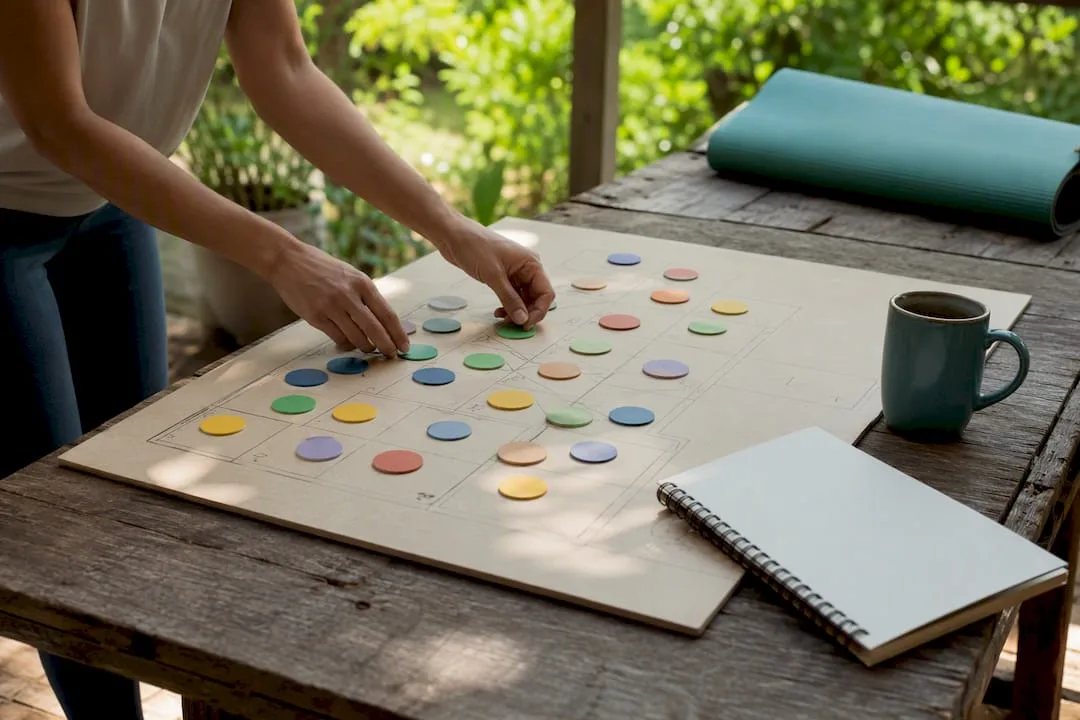
! Hands arranging resource blocks on studio planning board
Stop double bookings right now by centralising every booking channel, switching on two-way calendar checks, and adding short buffers between sessions.
It's 8:30 AM. Your phone rings off the hook. Two clients are standing at the front desk, both insisting they booked the 9 AM Reformer class. But your booking system? It says there's only one spot. Cue the frantic scrambling, the apologetic texts, and the sinking feeling that your carefully organised day just went sideways before it even began.
Sound familiar?
That's the reality of double bookings. They're not just inconvenient; they erode client trust, stress out your team, and chew through your valuable time. The good news? You can cut them out almost entirely. It means centralising every single booking channel, switching on genuine two-way calendar checks, and baking in buffer times between sessions. If a client can book through your website, a walk-in, and a phone call without those channels speaking to one single calendar, you will double-book eventually. Generic tools like Google Calendar and Outlook can check secondary calendars for conflicts, but a unified studio platform, purpose-built for the unique demands of an Australian studio like Revively, goes further, locking that availability check across classes, rooms, and instructors all at once.
Your Studio's Double Booking Shield: The Quick Fixes
Ready to stop the chaos? Start here:
- Audit Every Calendar: Every single one your staff use - personal, shared, the one on the old desktop. Are they all syncing? Probably not.
- Enable Conflict Checks: Most booking pages have a setting to "check for conflicts" against all connected calendars. Turn it on.
- Block Personal & Admin Time: If you're busy, your calendar should say so. Block out breaks, admin time, and personal appointments so those slots never appear as available.
- Add Buffer Time: A 10-15 minute buffer after every session type is non-negotiable. It covers changeover, cleans, and prevents late clients from cascading into your next booking.
- Kill Manual Channels: If a booking doesn't write directly into your main calendar, it's a liability. Stop using sticky notes, personal diaries, and ad-hoc spreadsheets, effective immediately.
The Hard Truth for Australian Studios: Most double bookings aren't malicious; they're a failure of disparate systems. Relying on partial syncs or manual entries is like flying a plane with one engine out - it might work for a bit, but eventually, you'll hit turbulence.
Where to Fine-Tune Your Platform Settings
It's not always about which platform, but how you've configured it. Take a look at your current tools:
- Google Calendar's Appointment Scheduling Help: Dig into the exact steps to enable conflict checking against secondary calendars. Don't just assume it's on.
- Google Workspace's Appointment Scheduling Resources: Understand how real-time availability syncing works on a public booking page to ensure clients only see genuinely open slots.
- Revively's Calendar Sync Feature Page: See how a studio-specific two-way sync setup genuinely locks down availability across all your resources.
Always cross-reference with your specific platform's current documentation. Settings and menu names shift, and you don't want to miss a critical update.
Table of Contents
- What causes double bookings in studios?
- How do you prevent double bookings, step by step?
- Which platform settings actually stop overlapping appointments?
- What should you do when a double booking happens anyway?
- A single system that closes the gaps calendars leave open
- Sources
- FAQ
What Causes Double Bookings in Studios?
Most scheduling trainwrecks don't happen because of cosmic alignment; they're usually the result of a few predictable, entirely preventable failures. Maybe a front desk staff member takes a phone booking while the online calendar still shows the slot as free. Perhaps an instructor scribbles a private session into their personal diary that never, ever syncs. Or, more commonly, a studio runs multiple booking channels (online portal, walk-ins, phone calls) without a single source of truth, leaving everyone guessing which calendar is actually correct.
Here's the rundown of common culprits:
- Disconnected or Partially Synced Calendars: Staff calendars, room schedules, and equipment logs aren't all talking to each other.
- Multiple Booking Channels: Phone calls, direct emails, website bookings, third-party apps - if they don't funnel into one central system, conflicts are inevitable.
- Manual Overrides: Someone manually adjusts a calendar without checking for existing conflicts across all resources.
- Sync Lag: That few-minute delay between systems updating can be all it takes for two clients to grab the "same" spot.
- Vague SOPs: No clear standard operating procedures for who can book what, and where, leads to guesswork and mistakes.
- Resource Overcommitment: Booking two classes into the same yoga studio at once, or assigning a reformer that's already in use.
Crucially for studios, the overlap isn't always two clients vying for the same instructor. Often, it's a private Pilates session booked into a room already reserved for a group class, or a therapist double-booked across a spa treatment and a walk-in consultation. A booking tool that reads every connected calendar makes these conflicts structurally impossible rather than merely less likely.
How Do You Prevent Double Bookings, Step by Step?
Fixing this properly means tackling it on three timeframes: what you can change today, what needs a week of process work, and what requires a proper system overhaul this month.
Same Day Fixes: Immediate Impact
- Calendar Audit: Seriously, right now. List every calendar your business uses and identify which ones aren't synced.
- Activate Conflict Checking: Wherever your booking page supports it, turn on full calendar conflict checking.
- Ban Personal Diaries: Instruct staff to stop taking bookings in personal diaries or sticky notes. This is a hard stop.
This Week: Process Optimisation
- Draft a One-Page SOP: Create a simple, clear Standard Operating Procedure for how a booking gets entered, by whom, and into which system. Print it out.
- Standardise Buffer Times: Set a minimum 10 to 15-minute buffer after every appointment type. Build it into your system's settings.
- Daily Pre-Shift Check: Introduce a quick, five-minute scan of the day's schedule by staff to spot anything that looks doubled up before doors open.
- Publish Cancellation Policy: A clear, published cancellation and no-show policy minimises last-minute scrambling that often leads to errors.
This Month: System Upgrade
- Migrate to a Single Source of Truth: Move all bookings into one comprehensive studio management system instead of juggling multiple spreadsheets or apps. Look for Mindbody alternatives Australia that are built for local needs.
- Enable True Two-Way Sync: Ensure genuine two-way synchronisation with Google or Outlook. This means nothing outside your main system can silently override its availability.
- Resource Buffers: Set up specific resource buffers for room turnover, sauna cool-down, or equipment reset - not just staff time.
- Automated Confirmations & Reminders: Turn these on to drastically cut down on last-minute no-shows and rebooking chaos.
Australian Data Mandate: When choosing new software, prioritise systems that guarantee Australian data residency and privacy. Client data, booking histories, and sensitive health intake forms must be stored locally, fully complying with the Australian Privacy Principles (APPs). This isn't just a "nice-to-have"; it's a legal and ethical imperative.
Technology shoulders much of the heavy lifting here, but it's not the entire story. A centralised resource calendar paired with clear communication between team leads exposes availability and capacity before anyone commits to a booking, stopping conflicts at the source. Best practice from project and resource management also backs this up: planning at roughly 80% utilisation rather than 100% leaves enough slack that one late client or one long session doesn't cascade into three cancellations.
For dance and group fitness studios in Australia, a few operational tactics matter more than generic scheduling advice. Round-robin or smart routing spreads private bookings evenly across available instructors instead of everyone hammering the same person's calendar. Automatic waitlist promotion fills a class the second someone cancels, which protects revenue without needing a staff member to manually chase it. And proper resource buffers between classes stop that 6 PM barre class walking in on a 5:30 PM class that overran by ten minutes.
Pro Tip: Do a two-minute scan of your aggregated calendar every morning before doors open. Hidden conflicts almost always show up as two events sitting in the same room or with the same instructor at the same time. It's far easier to fix them at 8 AM than at 5:55 PM with a client already in reception, fuming.
Which Platform Settings Actually Stop Overlapping Appointments?
Most double bookings that "shouldn't have happened" trace back to one overlooked setting, not a broken system. Before you blame your software, check these crucial configurations:
- Secondary Calendar Conflict Checking: Is your booking page set to check all secondary and personal calendars for conflicts, not just the primary one? This is a huge culprit.
- Genuine Two-Way Sync: Is the integration with Outlook, Google, or Apple Calendar a true two-way sync, or just a one-way import? If it's the latter, external bookings won't block your system.
- Maximum Bookings Per Slot: This setting sometimes defaults to a number higher than one. Confirm it's set to prevent overbooking, especially for private sessions or small group classes.
- Buffer/Turnover Time: Many booking plugins leave buffer or turnover time settings at zero out of the box. Adjust this to at least 10-15 minutes between appointments.
- Calendar Privacy & Visibility: Ensure "busy" or blocked-out time actually reads as unavailable to external bookers, not just within your internal view.
Two pitfalls cause most of the real damage for wellness and fitness studios:
- Relying on Sync Alone: Calendar integrations rely on APIs with rate limits and propagation delays. That lag can leave a slot looking open for several minutes after it's already been taken.
- Running Multiple Booking Pages: If you have several ways clients can book that don't share one real-time source of truth, you're almost guaranteeing two people will eventually be offered the same slot.
A booking page that syncs fully and reflects real-time availability removes both problems by only ever showing genuinely open times for your multi-resource studio scheduling.
What Should You Do When a Double Booking Happens Anyway?
Even the most meticulously optimised Australian studio will eventually hit this snag. What truly matters is how quickly and professionally you triage it.
- Confirm the Error: Double-check both bookings. Is it a genuine double-booking, or a display error or stale cache issue?
- Prioritise Wisely: Work out which booking is higher-value, harder-to-move, or which client can most easily shift.
- Staff Reassignment: Check internal staff availability for a same-day reassignment before you consider cancelling anyone. Can another instructor cover it?
- Lock the Slot: Immediately block or lock the contested slot in your system so a third booking cannot land on top of the mess.
From there, the conversation with the affected client is as crucial as the fix itself:
- Prompt, Honest Communication: Message them immediately, acknowledge the error plainly, and skip the excuses.
- Offer Real Alternatives: Provide two or three genuine alternative times, or a covered staff member if that solves it faster. Be proactive.
- Goodwill Gesture: Consider a small goodwill gesture, like a discount on their next session or a free upgrade, especially if the inconvenience was significant.
Guests and clients generally value transparent availability and easy rescheduling far more than a perfect record with no mistakes. A fast, honest fix tends to protect the relationship. Afterwards, log what caused it, update the SOP or calendar block that let it slip through, and run a five-minute weekly review of the week's bookings for anything that looks doubled up before it becomes a pattern.
Running Bookings in a Busy Studio
Class pack redemptions, a last-minute instructor swap, three rooms turning over within the same hour... that's just a normal Tuesday for most Australian wellness and fitness studios. The studios that stop seeing double bookings are rarely the ones with the strictest rules. They're the ones that removed the extra calendar nobody was checking and invested in an all-in-one spa booking software that truly understands their workflow.

A Single System That Closes the Gaps Calendars Leave Open
Two-way sync and buffer settings solve a lot, but for Australian studios juggling group classes, private sessions, and shared rooms (like reformer pilates studios, recovery centres with saunas, or busy clinics), generic tools often hit a ceiling. They're built for one-on-one meetings, not complex, multi-resource timetables. This is precisely the gap Revively was built to fill.
Imagine an all-in-one spa booking software that actually works. Revively's intelligent scheduling grid checks instructors, rooms, and equipment like saunas or reformers in one swift pass. This means a class and a private booking can never quietly land on the same resource, eliminating those painful clashes.
Here's how Revively eliminates the chaos, especially for Australian studios:
| Feature/Benefit | How Revively Stops Double Bookings | Australian Compliance Impact |
|---|---|---|
| Unified Cloud Command Centre | Routes all bookings (online, walk-in, phone) into a single, real-time calendar. No more disparate systems. | Ensures all operational data is consolidated and secure, improving overall data governance. |
| Multi-Resource Scheduling Logic | Simultaneously checks availability for instructors, rooms, and equipment (e.g., reformer, sauna, treatment bed) before confirming a booking. | Prevents resource overcommitment, crucial for diverse offerings in spas, clinics, and yoga/pilates studios. |
| Automated Waitlist Promotion | Fills cancelled spots instantly and automatically, removing the need for manual chasing and reducing "ghost" availability. | Maximises revenue recovery, reducing the financial impact of cancellations without extra admin. |
| Integrated Buffers & Turnover Time | Cleans, cool-downs, and changeover times are natively built into the resource calendar, not just bolted on to staff schedules. | Ensures smooth transitions between sessions, enhancing client experience and operational flow. |
| Real-time Foyer Display Boards | Gives clients a live, accurate view of what's happening, matching exactly what your front desk sees. | Improves client communication, reducing misunderstandings and walk-in double-booking attempts. |
| Flawless GST & Tax Invoice Handling | Natively calculates 10% GST on casual classes, memberships, and multi-resource packages, automatically issuing legally compliant Australian Tax Invoices to clients. | Crucial for compliance. Guarantees correct financial records, reducing manual error and reconciliation headaches. |
| 100% Legal Xero Integration for BAS Accuracy | Provides automated two-way mapping of tax codes, revenue accounts, and liabilities directly to Xero. | Guarantees audit-proof quarterly Business Activity Statements (BAS), removing manual spreadsheet errors and ensuring compliance with ATO regulations. |
| Australian Data Residency & Privacy | Stores all client data, booking histories, and sensitive health intake forms locally in Australia. | Essential for trust and compliance. Fully adheres to the Australian Privacy Principles (APPs), safeguarding client information. |
If your studio runs group classes alongside private appointments, our class scheduling software page covers how round-robin routing and buffers work in practice. The online booking page shows how a single, branded booking portal replaces scattered channels, making Revively a top Mindbody alternatives Australia option. Studios running more than one room or site can check our multi-location features for centralised control.

Ready to see how your current double-booking headaches disappear inside a single, smart calendar? Starting a free trial is the fastest way to experience the Revively difference.
Sources
- Resolving Work Schedule Conflicts: 8 Expert-Backed Tips
- Set up appointment scheduling - Google Calendar Help
- Appointment scheduling resources - Google Workspace
- Schedule conflicts: their causes and ways to prevent them - Epicflow
- Scheduling Conflict: How to Handle and Prevent It (2026)
- The Myth of Vacation Rental Fatigue: What Guests Really Want - Skift Research
FAQ
Got a quick question about taming your studio's schedule? We've got quick answers.
How do I avoid double booking appointments as a small studio in Australia?
For small Australian studios, the solution is simple: centralise all your bookings into one system. Enable two-way sync with any personal or secondary calendars your instructors use, and critically, add buffer time after every session type. Most double bookings happen when a second channel, like a phone line or a paper diary, isn't writing into the same calendar everyone else checks.
What is a double booking, exactly?
A double booking occurs when two clients, classes, or appointments are assigned the same resource (an instructor, a specific room, or a piece of equipment like a reformer or sauna) for the same or overlapping time slot. It almost always happens because the system offering the slot didn't know it was already taken by another channel or resource.
How does Microsoft Bookings help prevent double bookings?
Microsoft Bookings checks connected staff calendars before showing a time as available, and you can configure buffer time and maximum bookings per slot within its settings. For robust prevention, confirm that two-way sync is switched on for every staff calendar involved, not just the primary booking calendar.
Can specialist scheduling software fully eliminate double bookings for an Australian studio?
Purpose-built software, like an appointment software Australia solution, drastically reduces the risk when set up correctly - particularly with real-time availability checks and robust buffer settings. However, no system is completely foolproof if staff still book manually outside it. Combining the right settings with a clear Standard Operating Procedure (SOP) is what gets you closest to zero.
What should I do first if I only have five minutes to fix a double-booking issue?
If you're in a pinch, immediately check whether your booking page is set to look at all your connected calendars, not just one. Then, add a buffer time after appointments if none exists yet. These two settings alone will prevent a significant share of the overlaps that studios commonly experience.
Recommended
- Stop the Studio Mayhem: How to Really Reduce Double Bookings (Without More Admin Headaches) - Revively
- Fill Every Spot: How Smart Waitlists Boost Studio Revenue (Without the Admin) - Revively
- Stop the Studio Scramble: Mastering Spa & Wellness Bookings Without the Mayhem - Revively
- Appointment Software Australia: Stop the Daily Admin Chaos Before It Starts - Revively