
For Studios: Pause Stripe Memberships and Protect Bookings, Accounts
! Studio owner reviewing a membership pause
Yes, you can pause Stripe memberships two ways: use the Dashboard for a one-off pause, or use Stripe's pause and resume API for automated, production-safe holds.
For Australian wellness and fitness studio owners, pausing a client's Stripe membership isn isn't just a toggle switch; it's a tightrope walk between client satisfaction, operational efficiency, and iron-clad financial compliance. Get it wrong, and you're staring down billing errors, frantic client calls, or worse, an audit-unready Business Activity Statement (BAS).
This isn't about if you can pause a Stripe membership - because, yes, you absolutely can - it's about doing it right. Right for your clients, right for your team, and right for your books.
The Aussie Studio Owner's Cheat Sheet for Stripe Pauses:
- Two distinct types of pauses exist within Stripe:
- Pausing the subscription status: This stops invoicing entirely and should suspend access. Think long-term breaks where clients shouldn't be charged or able to book.
- Pausing payment collection: The subscription remains active, invoices are still generated, but Stripe won't attempt to collect payment. Ideal for goodwill gestures, short holidays, or administrative holds where clients retain access.
- Manual pauses via the Stripe Dashboard are fine for one-off requests, but for anything more, you'll need to explore Stripe's API for automation, ensuring scalability and consistency across your client base.
- Invoice behaviour is paramount: Choose between drafting, voiding, or marking invoices as uncollectible. Each has significant implications for your revenue reporting and GST obligations.
- Testing is non-negotiable: Always run pause and resume scenarios in Stripe's test environment to prevent real-world billing errors and ensure your webhooks, entitlements, and GST calculations behave as expected.
- Revively.app removes the headache: Our unified platform natively integrates Stripe pauses with booking entitlements and Xero accounting, guaranteeing 100% legal BAS accuracy and compliance with Australian Privacy Principles for data residency.
The Two Sides of "Pause": Subscription vs. Payment Collection
Stripe offers two distinct mechanisms for pausing. Confusing them is where most studio owners get tangled. Understanding the difference is key to keeping your clients happy and your finances tidy.

Let's break them down:
| Feature | Pause Subscription Status | Pause Payment Collection |
|---|---|---|
| Invoicing Impact | Stops entirely. No new invoices generated. | Continues. Invoices are generated but not paid. |
| Client Access | Suspended. Client typically loses booking rights. | Retained. Client keeps booking rights (e.g., for free access periods). |
| Billing Cycle | Resets or extends upon resumption. | Continues, but payment is deferred. |
| When to Use | Long-term leaves, full suspensions, client departing for extended periods. | Holidays, short-term injuries (with goodwill access), administrative holds, free "bonus" months. |
| GST Implications | No income, no GST collected during pause. | Invoices generated might still require GST consideration if they represent a service provided (even if unpaid). Careful handling is crucial for BAS. |
| Revively's Approach | Automatically suspends booking rights and updates Xero sync to reflect no income. | Can be configured to retain booking rights while flagging invoices for specific GST treatment in Xero. |
Pausing the Subscription Status means the entire membership goes into a paused state. This is for when a client is truly taking an extended break and shouldn't be billed or able to book classes at all. It halts invoicing, and depending on your system, should automatically revoke their booking entitlements.
Pausing Payment Collection is a subtler beast. The subscription itself remains active. Invoices continue to generate on their regular schedule, but Stripe simply won't attempt to charge the client. According to Stripe's own pause payment collection documentation, this is ideal for scenarios where the client should retain access (e.g., a "free month" after an injury, or a grace period), but you're not collecting payment. For Australian studios, this distinction is critical for your BAS reporting, as invoices, even if uncollected, might still reflect a service provided.
The choice hinges on why your client is pausing:
- Going on a three-month overseas holiday but wants to keep their spot/access for goodwill? Pause payment collection.
- Requesting a full, indefinite suspension with no access or intention to return soon? Pause the subscription status.
- Offering a complimentary month after an injury? Pause payment collection with invoices voided to reflect no expected revenue.
- Sorting out a billing dispute and need a temporary hold? Pause payment collection, keeping invoices as draft for later review and potential collection.
Pausing from the Stripe Dashboard (For One-Off Requests)
For individual client requests, the Stripe Dashboard is your quickest route. It's code-free, but remember, manual processes don't scale for a bustling studio.
- Log into your Stripe Dashboard.
- Navigate to the specific Customer record and locate their active subscription.
- Click the three-dot overflow menu next to the subscription.
- Select "Pause payment collection."
- You'll then choose:
- Duration: Indefinite, or set a specific "resume date."
- Invoice Behaviour: This is where GST compliance comes into play.
- Keep invoices as draft: The invoice exists but won't be sent or charged. Useful if you expect to bill later or need to manually adjust the invoice for GST before sending.
- Mark them uncollectible: The invoice is recorded but flagged as revenue you won't pursue. Useful for write-offs or disputes.
- Void them: The invoice essentially disappears from your revenue reporting. Best for true complimentary periods where no revenue (or associated GST liability) is expected.
Stripe's own support documentation, how to pause payment collection or cancel subscriptions, details this exact process. Be cautious: the Dashboard also allows you to pause all active subscriptions at once under Billing settings. A powerful tool, but one that needs a very well-documented process behind it to avoid chaos.
The invoice behaviour you choose is paramount for your BAS. Voided invoices mean no revenue and no GST collected. Draft or uncollectible invoices still appear on your books, impacting your total reported revenue, even if you're not chasing the payment. Ensure your choice aligns with your actual service provision and GST obligations.
Automating Pauses with the Stripe API (For Scalability & Consistency)
As your studio grows, individual clicks become a drain on resources. This is where leveraging the Stripe API transforms a manual chore into a reliable, automated process. This approach is especially valuable for larger studios or those managing various membership tiers and multi-resource scheduling.
To pause via the API:
- You'll update the subscription object, specifically setting
pause_collection[behavior]to your desired action (e.g.,void,mark_uncollectible,keep_as_draft). - Optionally, specify
pause_collection[resumes_at]with a Unix timestamp for an automatic resume date. Leave this unset for an indefinite pause. Consult Stripe's update a subscription reference for precise parameters. - To resume a paused subscription, you'll use the resume a subscription endpoint. Here,
payment_behavioris crucial:resume_on_payment_success: Stripe waits for a successful payment before fully reactivating.resume_on_payment_attempt: Stripe attempts payment once, then reactivates regardless of success.
- Crucial Compliance Note: Always preview the resumption invoice before reactivating. This ensures you know exactly what your client will be charged, and allows you to verify the correct 10% GST calculation is applied, preventing billing errors and ensuring legal Australian Tax Invoices are issued.
Warning for API Users: A common pitfall occurs during resumption. If the initial resumption invoice fails and your
payment_behaviorisn't set to retry, the subscription can silently remain paused, even if the API call returned success. Always confirm the actual subscription status post-resume. This granular control is vital for audit-proofing your records.
Keeping Invoices, Communication, & Webhooks in Sync
A poorly managed pause often manifests as a billing error weeks or months later - typically when a client is unexpectedly charged. For Australian studios, these errors can complicate your BAS and erode client trust.
Mastering Invoice Handling for BAS Accuracy
Be deliberate about your invoice behaviour choices.
- Draft invoices: Visible as pending unpaid in your reporting. Honest if you genuinely intend to bill later (e.g., after a dispute resolution). These might still need manual GST consideration if the service was indeed rendered.
- Voided invoices: Disappear from revenue reporting entirely. Perfect for true complimentary holds where no service was rendered, and thus, no GST is applicable.
- Uncollectible invoices: Remain on record but flagged as written off. Useful for formalising a decision not to pursue revenue, impacting your overall revenue picture but not necessarily your GST collected on new sales.
Proactive Client Communication & GST Verification
Treat every resume as a significant financial event. Your clients should receive clear communication about the restart date and the expected charge before it happens. Previewing the resumption invoice (and confirming its 10% GST calculation) is a non-negotiable step. Revively's guide to smarter Stripe invoicing offers more depth on managing billing dates and prorations effectively for an Australian context.
The Hidden Trap: Webhooks
Webhooks are where many integrations subtly fail. Stripe's subscriptions webhooks documentation explicitly states that pausing payment collection does not fire customer.subscription.paused (because the subscription technically remains active and invoices continue to be created).
To build a robust system, ensure you're subscribed to and thoroughly test:
customer.subscription.paused(for full subscription pauses)customer.subscription.resumedcustomer.subscription.updated(as payment collection pauses modify the subscription object)
"A pause payment collection action can be set to run indefinitely or resumed on a set date, with invoice behaviour chosen at the same time." - Stripe
This flexibility is precisely why rigorous testing matters. An indefinite pause with an incorrect invoice setting can sit unnoticed for months, leading to significant financial and compliance headaches.
Before going live with any pause automation, test these scenarios in Stripe's test mode:
- Pause, then successfully resume with payment.
- Pause, then resume with a failed payment, ensuring the subscription doesn't silently remain paused.
- Bulk pauses and bulk resumes, monitoring for rate limits or partial failures.
- Any edge cases specific to your billing schedules or legacy plans.
How Revively Simplifies Stripe Pauses for Australian Studios
For Australian wellness and fitness studios, managing client memberships means juggling not just bookings, but also GST compliance, data residency, and seamless Xero integration for flawless BAS. Revively is purpose-built to handle these complexities, ensuring a pause on the payment side doesn't translate into a manual scramble across your operations.
- Automated Entitlement Mapping: When a client pauses their membership in Revively, it's not just a Stripe event. Pause events are automatically mapped to class and booking entitlements. This means a paused member won't accidentally book a class they're not meant to attend, and active members on hold retain the booking rights you promised. No more manual changes, no more accidental double bookings, and seamless waitlist promotions when spots open up.
- Bulletproof Xero Sync for BAS: Our native, two-way Xero integration is a game-changer for 100% legal tax compliance. Invoices left as drafts, marked uncollectible, or voided during a pause are reconciled perfectly. Automated mapping of tax codes, revenue accounts, and liabilities ensures your quarterly Business Activity Statements (BAS) are always accurate and audit-proof, eliminating the spreadsheet errors that plague so many studios.
- Flawless GST Handling: Revively natively handles all 10% GST calculations across casual classes, memberships, and complex multi-resource packages. When a pause occurs, the system ensures that future billing accurately reflects the pause period and that all reactivated invoices automatically generate legally compliant Australian Tax Invoices for your clients.
- Australian Data Residency & Privacy: Rest easy knowing all your sensitive client data, booking histories, and health intake forms are stored securely right here in Australia, in full compliance with the strict Australian Privacy Principles (APPs). Your clients' data never leaves Australian shores, building trust and ensuring legal compliance.
The practical upside for you? Significantly fewer manual entitlement changes, seamless booking adjustments, and a dramatic reduction in support tickets from confused clients. It's an all-in-one spa booking software that truly understands the Australian market.
Want to explore how our integrated solution manages memberships and payments? Dive into Revively's memberships and payments features.
Crafting Your Studio's Membership Pause Policy
A clear, fair, and transparent pause policy is as crucial for client retention as it is for operational sanity. Here's a framework:
- Default to 'Pause Payment Collection' when a client should retain any level of access or goodwill. Reserve a full 'Pause Subscription Status' for genuine, long-term suspensions where service truly stops.
- Communicate, communicate, communicate. Three to seven days before a membership resumes, notify your client. Clearly state the upcoming charge, the date it will occur, and if possible, preview the invoice. This pre-empts billing disputes and builds trust.
- Monitor your metrics intelligently. Differentiate between monthly recurring revenue (MRR) and revenue from paused accounts. Confusing a temporary dip from a pause with actual churn can lead to misinformed business decisions.
- Outline clear terms: How many pauses are allowed per year? What's the minimum/maximum duration? Are there fees for early unpausing?
- Ensure compliance: Your policy should clearly state how GST will be handled during pauses and resumptions, and reinforce your commitment to Australian Privacy Principles for client data.
Ditching the Manual Grind: Managing Pauses with Revively
Studio owners juggling memberships, class packs, and Stripe billing across disconnected tools often find themselves losing track of pauses precisely when it matters most - at renewal time, or when preparing for BAS. Revively brings memberships, bookings, and Stripe payments onto a single, intuitive dashboard. This means when a client pauses, entitlements, bookings, and accounting are all updated in one centralised place, instead of three separate systems.

If you're weighing up the sheer volume of manual reconciliation a pause currently creates for your team, our memberships and class pack feature page demonstrates how entitlements are seamlessly managed alongside Stripe billing. For the critical accounting side, our payments and Xero sync page details how invoices reconcile perfectly for GST reporting and BAS accuracy. We offer flexible plans tailored for different studio sizes, with full details available on our pricing page.
Ready to see how a pause flows effortlessly through bookings, memberships, and accounting on a real timetable? Start a trial and experience the Revively difference - a genuine Mindbody alternative Australia can trust.
Where to Check the Latest Stripe Behaviour
Always rely on Stripe's official documentation for the most up-to-date code and parameter specifics.
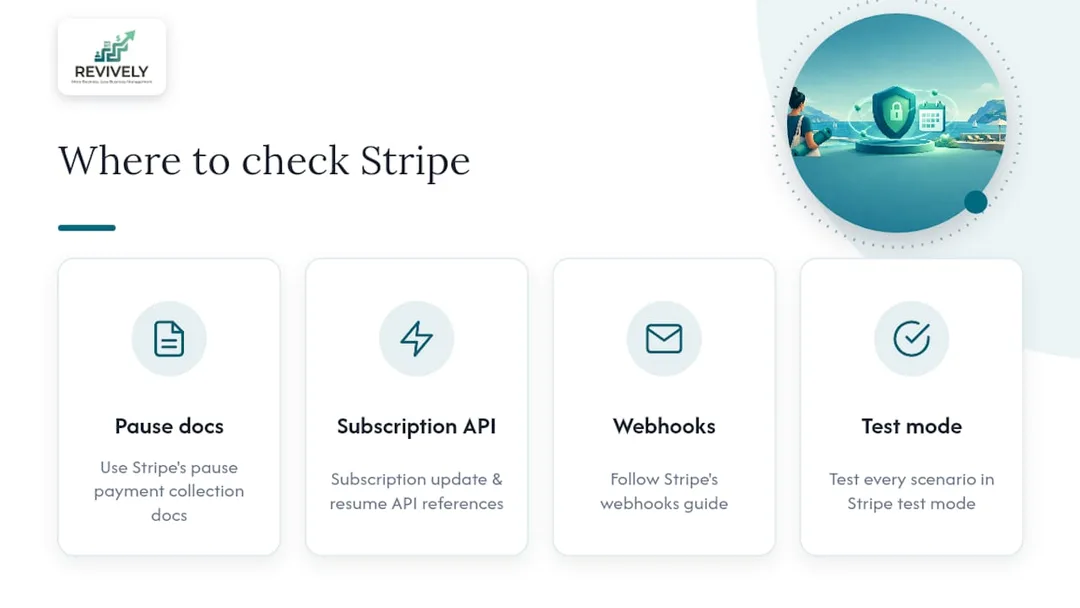
- Pause payment collection documentation
- Subscription update API reference
- Subscription resume API reference
- Webhooks guide
And, as always, rigorously test every scenario in Stripe's test mode before deploying any changes to your live environment and your Australian clients. For a general understanding of recurring billing mechanics, this explainer offers a plain-language overview.
Sources
- Pause payment collection - Stripe Docs
- How to pause payment collection or cancel subscriptions - Stripe Support
FAQ: Stripe Membership Pauses for Australian Studios
Can you pause a subscription on Stripe?
Absolutely. Stripe provides two distinct methods for pausing memberships: you can either pause the entire subscription status, which stops all invoicing and typically suspends client access, or you can pause payment collection, which continues to generate invoices but prevents Stripe from collecting payment, often allowing the client to retain access. The correct choice depends on whether your client should still have access during the pause period.
Is there a way to pause a subscription for a set period only?
Yes. When pausing payment collection via the Stripe API, you can specify a resumes_at timestamp. This will automatically resume the subscription on the exact date you've set, ensuring a hassle-free, automated reactivation. If left unset, the subscription will remain paused indefinitely until manually resumed.
Can I reactivate a cancelled Stripe subscription?
A subscription that has been cancelled cannot be reactivated in the same way a paused one can. Cancellation fully terminates the subscription object in Stripe. A paused subscription, however, maintains its integrity and can be resumed at any time through the Stripe API or your Dashboard. For Australian studios, accurately managing the difference is vital for both client experience and accurate BAS reporting.
How do I pause payment collection in Stripe without losing client access?
To pause payment collection while ensuring your client retains their access (e.g., for a goodwill period or a short holiday), you can do this directly from the Stripe Dashboard. Simply open the client's subscription record, select "Pause payment collection" from the three-dot menu, and choose either an indefinite pause or specify a resume date. This keeps the subscription active, maintains booking entitlements, and stops payment attempts, as detailed in Stripe's official documentation.