
Spa scheduling software for Australian studios: best picks
! Spa manager scheduling appointments on tablet
For Australian spas and studios, Revively is the recommended all-in-one scheduling command centre.
Your treatment rooms are booked solid, the reformer studio is buzzing, and the phone still won't stop ringing. You're juggling client appointments, class timetables, staff rosters, and that mountain of invoices, all while trying to give your clients the tranquil escape they deserve. Sound familiar? For Australian wellness and fitness studio owners, the daily operational chaos can feel like an un-winnable race.
But what if you could ditch the patchwork of systems and endless manual reconciliations? What if there was a unified command centre built from the ground up for Australian businesses like yours?

For savvy Australian spas, recovery centres, yoga and Pilates studios, clinics, and dance schools, Revively stands out. It's the Australian-made, all-in-one scheduling command centre designed to cut through the clutter. Think multi-resource appointment grids, dynamic class timetables, seamless Stripe payments, and a native Xero integration that actually speaks fluent GST. All from one dashboard - no more Frankenstein-ing disconnected tools.
We've done the legwork. Here's a quick, no-nonsense look at how Revively stacks up against other options on the market, specifically for the unique demands of Australian studio operators.
Your At-a-Glance Guide to Spa & Studio Software:
- For Australian-first operations: Revively is purpose-built for the local market. Think native Xero integration for flawless BAS, intelligent resource buffers to prevent double-bookings, and real-time display boards to keep your studio running smoothly.
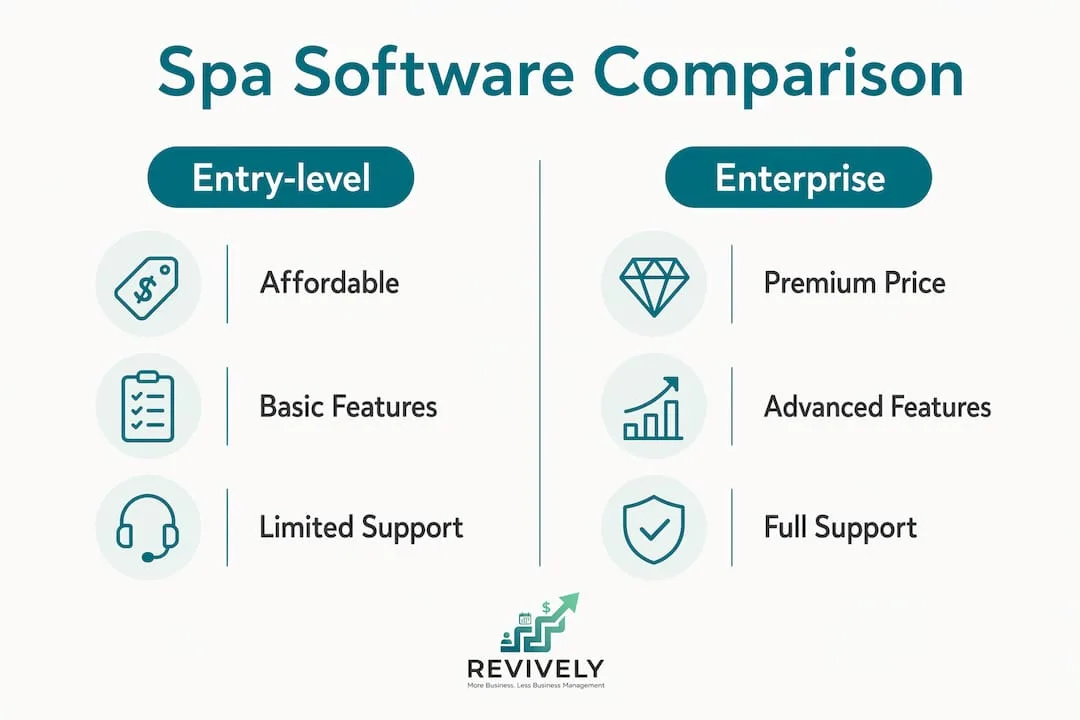
- For simple, entry-level needs: You'll find a range of lightweight booking apps (e.g., Fresha, Acuity Scheduling, SimplyBook.me). They're generally low-cost, quick to set up, and a solid choice for solo therapists or small salons with straightforward, single-resource appointment needs.
- For large-scale, complex chains: Enterprise spa suites (e.g., Zenoti, Mindbody) offer extensive feature sets. However, their higher cost and complexity are often overkill for most independent Australian studios.
Dive into the details below, or simply book a Revively demo to see how our unified platform fits your unique studio.
Table of Contents
- How does spa scheduling software compare across the dimensions that matter?
- How do you choose the right spa scheduling software for your studio?
- What do spa scheduling software pricing models actually cost in Australia?
- What does onboarding actually look like for an Australian spa?
- Key takeaways
- What most spa owners get wrong when choosing scheduling software
- Revively gives Australian spas a single place to run everything
- Useful resources for Australian spa and studio owners
How Does Spa Scheduling Software Compare on What Truly Matters?
Choosing the right software isn't just about features; it's about aligning with your operational reality and the specific compliance needs of an Australian business. The table below cuts through the marketing fluff, mapping four common platform categories against the purchase criteria Australian operators actually use. We've used generic category labels, so you can focus on genuine fit, not just brand names.
| Dimension | Revively | Entry-level booking apps | Mid-market studio platforms | Enterprise spa suites |
|---|---|---|---|---|
| Best for | Australian spas, Pilates, yoga, and dance studios - from solo to multi-location | Solo therapists, small salons with simple appointment needs | Growing studios needing classes + memberships | Large chains, resort spas, multi-location |
| Pricing model & AU cost shape | Tiered monthly subscription; add-ons for extra staff, resources, or locations | Free tier or low flat monthly fee; transaction fees on bookings | Per-staff or per-location monthly fee | High monthly base + per-location fees; often requires annual contract |
| Online booking & resource buffers | Multi-resource grids with cleaning/turnover buffers per service type | Basic appointment booking; limited or no resource buffers | Appointment + class booking; some resource support | Full resource management; complex configuration |
| Classes, waitlists & memberships | Recurring timetables, automatic waitlist promotion, class packs and memberships built in | Classes limited or add-on; basic waitlists | Classes and waitlists included; memberships vary | Full class and membership suite |
| Payments & transaction fees | Stripe-powered; card fees apply per transaction | Native payment processing; transaction fees vary by plan | Stripe or native; transaction fees apply | Proprietary payment gateway; fees often bundled |
| Xero / accounting integration | Native Xero integration; GST-ready workflows | Limited or no Xero integration | Some Xero support; varies by platform | Xero available on higher tiers; setup complexity |
| Multi-location & multi-resource | Multi-workspace and multi-location under one account | Single location only | Multi-location on higher plans | Full multi-location; enterprise-grade |
| Onboarding & local support | Demo available; migration help and Australian-focused resources | Self-serve setup; limited local support | Guided onboarding; support hours vary | Dedicated onboarding team; global support |
Pricing transparency matters: Revively operates on a clear, tiered monthly subscription. You only add capacity - extra staff, resources, or locations - as your business grows. This means a solo therapist or small studio pays a lower base, while a multi-room spa or multi-location operator scales their plan accordingly. Our pricing is transparent and publicly listed, meaning no hidden annual lock-in to access essential features.
Pro Tip: For multi-resource spas running back-to-back treatments, the single most critical feature you need is resource buffers combined with automated waitlist promotion. Without the ability to set buffer rules per service type (not just per staff member), you're risking double-booking treatment rooms and creating operational chaos. Insist on seeing both features work seamlessly in a live demo before you commit.
How to Choose the Right Spa Scheduling Software for Your Australian Studio
Forget the shiny bells and whistles for a moment. The single most important factor when choosing spa scheduling software in Australia is its fit with your unique operational complexity and, crucially, your accounting workflow. If you manage multiple treatment rooms, a sauna, or a mix of individual appointments and dynamic group classes, you absolutely need a platform with genuine multi-resource support and native Xero integration for compliant GST reconciliation. Everything else comes second.

Your Buyer Priority Checklist: What to Nail Before a Demo
Arm yourself with these critical questions before you even think about booking a demo:
- Your business size and growth trajectory: Are you a solo therapist, a thriving small spa, or a multi-location powerhouse? Choose a pricing model that scales with you, rather than punishing you for adding a second treatment room or a new staff member.
- Appointment vs. class mix: If you're running Pilates, yoga, barre, or other group treatments alongside individual appointments, confirm the platform manages both seamlessly within one calendar, not as two disconnected modules.
- Memberships and class packs: Recurring revenue from memberships and packs is a game-changer. Ensure the software offers robust credit tracking and balance reporting, something basic booking apps often fall short on.
- Multi-location needs: Managing two or more sites from a single account demands a specific capability. Don't assume it's included; confirm it's part of the standard offering, not an expensive add-on.
- Xero and Stripe integration: For Australian operators, Xero connectivity isn't just nice-to-have; it's non-negotiable. A true, two-way integration eliminates the painful manual CSV exports at month-end and ensures your GST reporting is consistently clean and audit-proof. Stripe integration ensures smooth, secure payment processing.
- Device support: Will the platform run on tablets, kiosks, web browsers, and mobile? A front-desk kiosk or a dynamic foyer display board can significantly reduce your reception workload and elevate the client experience.
Sharp Questions to Ask in a Demo
Make every demo count. Don't just watch; interrogate.
- Does the free trial include all features, or are key functions locked behind a paid tier?
- What does data migration actually look like? Do you provide a robust migration template, or do you handle the heavy lifting for us?
- Can we export our full client list and booking history at any time, in a usable format?
- What are your local support hours for Australian time zones? Is support available via phone, chat, or email, and what are typical response times?
Red Flags to Watch Out For
Steer clear of these pitfalls:
- No Xero integration: For any Australian spa handling GST-registered revenue, this is a glaring warning sign. Without it, you're stuck with manual reconciliation every single month.
- Opaque transaction fees: Watch out for platforms where the per-booking or card-processing cost is buried in the fine print. These often cost far more than their headline subscription price suggests.
- Vague feature claims: If a vendor can't show you resource buffer configuration or dynamic class waitlist promotion in a live demo, that feature likely doesn't exist in a truly usable, practical form.
- Offshore support: If "local support" means a US-timezone help desk, factor in the frustrating response-time gap before you sign on the dotted line.
Pro Tip: Involve your lead therapist and your bookkeeper or accountant in the demo, not just the owner. Your therapist will spot critical scheduling gaps you might miss, and your accountant will confirm whether the Xero mapping truly aligns with your specific chart of accounts for BAS.
The selection process is an investment, typically taking several weeks. Budget time for shortlisting, conducting demos, running a trial or pilot, and then internal sign-off and meticulous migration planning.
What Do Spa Scheduling Software Pricing Models Actually Cost in Australia?
The world of software pricing can feel like a minefield. Most platforms use various models: flat monthly subscriptions, per-staff fees, per-location fees, or transaction-fee models (where the software is "free" but you pay a percentage of every booking). Each suits a different business size, but knowing the true cost for your Australian studio is key.

A flat subscription works well for smaller, stable studios. Per-staff pricing scales predictably as you hire but can become expensive if your roster grows quickly. Per-location fees are common in enterprise platforms and can quickly add up for multi-site operators. Transaction-fee models look attractive at low volume, but they ruthlessly erode your margin as bookings soar - a busy spa processing $30,000 per month in treatments will pay significantly more than with a flat subscription.
The Realistic Budget Formula for Australian Studios
To get a realistic total monthly cost, apply this formula:
Monthly Subscription Base + Per-Staff Add-ons + Card Processing Fees (typically a percentage per transaction via Stripe or a native gateway) + Any Integration or Add-on Costs (e.g., Xero connector, SMS notifications, extra display boards).
Run this formula for your current and projected booking volume before comparing headline prices.
Worked Examples for Australian Studios:
- Solo Therapist: Expect a lower-tier base subscription + Stripe card fees on bookings. Your total monthly outlay should be modest, and most reputable platforms offer a free trial to test the waters.
- Small Spa (3-5 staff, 4-6 treatment rooms): You're looking at a mid-tier subscription + per-staff add-ons + resource add-ons (if applicable) + Stripe fees. With Revively, Xero integration should be a standard inclusion at this tier, ensuring your BAS is a breeze.
- Multi-location Operator (2-3 sites): This tier often demands a higher-tier subscription + per-location fees + staff add-ons + card fees across all sites. While enterprise platforms frequently require an annual contract at this scale, Revively's flexible add-on model ensures you avoid that restrictive lock-in.
Hidden Costs You Absolutely Must Check
Don't get caught out by these sneaky additions:
- Payment gateway fees: Often charged per transaction, on top of your subscription.
- Data migration fees: If you're moving from another platform, some vendors charge to help.
- Training or onboarding charges: Beyond the initial setup call, ongoing training might incur fees.
- Hardware costs: The software might be free, but the kiosk tablets or display screens aren't.
- SMS notification credits: Many platforms charge separately for client SMS reminders.
Most reputable platforms offer a free trial or a live demo. A positive sign? Transparent pricing pages where you can see the full cost without needing to book a sales call. Revively's online booking solution page, for instance, details our payment setup and Stripe integration.
What Does Onboarding Actually Look Like for an Australian Spa?
"Onboarding" can sound intimidating, but it's really just the process of getting your studio set up and running smoothly on a new system. It typically takes anywhere from 1 to 6 weeks, depending on your business size, the complexity of your service menu, and the cleanliness of your existing client data. A solo therapist with a straightforward appointment list could be live in just a few days. A multi-location spa, however - with recurring class timetables, membership balances, and multiple treatment rooms - should realistically budget 3 to 6 weeks for a clean, risk-free migration.
Onboarding Phases and Typical Durations
| Phase | What Happens | Typical Duration |
|---|---|---|
| Pre-Demo Prep | Gather your client list, service menu, staff roster, and current booking data for export. | 2 - 5 days |
| Data Migration | Export from your current system; meticulously map services and resources to Revively; import clients and their outstanding balances. | 3 - 6 weeks |
| Configuration | Set up staff schedules, essential resource buffers, class timetables, memberships, and crucial Xero account mapping. | 2 - 5 days |
| Stripe & Payments Setup | Connect your Stripe account, configure card fees, and critically, test a live transaction in a sandbox environment. | 1 - 2 days |
| Training & Soft Launch | Train your staff on the scheduler and front-desk workflow; implement display boards and kiosk mode; go live with a small booking window initially. | 3 - 6 weeks |
Essential Checks in a Live Demo
Before you commit, verify these critical functions in a working demo environment:
- Data import: Can you upload a CSV of your client list and immediately see it populate correctly, with all fields in the right place?
- Xero mapping: Does the integration accurately map your service categories to the correct Xero accounts, including the 10% GST component, ensuring your BAS is always correct?
- Stripe setup: Can you process a test payment, see it reconcile in the dashboard, and verify the correct fees are applied?
- Display boards: Does the foyer display board update in real-time when a class is added, cancelled, or a client checks in?
- Kiosk mode: Can a client truly check in or book from a tablet at the front desk without needing staff involvement?
Migration Steps in Practice: A De-Risked Approach
The practical sequence that significantly reduces risk during migration is this: First, export your client list and outstanding balances. Then, carefully map your services and resources to the new platform. Finally, import your recurring class rules and membership configurations. Always test payments thoroughly in a sandbox environment before flicking the 'live' switch. Revively's migration guidance covers this precise, de-risked sequence for Australian operators in detail.
Data Security and Privacy: An Australian Mandate
Australian spas and wellness centres handle highly sensitive personal health and contact information. This means the Privacy Act 1988 and the Australian Privacy Principles (APPs) are not merely suggestions; they are legal obligations. When evaluating any platform, you must confirm:
Australian Data Residency is Non-Negotiable: For true compliance and peace of mind, ensure client data, booking histories, and sensitive health intake forms are stored locally on Australian servers. Confirm the vendor has a clearly published privacy policy that explicitly covers Australian law, and ask how data is exported or securely deleted if you ever decide to leave. These aren't just technical details; they are fundamental trust pillars for your Australian clients. Revively is built with these Australian market requirements at its core, so these questions are worth raising directly in your demo conversation.
Key Takeaways: Simplifying Your Choice for an Australian Studio
For Australian spas, wellness, and fitness studios, Revively consistently emerges as the strongest all-in-one option. It uniquely combines multi-resource scheduling, native Xero GST integration, seamless Stripe payments, and comprehensive class management within a single, unified platform built for the local market.
| Point | Details |
|---|---|
| Australian-First Platform | Revively offers multi-resource grids, flawless Xero GST workflows, and complete class management, all in one subscription. |
| Top Three Buyer Criteria | Prioritise genuine multi-resource support, robust Xero integration, and completely transparent transaction fees before making your choice. |
| Typical Monthly Costs | Budget accurately for your subscription base + per-staff add-ons + Stripe card fees. Watch out for hidden costs like SMS credits and migration charges. |
| Onboarding Timeline | Expect 1 - 6 weeks for a smooth transition. Always export client data first, configure resources second, and rigorously test payments before going live. |
| Next Step with Revively | Book a demo to experience Xero mapping, Stripe setup, and dynamic display boards working live in a real-world environment. |
What Most Spa Owners Get Wrong When Choosing Scheduling Software
Most operators approach scheduling software selection like a technical spec sheet comparison: "Does it have memberships? Tick. Does it has online booking? Tick." This feature-counting mentality almost always leads to a less-than-optimal choice. The real question isn't whether a platform has memberships, but rather: "Can I verify, in a live demo with my own data, that a client with leftover credits from a class pack can effortlessly book a massage and have the balance deduct correctly, with an Australian Tax Invoice automatically generated and GST accounted for?" That is a profoundly different test, and surprisingly, many platforms fall short.
The Xero integration question follows this exact same logic. Plenty of platforms boast "Xero integration," but "supported" can mean anything from a full, two-way sync with GST tax codes mapped perfectly to a one-way export that simply dumps a messy spreadsheet into your inbox. For an Australian spa processing GST-registered revenue, only the former is actually useful for accurate BAS reporting and audit-proof finances. Operators who prioritise truly robust Xero and Stripe integrations will consistently avoid the soul-crushing manual CSV reconciliation that eats up hours at month-end.
There's also a common tendency to underestimate the power of dynamic display boards and kiosk functionality. For a bustling studio running back-to-back classes, a live foyer display that updates automatically isn't a luxury; it's a non-negotiable operational asset. It removes an entire category of front-desk interruptions, freeing up your team. Studios that prioritise and configure this on day one consistently report significantly smoother operations from the very first week.
The honest advice? Take the vendor question checklist from this article into every demo. If a platform cannot confidently answer those questions with a live demonstration, proving its real-world capability and Australian compliance features, then move on. Your time, and your studio's operational sanity, are too valuable to compromise.
Revively Gives Australian Spas a Single Place to Run Everything
Running a thriving spa or wellness studio on a tangle of disconnected tools - one app for bookings, another for payments, a spreadsheet for Xero, and a whiteboard for staff - costs more time, money, and mental energy than it ever saves. Revively replaces that frustrating fragmentation with a single, streamlined subscription. It covers your dynamic appointment grid, multi-resource class timetables, Stripe-powered memberships, intelligent resource buffers, and native Xero GST reconciliation - all meticulously built for the Australian market. Operators from Sydney to Perth, Melbourne to Brisbane, are using Revively to slash month-end admin, ensure flawless BAS, and keep their front desk running without constant staff intervention.

A Revively demo takes around 30 minutes and meticulously covers the features that matter most for your business size and unique operational flow: multi-resource scheduling, precise Xero mapping, secure Stripe payment setup, and real-time display boards. You'll experience it all working live. Plus, you'll have access to local support during Australian business hours. Start your demo at revively.app and discover how a truly unified command centre can transform your studio.
Useful Resources for Australian Spa and Studio Owners
Ready to dive deeper into optimising your Australian studio's operations? Here are some recommended reads and tools:
- Class scheduling for studios - An in-depth look at recurring timetables, automatic waitlist promotion, and multi-resource mapping. Essential if you run group classes alongside individual appointments.
- Memberships and class packs - Explains how credit packs and recurring memberships are tracked, redeemed, and drive predictable revenue. Useful if subscription models are part of your business.
- Revively scheduling software blog - Australian-focused articles packed with demos, onboarding insights, and configuration tips specifically for spas and studios.
- Spa software for Melbourne operators - A city-specific page detailing local availability and Australian market context.
- AI receptionist by Amaya - Explore an AI receptionist tool that can automate booking intake and lead capture from your website, designed to reduce front-desk workload and improve client experience.
- Salon and spa software reviews on GetApp Australia - Independent user reviews and ratings for spa management platforms, a valuable resource for cross-checking vendor claims before booking a demo.
Recommended Reading from Revively
- Ditch the Daily Chaos: Why Your Australian Studio Needs More Than Just a Booking System - Revively
- Mastering Your Studio: Beyond Salon Software to Holistic Wellness Management in Australia - Revively
- Beyond Bookings: The Australian Spa Owner's Guide to Unifying Operations with Smart Software - Revively
- Stop the Studio Chaos: Why Australian Spas & Wellness Centres Need a Unified Command Centre in 2024 - Revively