
Progress metrics & goals
Outcomes deserve more than a sticky note. Define metrics and groups once, assign them to customers, log readings at review, and watch goals and trends on shared charts - including in the customer portal when you want homework tracked between visits.
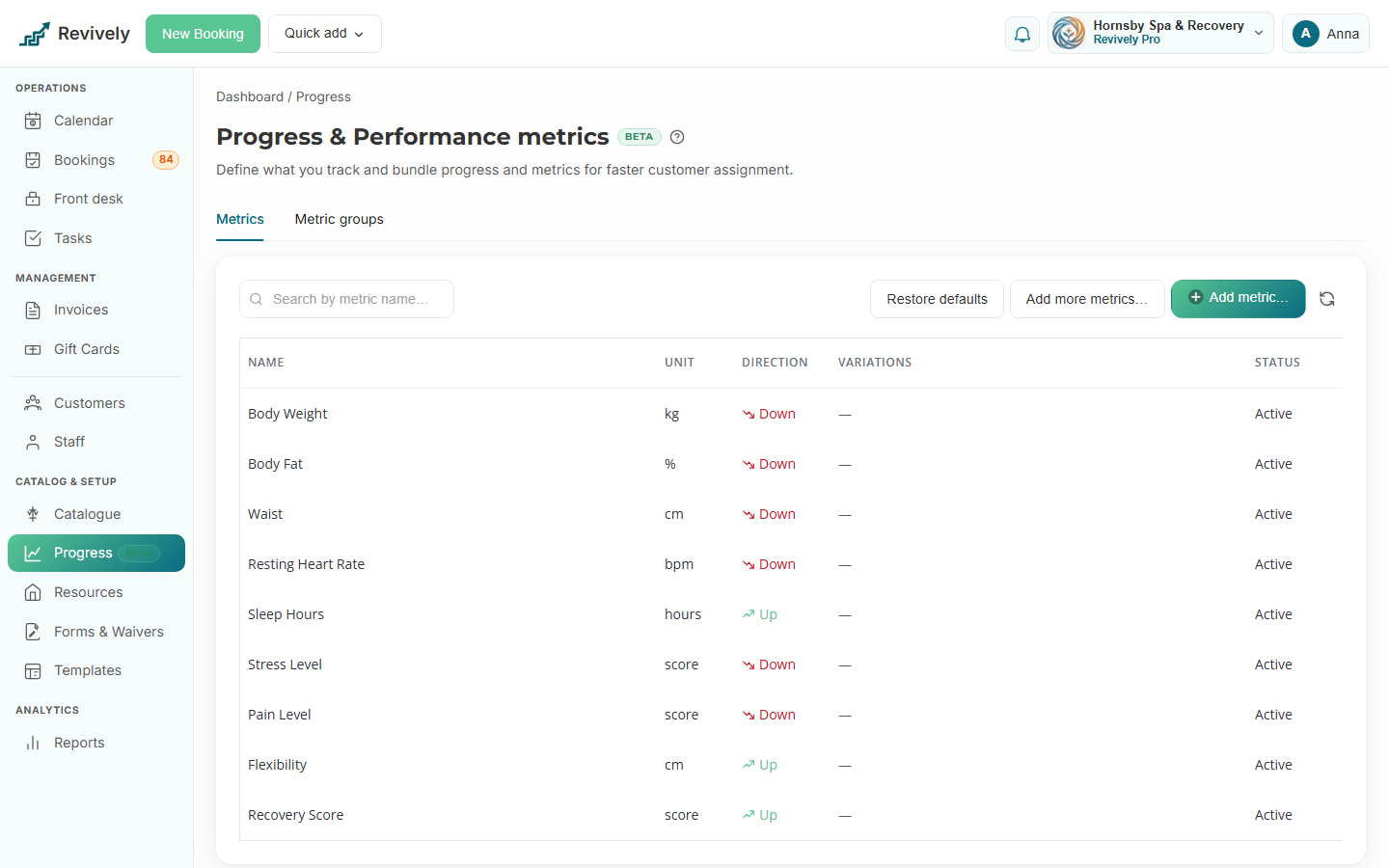
- Custom metrics with units, direction (up or down), and optional variations
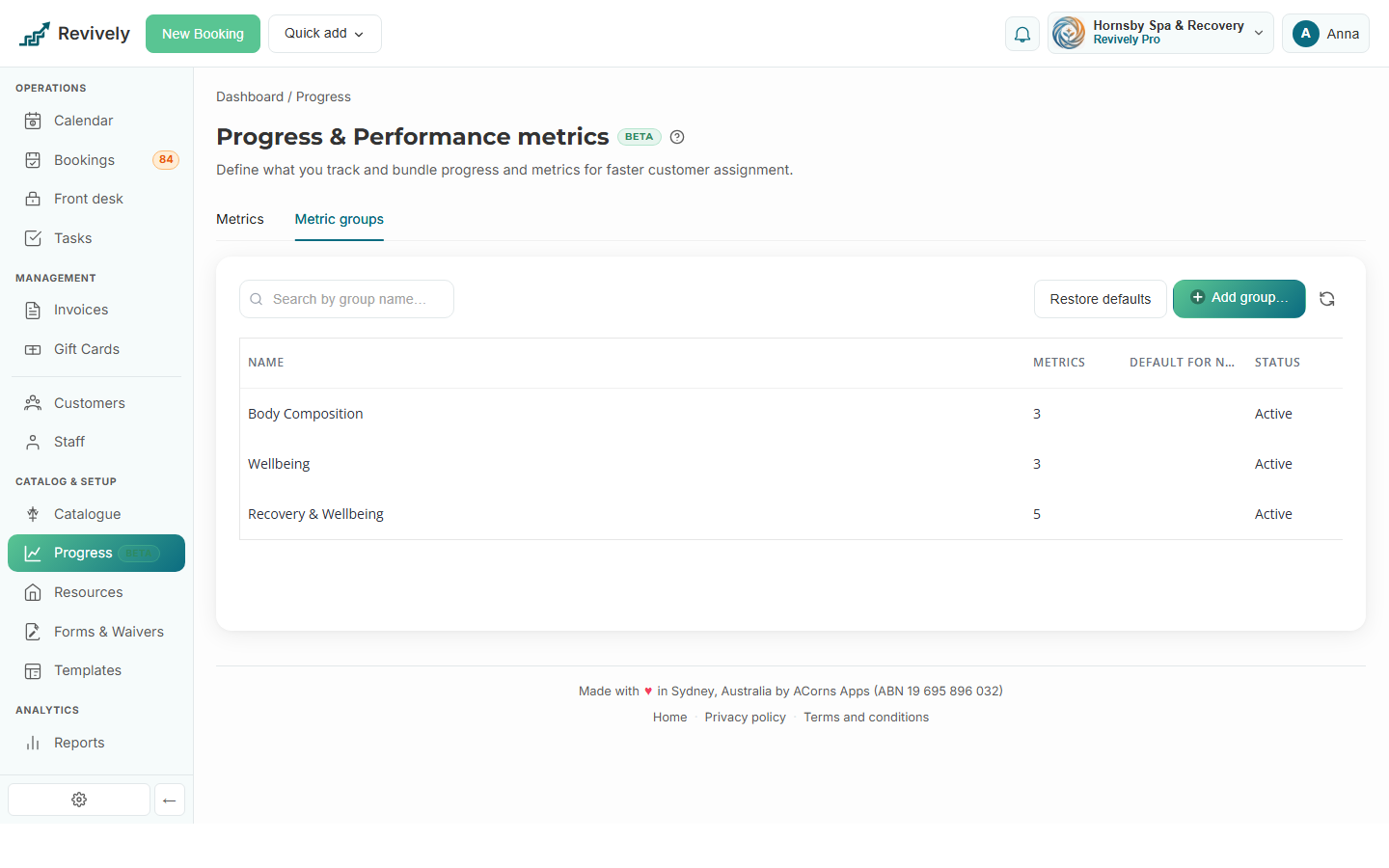
- Metric groups with defaults for new customers
- Staff logging, goals, and structured check-in reviews
- Progress dashboard: improvements, personal bests, and clients needing a check-in
- Customer portal self-entry when metrics are assigned
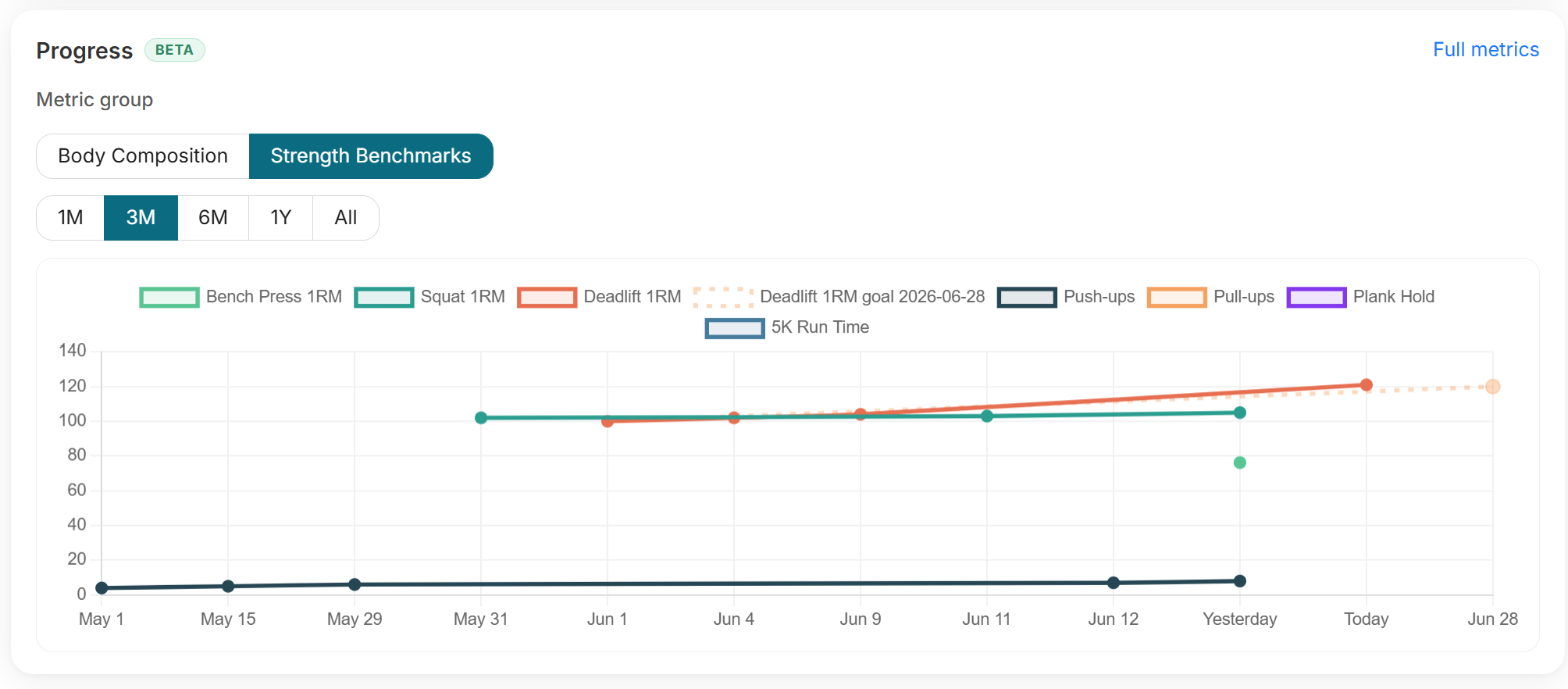
- Charts on the profile and full metrics workspace
Built right into the product
No bolt-ons, no surprise add-ons. Progress metrics & goals ships on plans labelled Growth and Pro.
- Custom metrics with units, direction (up or down), and optional variations
- Metric groups with defaults for new customers
- Staff logging, goals, and structured check-in reviews
- Progress dashboard: improvements, personal bests, and clients needing a check-in
- Customer portal self-entry when metrics are assigned
- Charts on the profile and full metrics workspace
Inside Revively
Progress metrics & goals, up close
Step through live progress metrics & goals screens from the product - each one captioned so you can see how it works.
How it works
Three moves and you're live
Build the catalog
Dashboard → Progress: add metrics, restore vertical defaults, or import from the catalog.
Group and assign
Create metric groups, flag defaults for new customers, or assign on a profile.
Log and chart
Record entries at check-in, set goals, and review trends - clients can log in the portal when enabled.
Related
Pair it with
Help & guides
Set it up
Ready to run your day, not your inbox?
Start a 15-day free trial. No credit card needed. Import your services in minutes - or pick a vertical pack and we'll seed sensible defaults.