
Staff roster & permissions
Your team is more than the people on the calendar. Revively supports bookable (billable) staff who appear on the schedule and online booking, and non-bookable ops staff - front desk, management, and support - who get dashboard access without using a paid seat or showing up as bookable.
- Bookable staff for appointments, classes, and online booking (count toward plan seats)
- Non-bookable ops staff for front desk, management, and support - free dashboard access, not billable
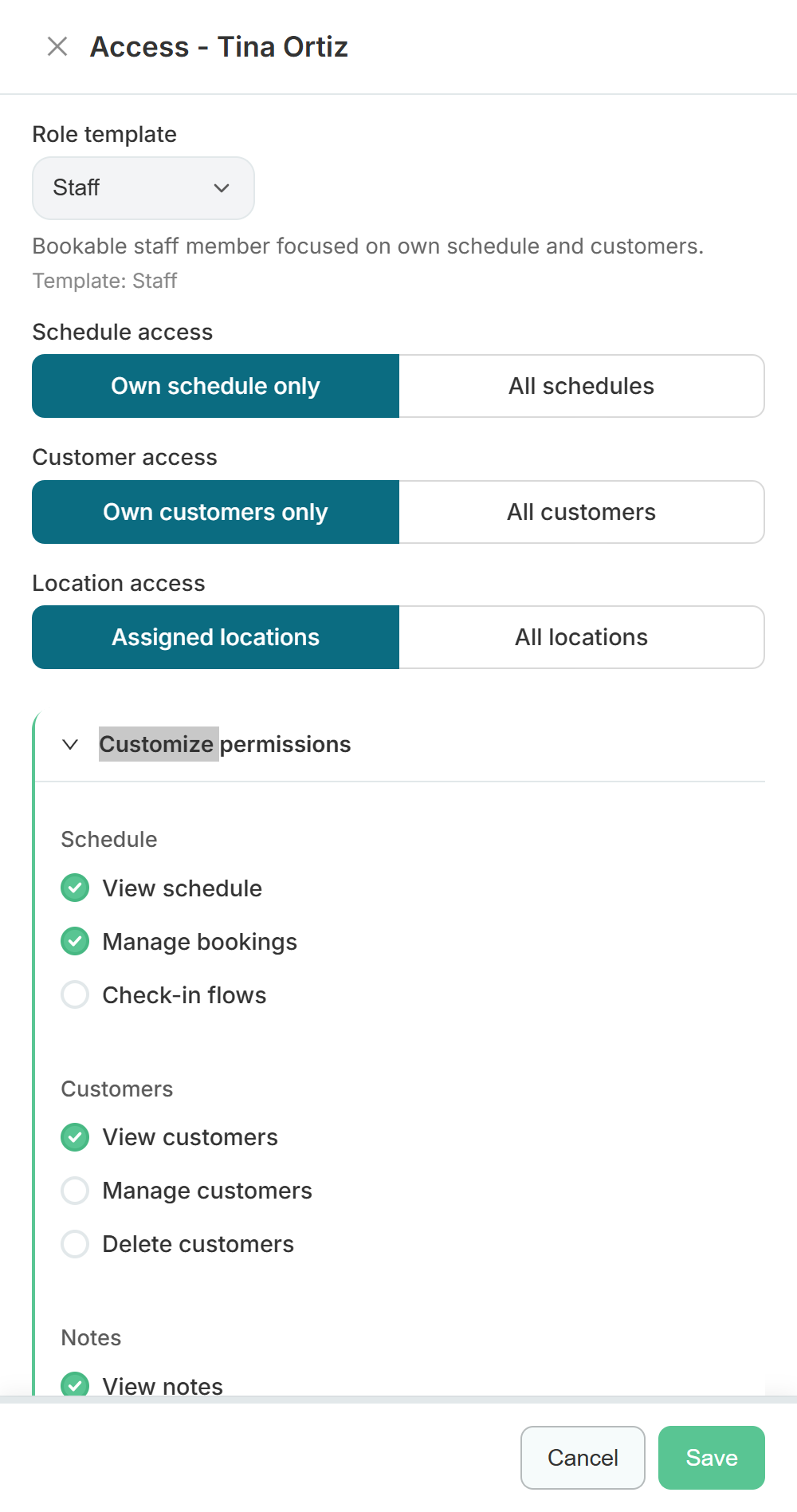
- Role templates (admin, staff, front desk) as a one-click starting point
- Access scopes for schedule, customers, and locations - own only, or everything
- Per-permission overrides when someone needs a little more or less than the template
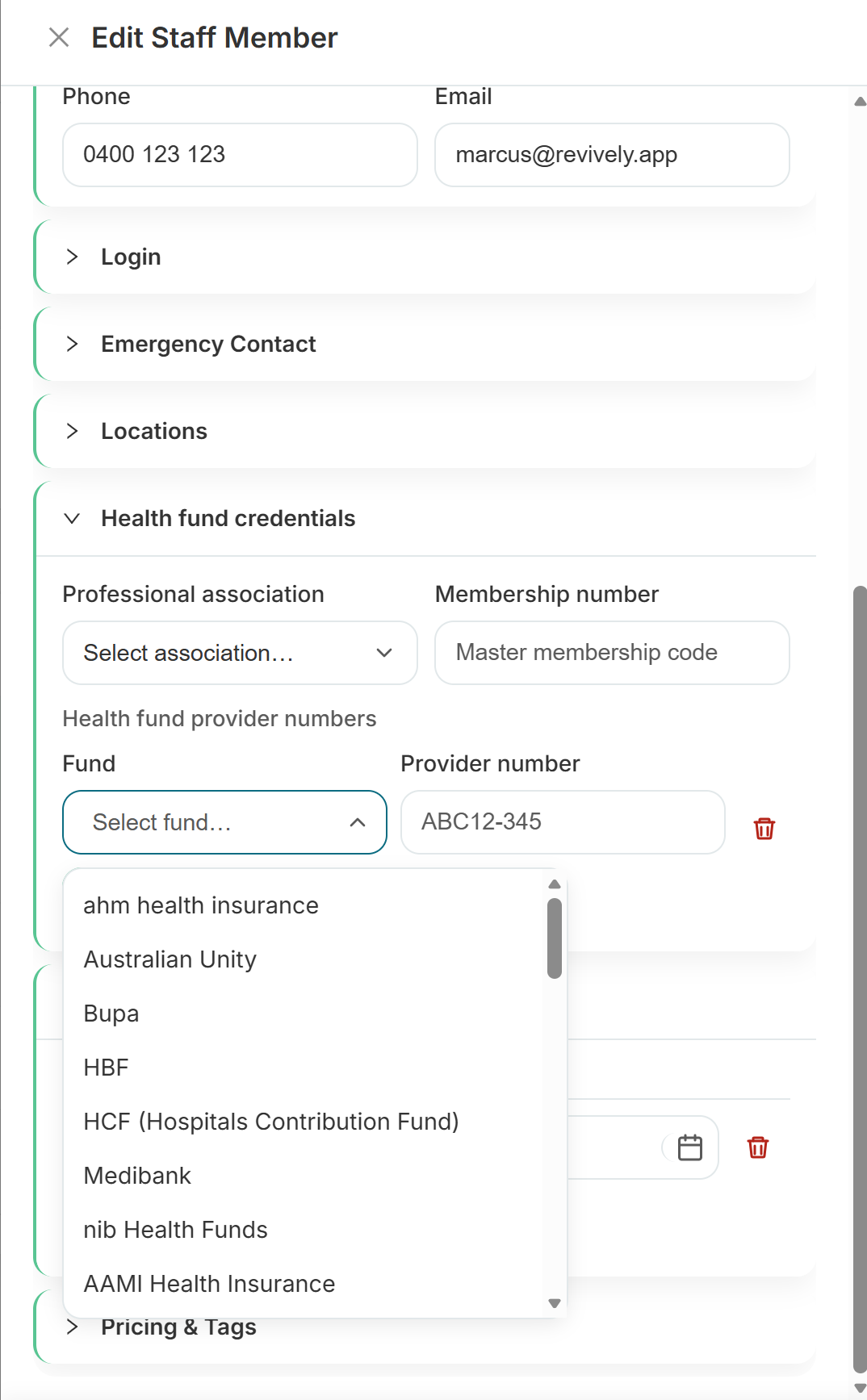
- Health provider numbers and billing identifiers for practitioners
- Capability types with optional expiry for scheduling fit
- Deactivate access without losing history
Built right into the product
No bolt-ons, no surprise add-ons. Staff roster & permissions ships on plans labelled All plans.
- Bookable staff for appointments, classes, and online booking (count toward plan seats)
- Non-bookable ops staff for front desk, management, and support - free dashboard access, not billable
- Role templates (admin, staff, front desk) as a one-click starting point
- Access scopes for schedule, customers, and locations - own only, or everything
- Per-permission overrides when someone needs a little more or less than the template
- Health provider numbers and billing identifiers for practitioners
- Capability types with optional expiry for scheduling fit
- Deactivate access without losing history
Inside Revively
Staff roster & permissions, up close
Step through live staff roster & permissions screens from the product - each one captioned so you can see how it works.
How it works
Three moves and you're live
Invite a teammate
Settings → Staff: send an invite with the right role (admin, therapist, front desk, management).
Choose bookable or ops
Leave Bookable on for practitioners who take appointments. Turn it off for front desk, ops, and management so they can sign in without using a paid seat or appearing on the calendar.
Set the access they need
Pick a role template, decide whether they see their own schedule and customers or all of them, then fine-tune individual permissions if the template is not quite right.
Related
Pair it with
Help & guides
Set it up
Ready to run your day, not your inbox?
Start a 15-day free trial. No credit card needed. Import your services in minutes - or pick a vertical pack and we'll seed sensible defaults.