
Booking Window Settings for Studios: How to Set Yours
! Studio owner setting online class bookings
A booking window is the span of time in which a client can book a class or appointment: how far ahead booking opens, and how close to the start time it closes.
Ever felt that familiar dread of a half-empty class list or the chaotic rush of last-minute cancellations? You're not alone. The digital dance of studio management often feels like spinning plates: balancing client convenience, staff sanity, and your bottom line.

At the heart of this balancing act are your booking window settings. This isn't just a tech toggle; it's a strategic policy that dictates when clients can book (how far ahead it opens), and when the online door closes (how close to the session start). For Australian wellness and fitness studios - from yoga havens and Pilates centres to bustling dance schools and recovery clinics - finding that sweet spot is crucial.
Typically, Australian studios find success starting with a two to four-week advance booking period, keeping online bookings open until shortly before class, and setting a cancellation cut-off of two to nine hours. But the real magic happens when you optimise these rules with your studio's unique flow and data.
This guide cuts through the noise, detailing what each setting truly controls, revealing what real Australian studios are doing, and equipping you to tailor your own, compliance-ready booking strategy.
The Gist: Quick Takes on Smart Booking Windows
- Two Edges, One Policy: A booking window isn't just one setting; it's a carefully crafted policy covering how early clients can book and how late they can cancel.
- Local Legends: Published Australian studio policies vary widely, from a tight 46 hours to a generous four weeks ahead, with online bookings closing anywhere from 15 minutes before class to the actual start.
- Cancellation is Key: Align your cancellation deadline with your booking window. Crucially, let a smart waitlist do the heavy lifting to refill those late spots automatically.
- Perks, Not Punishment: Use longer or earlier booking access as a member loyalty perk, not a blanket rule that alienates casual clients.
- Review, Refine, Repeat: Your peak-time reformer class and your quiet mid-morning yoga flow rarely need identical booking parameters. Review your settings quarterly, adjusting based on attendance data and seasonal trends.
What Do "Booking Window Settings" Actually Control?
When we talk about client booking rules, we're usually juggling three interconnected settings that define your studio's scheduling rhythm:
- Advance Booking Limit (The "Opening"): This is how far into the future your timetable is visible and bookable. Is it two weeks, four weeks, or a tighter 46 hours? This impacts client planning and your flexibility.
- Online Booking Cut-off (The "Closing"): This determines how close to the start time clients can book online. Some studios allow bookings right up to the last minute; others close the digital door earlier, giving instructors a final attendance list.
- Cancellation Deadline: The absolute final moment a client can cancel a booking without losing a class credit, membership pass, or incurring a fee. This is your defence against no-shows and last-minute drop-outs.
Think of them as three parts of a single, crucial operational policy. A generous four-week advance limit paired with a lenient 30-minute cancellation deadline, for example, is an open invitation for clients to hoard spots and cancel late. These settings need to work in harmony.
Why Even Bother Limiting Booking Windows?
On the surface, an open, "book anything, anytime" calendar seems like pure customer convenience. But for a busy Australian studio, it's often a recipe for operational chaos. Left unchecked, an unrestricted calendar breeds:
- Spot Hoarding: Clients reserve multiple spots weeks in advance "just in case," leading to misleadingly full classes and genuine interest being turned away.
- Last-Minute Logistical Nightmares: Teachers or reception discover a full room (or an empty one!) moments before class, leaving no time to prepare or promote.
- Unfair Access: Your most loyal, engaged clients might miss out on their preferred spots because a casual client snapped them up weeks ago and may not even show.
- Resource Clashes & Cleaning Bottlenecks: For multi-resource studios (think reformer Pilates, saunas, treatment rooms), open booking can lead to impossible turnovers and inadequate cleaning buffers between sessions.
A well-defined booking window creates a clear, predictable rhythm for your clients and a stable, manageable roster for your team. It's about respecting everyone's time, including your own.
Revively Pro Tip: Your booking rules aren't just about managing clients; they're about protecting your revenue and staff morale. Smart boundaries reduce no-shows and empower your team.
What Australian Studios Actually Use: Real-World Booking Policies
How do these settings play out in the wild? Here's a snapshot of published booking policies from a range of Australian studios. These aren't recommendations to blindly copy, but rather insights into the diverse approaches across the local wellness industry.
| Studio Type | Advance Booking | Online Closing Time | Cancellation Rule |
|---|---|---|---|
| Bundha Sports Centre | Seven days plus one hour | Online closes 15 minutes before class | Cancel at least an hour ahead to avoid a fee |
| Dance Dynamics | Up to four weeks | Up to the start time if space remains | Credit returned if cancelled within two hours; no-shows lose the spot |
| Upstate Studios | 14 days (standard); 16 days (weekly/12-month members) | Waitlist open until check-in starts 15 mins before class | Under nine hours counts as a late cancel or no-show |
| Sento Club | Up to 15 days, new times released daily at 6:00 am | Up to class start | Credits deducted for cancellations within eight hours |
| Glen Eira Leisure | Member bookings open 46 hours before class | Casual bookings at reception on the day (except Reformer Pilates) | Cancel at least two hours before |
A few patterns emerge from these local examples:
- High-Demand Rooms = Tighter Windows: Studios with limited, in-demand resources (like Reformer Pilates) often adopt shorter advance booking windows (e.g., Glen Eira's 46 hours). This keeps the timetable fluid, discourages hoarding, and ensures more people get a fair shot at a spot.
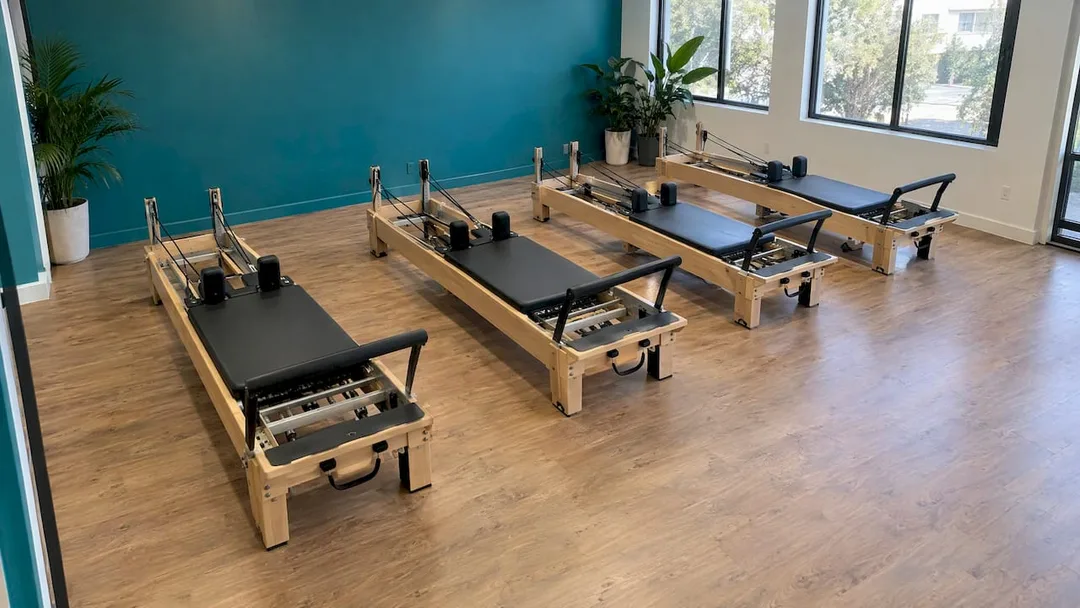
- Longer Windows for Term-Based & Planning-Heavy Classes: For dance schools or studios running term-based programmes, a four-week window (like Dance Dynamics) allows families to plan around school, work, and other commitments.
- Cancellation Deadlines are Fluid: The variety here, from one hour to nine hours, highlights that this setting is deeply personal to each studio's ability to refill a spot quickly. Early morning classes often require longer deadlines due to logistical challenges.
- Closing Time: Safety & Smooth Flow: Bundha's 15-minute online booking cut-off, with a manual override, allows staff to finalise registers and manage walk-ins efficiently, ensuring the teacher has an accurate list before class begins.
Crafting Your Own Studio's Smart Booking Settings
No two studios are identical, but these principles will help you tailor rules that genuinely work for your business.
Start with Your Class Size & Room Capacity
A small, high-value 10-person Reformer Pilates class faces vastly different risks than a 40-person hip-hop session. In the intimate Reformer setting, one empty spot represents 10% of your potential revenue for that hour. This dictates a tighter cancellation deadline and a robust waitlist. The larger class might tolerate a slightly more flexible approach.
Set the Advance Limit Based on Client Planning Habits
- Weekly Regulars: A two-week window is often ample for clients to lock in their routine.
- Casual & Drop-in Clients: A shorter window, perhaps a few days, reduces speculative "just in case" bookings that often don't materialise.
- Term-Based Dance Classes: Open the entire term for enrolment, then use a shorter booking window for casual make-up classes.
- Treatment & Spa Appointments: Longer windows (often a few months) are standard for services clients plan around special events. Crucially, ensure your multi-resource booking software automatically builds in cleaning and turnover buffers between sessions to prevent resource clashes.
Match the Cancellation Cut-off to Your Refill Speed
How quickly can you actually fill a vacated spot? If your waitlist is active and automated (more on this soon!), a two-hour cut-off might work. If you rely on staff manually calling clients, you'll need more notice. Upstate's nine-hour rule for some classes, for example, is a smart play to protect hard-to-fill early morning slots where late changes are particularly disruptive.
Transparency is paramount. Clearly communicate your rules on your booking page and in every confirmation email. Clients are far more likely to respect a strict rule when it's upfront and understandable.
Close Online Booking Early, But Offer a Manual Override
A 5 to 15-minute gap between online booking closure and class start gives your teachers an accurate roster. But don't turn away walk-ins! Ensure your reception team has the ability to manually add a client when space permits, keeping your rules firm but your customer service flexible. This is where unified studio software (like Revively!) really shines.
Use Booking Windows to Reward Your Loyal Members
Want to give your members a tangible perk that costs you nothing? Offer them earlier or longer booking access. We saw Upstate Studios grant weekly and 12-month members a 16-day booking window, compared to 14 days for standard members.
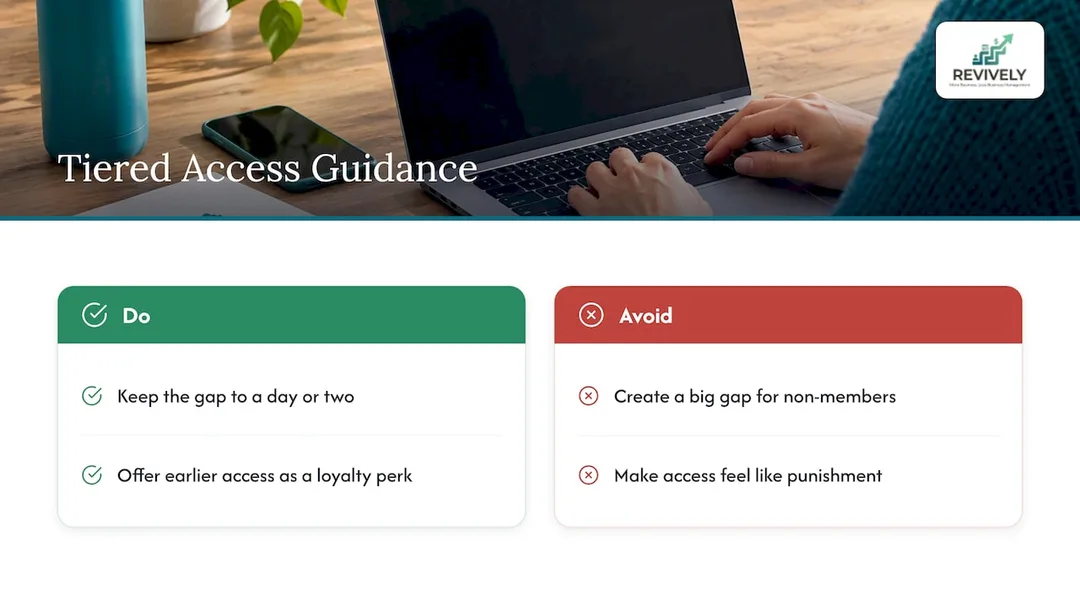
It's a simple, effective loyalty play that gently nudges casual clients towards a membership conversion. If you're planning tiered access, it helps to understand how other studio operations are structured; this overview of tools for fitness studios can offer broader context on organising the work around such initiatives. Keep the difference small - a day or two is often enough. A massive gap can feel punitive to non-members.
Don't Just Park Them: Pair Your Window with a Smart Waitlist
A well-configured booking window creates demand and a healthy sense of scarcity. A smart waitlist then transforms that scarcity into guaranteed bookings. When a client cancels inside the window, the next person on your waitlist shouldn't be waiting for an admin to notice; they should be offered the spot automatically.
Upstate Studios allows clients to join waitlists right up until check-in begins 15 minutes before class, with automated notifications. Bundha Sports Centre uses a five-person waitlist, which keeps expectations realistic. Pick a waitlist capacity that genuinely reflects how often your classes fill to avoid frustrating clients with overly long queues.
Ready to supercharge your waitlist game? Dive deeper with our guides on how smart waitlists boost studio revenue and turning your waitlist into guaranteed bookings.
A Simple Checklist for Setting Up Your Studio's Booking Windows
Get these essentials locked down, and you'll dramatically reduce scheduling headaches:
- Map Your Classes: List every class or service type and note its specific room capacity or resource requirement.
- Define Advance Limits: Choose a suitable advance booking limit for each class type (e.g., 2 weeks for weekly classes, 3 months for private spa treatments).
- Set Online Closing Times: Decide when online booking stops before class (e.g., 15 minutes, 30 minutes).
- Establish Cancellation Deadlines: Determine the cut-off point and the clear consequence for late cancellations or no-shows (lost credit, fee charged, etc.).
- Activate Smart Waitlists: Turn on waitlists for any class that regularly fills up, ensuring automatic promotion.
- Implement Member Perks: If offering, configure tiered access for members (e.g., earlier booking windows).
- Enable Manual Overrides: Empower your staff with the ability to manually book clients when appropriate.
- Communicate Clearly: Publish your updated booking rules prominently on your website, booking page, and in all confirmation emails.
- Monitor & Adapt: After a term or a few months, review your no-show rates, waitlist conversion, and fill rates. Adjust your settings based on real data.
For studios offering more complex services, don't forget resource rules. If a treatment requires a specific room and a sauna, your booking window must only display times when both are available, with cleaning time blocked between sessions. Our guide to multi-resource booking for wellness studios explains how to master this often-overlooked area.
Our Take: Booking Windows as a Business Policy
We often see Australian studios treat booking windows as a minor technical detail, then scratch their heads when no-show rates remain stubbornly high. But it's not a minor setting; it's a critical operational policy. It works best when the window is short enough to feel current and relevant, the rules are clear enough to remember, and it's backed by an intelligent, automated waitlist.
At Revively, we designed our unified cloud command centre so your timetable, waitlist, memberships, payments, and client management all live on one seamless, intuitive dashboard. This holistic approach means a late cancellation can immediately trigger an automated waitlist promotion, and the associated credit deduction or fee follows the exact rule you've published. Fewer disparate tools mean fewer places for policies to quietly contradict each other. Plus, with all your sensitive client data stored securely on Australian servers, you're always fully compliant with Australian Privacy Principles (APPs).
Our advice for Australian studio owners? Start with a solid two-week booking window and a two to four-hour cancellation cut-off. Then, change one setting at a time, observe the impact, and optimise your studio's flow with confidence.
Andreea, Head of Product at Revively
Run Your Studio's Booking Windows (and Everything Else) in One Place
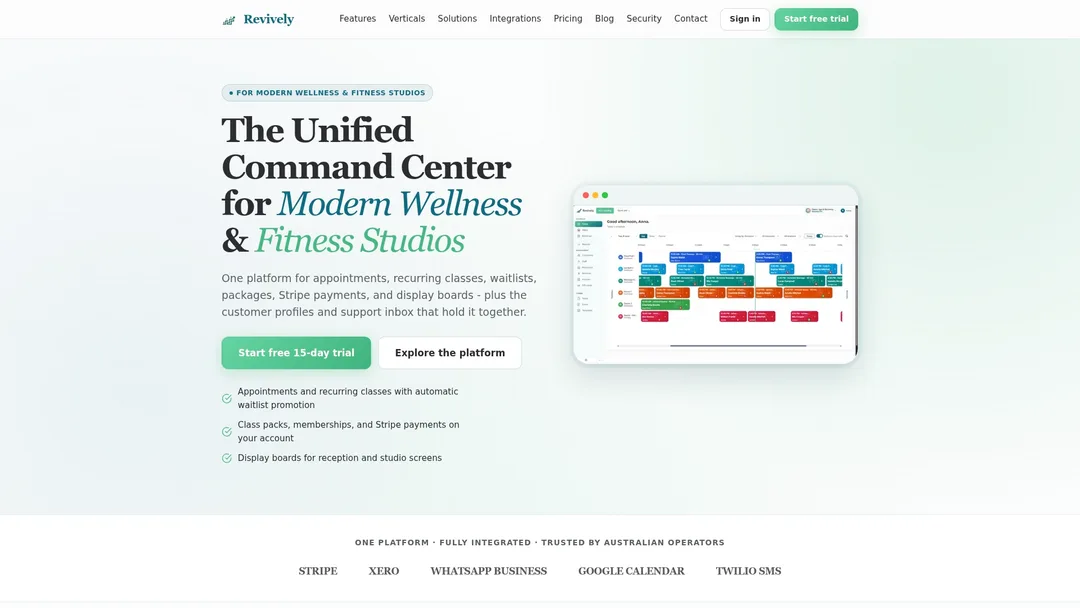
Stop wrestling with fragmented systems and outdated spreadsheets. Revively is the Australian-made, unified cloud command centre that handles it all: recurring class timetables, intelligent group class waitlists with automatic promotion, flexible class packs, Stripe-powered memberships, and critical resource buffers for cleaning or turnover.
Crucially, Revively natively handles 10% GST calculations across casual classes, memberships, and multi-resource packages, automatically issuing legally compliant Australian Tax Invoices to your clients. Our seamless, two-way Xero integration guarantees 100% legal tax compliance, automating the mapping of tax codes, revenue accounts, and liabilities. This ensures your quarterly Business Activity Statements (BAS) are always flawless and audit-proof, completely eliminating manual spreadsheet errors and financial headaches.
Explore our powerful recurring classes and waitlists features, or compare plans on our transparent pricing page: Solo is $39 per month, Growth is $99 per month, and Pro is $199 per month.
If you're still weighing up the efficiency of dedicated software against the hidden costs of manual scheduling, our comparison of booking software and manual scheduling is your essential next read.
FAQ: Your Quick Questions on Booking Windows, Answered
What does "booking window" actually mean?
A booking window defines the entire timeframe during which your clients can book a class or appointment. This includes two key elements: how far in advance they're able to make a reservation (the opening) and how close to the session's start time online booking becomes unavailable (the closing). In many modern studio management systems, this policy is also tightly integrated with your cancellation deadline.
How far in advance should an Australian studio allow clients to book?
Australian studios show a wide range, from a restrictive 46 hours to a more generous four weeks. A common sweet spot for regular weekly classes is around two weeks. If you find clients hoarding spots, a shorter window can help. For term-based dance classes or long-lead spa appointments, a longer window is often more appropriate to facilitate client planning.
Should online booking stay open until class officially starts?
It can, but it's often not ideal for operational flow. While some studios like Dance Dynamics and Sento Club allow booking up to the start time, many others (like Bundha) close online booking 15 minutes before class. This slight buffer gives your teachers an accurate attendance list and allows reception to manage any last-minute walk-ins or manual adjustments more smoothly, all before class begins.
What's considered a fair cancellation cut-off time?
Published examples from Australian studios vary significantly, ranging from one hour to nine hours before a class. The "fair" cut-off largely depends on how quickly your studio can realistically refill a cancelled spot from a waitlist. Crucially, clearly communicate the chosen deadline and the consequence of a late cancellation (e.g., a lost class credit or a specific fee) to set clear client expectations.
Sources
- Group Fitness Bookings & Guidelines, Bundha Sports Centre
- Terms of Service, Dance Dynamics
- FAQ, Upstate Studios
- Studio Policies, Sento Club
- Group Exercise Guidelines, Glen Eira Leisure
Recommended for Your Studio's Seamless Operations
- How to Avoid Double Booking: A Studio Owner's Checklist
- Stop the Studio Mayhem: How to Really Reduce Double Bookings (Without More Admin Headaches)
- Private Session Scheduling for Australian Studios: Taming the Chaos
- Stop the Scheduling Chaos: How Australian Studios Can Master Multi-Resource Scheduling (and Stay BAS-Ready)