
Template Ready Spa CRM Workflows: Revively Examples for Studios & Spas
! Hands arranging spa booking blocks on desk
Spa CRM workflows automate the entire client journey, from first booking through reminders, check-in, aftercare and rebooking, so nothing depends on a staff member remembering to send a text.
It's 7 AM. Your inbox is a graveyard of missed calls, a client just cancelled with 30 minutes' notice, your team roster for tomorrow looks like Swiss cheese, and you're still chasing last week's no-shows. Sound familiar? Running a successful wellness or fitness studio in Australia isn't just about exceptional client experiences; it's a relentless juggle of bookings, staff, resources, and - let's be honest - paperwork.
For too long, studio owners have been told to "automate" without being shown how. They've pieced together booking widgets, separate CRMs, and clunky spreadsheets, only to find the "solution" creates new problems. Imagine a system that automatically handles the bulk of that chaos, from the first client interaction right through to their next rebook, all while keeping your books tidy and your data safe, right here in Australia.
This isn't just about scheduling. This is about smart spa CRM workflows that cut no-shows, boost rebookings, and claw back precious hours of your week. It's about turning that mental checklist you carry into an automated engine, powered by a platform like Revively.

The Short & Sharp Takeaway:
- Automating client reminders and membership renewals is the quickest way to see a noticeable jump in rebook rates and a sharp drop in no-shows, often within weeks.
- A true studio CRM offers resource-aware scheduling, digital intake forms, multi-channel reminders, and seamless integrations with local payment and accounting systems like Stripe and Xero - crucial for GST and BAS compliance in Australia.
- Don't try to automate everything at once. Start with your biggest headaches, like no-show recovery, to build staff trust and prove value quickly.
- Look for a system that offers native triggers, templates, and conditional routing. Without these, you're just using a glorified database, not a powerful workflow engine.
- Revively offers built-in, Australian-ready templates for common studio workflows, unifying bookings, memberships, and payments in one compliant platform.
Table of Contents
- What's the Difference Between a Booking System and a Studio CRM?
- Concrete Studio CRM Workflows You Can Implement This Week
- Step-by-Step: Implementing Smart Studio Workflows
- Crucial Integrations & Data Flow: Why Your Australian Studio Needs Them
- Measuring Success: KPIs That Prove Automation Is Working
- How Revively Puts These Workflows into Practice for Australian Studios
- Automate This First, Leave That Alone: A Smart Approach
- Ready to Elevate Your Studio Operations?
- Sources
What's the Difference Between a Booking System and a Studio CRM?
Let's clear this up: a basic booking system is a digital calendar. It holds slots, lets clients reserve them, and that's usually where its job ends. A proper studio CRM (Customer Relationship Management) goes light years beyond. It remembers.
It remembers who your client is, their preferred therapist, their last treatment, any allergies flagged in their intake form, and whether they're just one visit away from unlocking a loyalty reward. This "memory" isn't just a nice-to-have; it's the fundamental engine that makes genuine, intelligent automation possible.

Without a unified system, every single reminder, upsell, and rebook prompt has to be manually typed, clicked, or remembered by your front-desk team. That's a massive drain on resources and a prime source of errors. A well-designed all-in-one spa booking software or multi-resource studio scheduling solution isn't just a database; it's a living, breathing tool that uses client data to trigger the right message, to the right person, at the perfect moment.
Before you can truly optimise your operations with automation, your current setup needs to deliver on these core capabilities:
- Resource-Aware Scheduling: It's not enough to book a client. The system must simultaneously track and manage treatment rooms, saunas, specific equipment, and staff availability, including mandatory cleaning buffers between sessions. No more double-booked rooms or staff conflicts.
- Digital Intake & Medical Notes: Securely capture allergies, contraindications, consent, and treatment history electronically. These forms should auto-attach to the client's permanent profile and be easily accessible (with appropriate access controls) to therapists.
- Multi-Channel Reminders: Deliver timely SMS, email, or even in-app notifications. The beauty? Timing rules should be adjustable based on the appointment type and client preference.
- Membership & Class-Pack Support: Automatically track expiry dates, remaining sessions, and pro-rated billing for recurring memberships or multi-session passes.
- Integrated Payments & POS: Seamlessly handle deposits, process no-show fees, and reconcile sales directly within the system. Crucially, for Australian studios, this means automatically applying 10% GST to all casual classes, memberships, and packages, issuing legally compliant Australian Tax Invoices without a manual workaround.
- Reporting & Segmentation: Easily group clients based on visit frequency, spend, preferred services, or other criteria, allowing you to target promotions and communications effectively.
The real magic of automation hinges on three things: triggers (an event, e.g., "appointment booked"), templates (the pre-written, personalised message that fires), and conditional routing (rules that send different clients down different paths based on their data or history). Miss any one of these, and you've got a glorified digital Rolodex, not a dynamic workflow engine.
Concrete Studio CRM Workflows You Can Implement This Week
Most successful studios already have a "client journey" - it just often exists as an unspoken ritual in staff members' heads. Here's how to translate that mental checklist into tangible, automated sequences. These are proven template-ready spa CRM workflows you can adapt and implement without touching a line of code:
-
The Flawless Booking-to-Aftercare Sequence:
- Client books online (or via phone).
- An instant, personalised confirmation message fires (email/SMS).
- A pre-visit reminder goes out 24-48 hours before (with a link to an uncompleted digital intake form, if applicable).
- Client checks in against the resource-aware calendar.
- An aftercare message sends within hours of the treatment, providing specific care instructions or product recommendations based on their service.
-
Seamless New Client Onboarding Flow:
- A client's first booking triggers a digital intake form and consent capture before their appointment.
- Answers regarding allergies, medications, or specific conditions can automatically flag the booking for a senior therapist, or even prompt a call-back if there are critical concerns - a proven pattern in general workflow examples for spa and beauty appointments.
-
Effortless Membership & Class-Pack Renewal:
- A timed reminder automatically fires when a membership is, say, 7 days from renewal, or a class pack has only one session remaining.
- The system can automatically calculate pro-rated billing where applicable, eliminating manual invoicing errors.
-
No-Show Recovery & Re-engagement:
- A missed appointment immediately triggers a follow-up message (within the hour is ideal).
- This message can include a targeted rebooking offer and a direct link back to your online booking portal to make rescheduling frictionless. This is often the fastest workflow to demonstrate a clear return on investment.
-
Intelligent Staff & Room Routing:
- Booking rules automatically assign appointments to available therapists, treatment rooms, or specific equipment based on the service type and staff skill sets.
- This prevents those frustrating double-bookings that often bottleneck growth, especially as a studio scales beyond a single location.
Pro Tip for Australian Studio Owners: Prioritise the no-show recovery workflow first. It's the fastest way to see a measurable dollar return, which you can easily track against your calendar within a fortnight. Think of the revenue leakage you're stopping!
These sequences aren't just theoretical. Research and partner guidance on CRM workflow automation examples consistently highlight the power of these trigger-and-action patterns across confirmations, reminders, and client win-back campaigns. You're not reinventing the wheel; you're just putting it on an engine.
Step-by-Step: Implementing Smart Studio Workflows
Trying to overhaul your entire studio operation overnight is a recipe for disaster. The fastest way to get staff to distrust a new system is to roll it all out at once. Instead, build your automation in manageable stages:
- Map Your Client Journey & Pinpoint Your First Workflow: Outline every single touchpoint, from "first Google search" to "rebooked for next year." Then, identify the biggest, most visible pain point. For most Australian studios, this is often no-shows, missed renewals, or inconsistent client follow-ups. Automate that first.
- Define Triggers, Conditions & Actions: For your chosen workflow, clearly articulate:
- Trigger: What event starts this workflow? (e.g., booking made, appointment 24 hours out, membership expiring).
- Conditions: What rules apply? (e.g., specific treatment type, new client vs. returning, client history).
- Actions: What happens next? (e.g., send SMS, fire an email, apply a routing rule).
- Prepare Templates & Intake Fields: Draft the exact wording for your confirmation, reminder, and aftercare messages. Ensure they align with your brand voice. Crucially, finalise which questions your digital intake form needs to ask for each treatment category, ensuring you're gathering necessary health and consent data.
- Set Resource Rules, Deposits & Buffers: Before going live, lock in essential operational details: cleaning buffer times, deposit amounts for high-value treatments (like advanced aesthetic services), and any pro-ration rules for memberships. Sorting this out before the first billing dispute saves massive headaches.
- Connect Payments & Accounting (Crucial for AU Compliance!): Link your payment gateway (like Stripe) for deposits, class-pack purchases, and membership billing. Then, integrate with Xero for seamless, automated reconciliation. This ensures that every dollar earned through your new workflow accurately feeds into your books, automatically handling 10% GST and preparing you for flawless, audit-proof Business Activity Statements (BAS) without manual entry.
- Run a Pilot Program: Test the full sequence on a small, controlled group of real bookings. Pay close attention to edge cases: what happens if a client doesn't respond to a reminder? How does the system handle last-minute cancellations? Critically, brief your staff thoroughly on what the system now handles automatically versus what still requires their human touch.
- Review & Adjust: Track your key metrics (more on this below) for two to four weeks. Use this data to tighten timing, refine message wording, or adjust routing rules based on real-world feedback.
Deloitte's research into personalisation at scale highlights that organisations using data-driven, triggered outreach see significantly higher client retention and conversion rates than those relying on generic, one-size-fits-all communications. This underscores why getting those conditions right in Step 2 is so vital.
Staff training isn't an afterthought; it's the linchpin. The single biggest cause of automation failure isn't the technology itself, but a therapist who still manually texts clients because they don't trust the new system. Walk your team through exactly what fires automatically and what still needs their input. Make them feel empowered, not replaced.
Crucial Integrations & Data Flow: Why Your Australian Studio Needs Them
A powerful studio CRM is only as good as its connections. For Australian studios, seamless data flow and compliance are non-negotiable. Here are the five critical integrations doing most of the heavy lifting:
- Online Booking Portal: This is your client's front door, where the entire automated workflow begins. It needs to be intuitive, mobile-friendly, and deeply integrated with your calendar.
- SMS & Email Gateway: The conduit for all those confirmations, reminders, aftercare messages, and re-engagement prompts.
- Stripe (or similar payment gateway): Handles all payments - deposits, casual bookings, class packs, and membership billing. Crucially, for Australia, it needs to enable automated 10% GST calculation at the point of sale.
- Xero Integration: This is your best friend for BAS accuracy and audit-proof accounting. A robust, two-way integration with Xero ensures every payment, every GST calculation, and every revenue stream automatically maps to the correct accounts and tax codes. This removes manual spreadsheet errors, drastically simplifies quarterly BAS preparation, and gives you total confidence in your financial records.
- Digital Intake Forms & Foyer Display Boards: Securely capture essential client data (including health intake and consent) and display live booking statuses in reception to reduce front-desk interruptions.
The quality of these connections matters. A one-way sync (data flows from booking into accounting, but not back) is acceptable for basic reporting. However, for a true command centre, you need two-way synchronisation. This means if a refund is processed in your CRM, it automatically updates in Xero, and vice-versa. This real-time accuracy, often built on webhooks, prevents discrepancies. Furthermore, automatic contact deduplication is vital - nothing erodes client trust faster than receiving the same reminder twice because their profile exists under two email addresses.
Australian Data Residency & Privacy Mandate:
For any cloud-based solution handling client data in Australia, data residency is paramount. Your CRM must store client booking histories, sensitive health intake forms, and personal details locally within Australia. This ensures full compliance with the strict Australian Privacy Principles (APPs) outlined in the Privacy Act 1988. This isn't just a technicality; it's a legal obligation and a fundamental trust pillar for your clients. Always ask where your data is actually hosted.
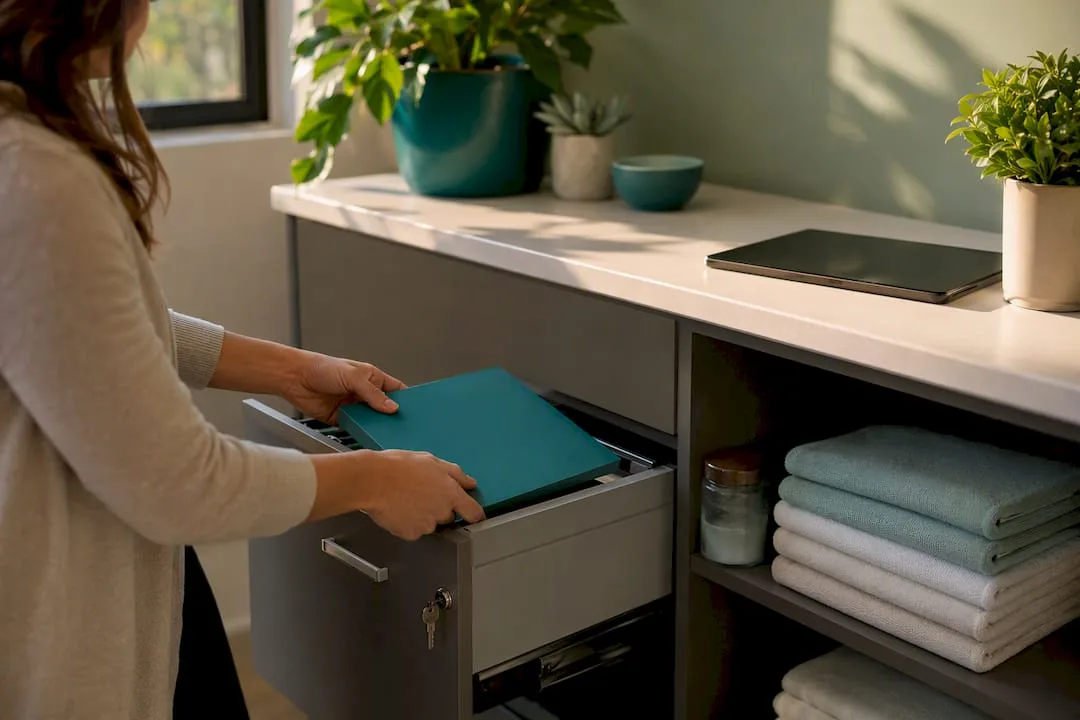
Medical notes and consent records demand particular care. They must be stored securely, attached directly to the client's profile with strict access limits. Never rely on shared spreadsheets or paper files that might not make it into the system. If a therapist can't quickly and discreetly review a contraindication before a treatment begins, your intake form has failed its most critical function.
Measuring Success: KPIs That Prove Automation Is Working
Don't get sidetracked by "vanity metrics" that look good but don't impact your bottom line. These are the Key Performance Indicators (KPIs) that truly tell you if your automated workflows are paying their way:
| KPI | Before Automation (Manual) | After Automation (Revively) | Impact & Why It Matters |
|---|---|---|---|
| No-Show Rate | High (e.g., 15-20%) due to forgotten appointments | Significantly Lower (e.g., 5-8%) with consistent reminders | Direct Revenue Impact: Fewer empty slots, more consistent income. |
| Rebook Rate | Low (e.g., 30-40%) due to manual follow-up | Higher (e.g., 50-60%) with timely aftercare & rebooking prompts | Client Retention: Builds loyalty, increases client lifetime value. |
| Membership Renewal | Missed renewals, manual chasing, inconsistent | Higher (e.g., 70-80%) with automated, proactive reminders | Predictable Revenue: Stable income streams, less churn. |
| Average Revenue per Client (ARPC) | Flat, inconsistent upsells | Rises with consistent add-on suggestions & membership conversions | Growth: Maximises value from existing client base without increasing client acquisition costs. |
| Admin Hours Saved | Significant time spent on calls, texts, manual invoicing | Drastically reduced (e.g., 5-10+ hours/week/staff member) | Efficiency: Frees staff for client-facing roles, reduces burnout, saves wage costs. |
| BAS Accuracy | Prone to manual errors, stressful quarterly reconciliations | Flawless, audit-proof, automatic GST and Xero mapping | Compliance & Peace of Mind: Avoids ATO penalties, reduces accountant fees, removes stress. |
Run a straightforward "before and after" comparison. Measure your no-show and rebook rates for four weeks before you launch a new workflow, then compare them to the four weeks after. A no-show cost calculator can make the financial impact incredibly concrete, turning "fewer no-shows" into an actual dollar figure you're saving or earning each month.
A single-location studio in Australia should expect to see visible improvements in no-show rates within a month of launching smart reminders. Multi-location operators might take a little longer to roll out consistent templates across all sites, but the potential for improvement (and compounded admin time saved) is even higher.
How Revively Puts These Workflows into Practice for Australian Studios
Revively wasn't just built as generic scheduling software with automation tacked on. It was designed from the ground up around the very workflow templates we've discussed, with a keen eye on the specific needs of Australian wellness and fitness studios. It's a true Mindbody alternative Australia has been waiting for, unified and purpose-built.
Here's how Revively's features directly map to these critical workflows:
- Multi-Resource Scheduling: Revively effortlessly handles treatment rooms, saunas, specific equipment, and crucial cleaning buffers in one intuitive grid. This ensures your resource-aware booking rules are enforced automatically, preventing logistical nightmares.
- Automatic Waitlist Promotion: If a client cancels, Revively intelligently promotes your waitlist, filling cancelled slots without a staff member manually calling down a list. Revenue, rescued!
- Stripe-Powered Memberships: Our integrated system handles membership renewal billing and class-pack pro-ration seamlessly. No more manual invoices, no more chasing payments. All 10% GST calculations are native, ensuring your client invoices are legally compliant.
- Digital Intake Forms: Capture consent, medical notes, and client preferences before they even walk through the door. This data then feeds directly into those intelligent conditional routing rules we discussed, empowering your team to provide truly personalised service.
- Flawless Xero Integration: Every single payment, every class pack, every membership fee is automatically reconciled, with correct GST allocation, directly into Xero. This guarantees 100% legal tax compliance, making your quarterly BAS preparation audit-proof and eliminating manual spreadsheet errors.
- Foyer Display Boards: Show live booking statuses and client check-ins in reception, significantly reducing front-desk interruptions and giving your space a modern, organised feel.
In practice, a booking made through Revively's online booking portal immediately locks in the required treatment room and cleaning buffer, triggers a confirmation and reminder sequence, and, if it's the client's tenth visit on a class pack, automatically prompts a membership renewal offer before their pack even runs out. It's an intelligent, seamless, and uniquely Australian approach to studio management.
Automate This First, Leave That Alone: A Smart Approach
When you're looking to optimise your studio's operations, start smart.
Automate these first:
- Reminders: Both pre-visit and post-treatment. They directly impact no-shows and rebooking rates.
- Renewals: Membership and class-pack reminders. These are low-risk, high-reward, and clients expect them.
Leave these to a human (for now):
- Complex, judgement-heavy conversations: A therapist discussing a nuanced treatment plan change, sensitive client feedback, or addressing a complaint. These require empathy, listening, and human intuition that automation can't replicate.
The biggest mistake I see Australian studios make is trying to automate everything in the first month. They then scrap the entire system when one edge case causes an embarrassing client experience. The second most common error? Designing workflows around the software's defaults instead of your actual staff routines. That's a guarantee someone will quietly work around the system within a fortnight.
Print this out and stick it near the front desk:
Automate reminders and renewals first.
Review your no-show data weekly.
Never let a workflow replace a conversation a client genuinely needs to have with a therapist.
- Andreea, Revively Team*
Ready to Elevate Your Studio Operations?
Tired of stitching together a clunky booking calendar, a separate CRM, and a manual spreadsheet for memberships? That patchwork approach is what most studios fall into, simply because few tools truly excel at all three - especially with Australian compliance in mind.
Revively is the unified cloud command centre built for Australian wellness and fitness studios. Every single workflow template discussed in this guide, from initial booking confirmations right through to seamless membership renewals, runs natively inside one intuitive dashboard. That means no more exporting client data between disparate systems, no more reconciling payments by hand at the end of the month, and absolute confidence in your GST calculations and Xero integration for BAS.

Whether your studio juggles treatment rooms, saunas, and cleaning buffers alongside class packs and diverse memberships, Revively's class scheduling built for studios and membership and class-pack management are designed to run alongside spa bookings - not as separate, expensive add-ons. Payments run smoothly through Stripe integration, with every dollar and every cent of GST flowing straight into Xero for a flawless reconciliation.
If you run a single-therapist spa, a bustling yoga centre, a Pilates studio, or a multi-room recovery centre with a full class timetable, it's time to streamline. Start a free trial with Revively and map out your first workflow today. Reminders and renewals are the fastest place to truly see the difference it makes.
Sources
These sources underscore the workflow claims and data-driven insights presented in this guide:
- Personalizing growth - Deloitte Digital
- CRM Workflow Automations: 10 Examples for 2026
- Workflows for Spa & Beauty Appointments
- Send Scheduling Links From CRM
Recommended for Your Studio:
- Ditch the WordPress Booking Headache: Why Studios Need a CRM, Not Just a Widget (Especially in Australia)
- Stop the Studio Scramble: Mastering Spa & Wellness Bookings Without the Mayhem
- Digital Intake Forms for Spa and Fitness Studios
- Stop the Revolving Door: Real-World Spa Retention Strategies for Australian Studios