
Sell class packs and memberships
Studios and gyms often sell blocks of visits or rolling memberships instead of pay-per-class. Revively tracks entitlements on the customer profile and applies them when someone books.
Two things to pick between before you start:
- A class pack is prepaid credits - flexible, any session, any week, until they run out or expire.
- A membership is ongoing access billed on a schedule. Rolling plans bill weekly or monthly and renew until cancelled.
Create a class pack
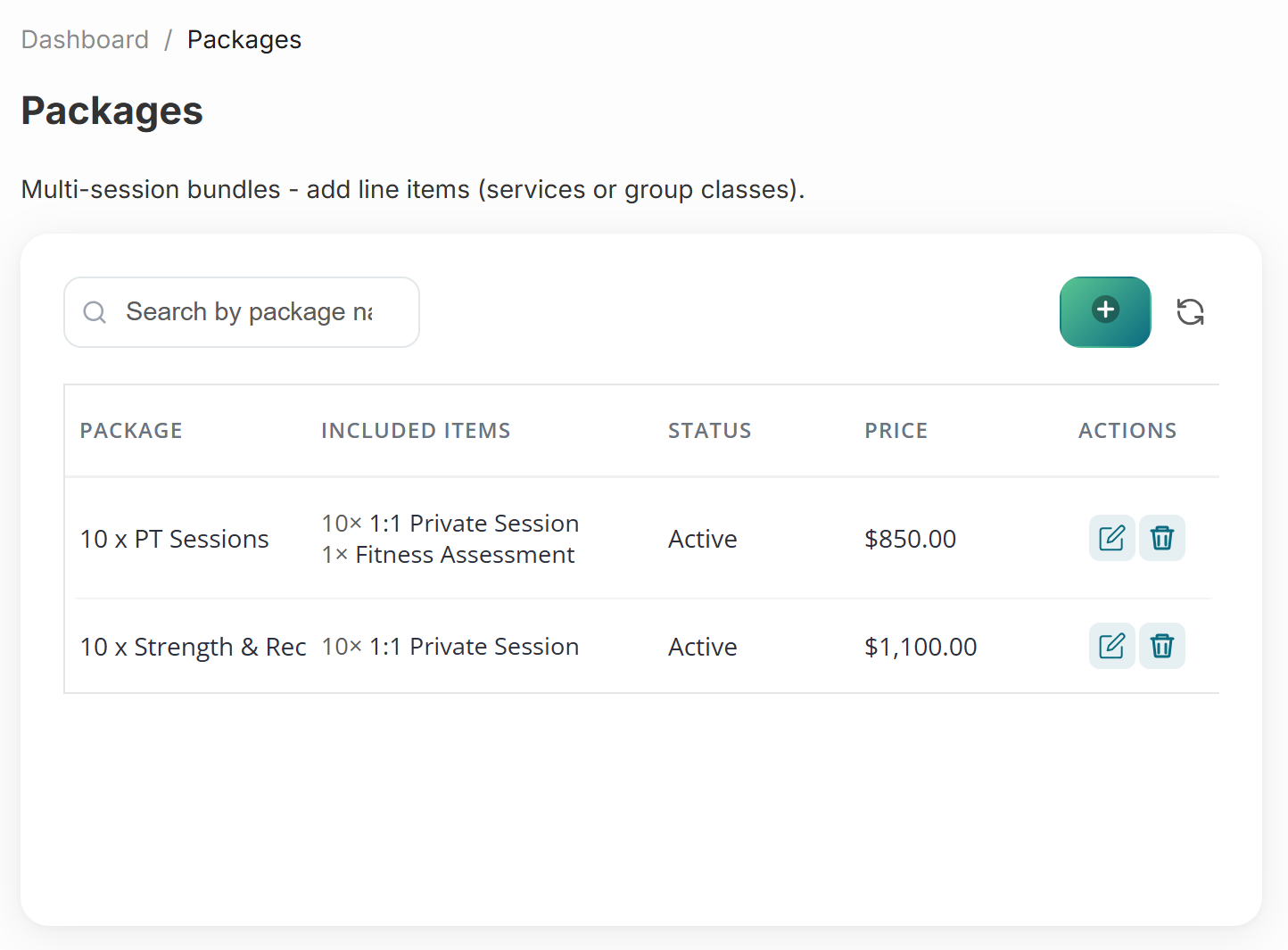
- Go to Catalogue → Packages and create a class pack - for example 10 visits valid for 90 days.
- Choose which classes, services, or categories the pack covers.
- Set the price, add a hero image and description under Online selling, and publish it to your storefront.
Set up a rolling membership
- Create a recurring membership with a billing interval.
- Link entitlements - unlimited classes, or a monthly visit cap.
- Set the plan's commitment, freeze allowance, and penalty rules - see membership policies.
- Customers purchase online or staff sell at the desk. Renewals run through your connected Stripe account.
At booking time
When a member books a class, Revively checks their balance and deducts a visit automatically. Low balance prompts purchase of another pack.
Staff can also sell a pack at the desk: open Invoices → Create sale, search the package by name, and take payment - it attaches to the customer profile straight away, alongside any retail items on the same invoice.
Book a whole pack in one pass
When someone buys ten lessons, you rarely want to rebook them ten times. On a new booking, choose the pack under Redeem package, then switch Schedule Type to Recurring:
- Pick the weekdays the lessons repeat on.
- Set how often it repeats - every week, or every 2 weeks.
- Set how many sessions to book. It defaults to everything left on the pack.
Revively previews exactly what it will create ("Creates 10 bookings, weekly on Wed, Fri from 12 Aug - last on 11 Sep"), warns you when a date clashes with an existing booking, and warns when sessions fall after the pack expires so you can trim the run before booking.
You can also use Schedule Type → Recurring without redeeming a package - for example a weekly massage series billed per visit. Set how many sessions to create (up to 52); each booking is unpaid until you take payment or a deposit later.
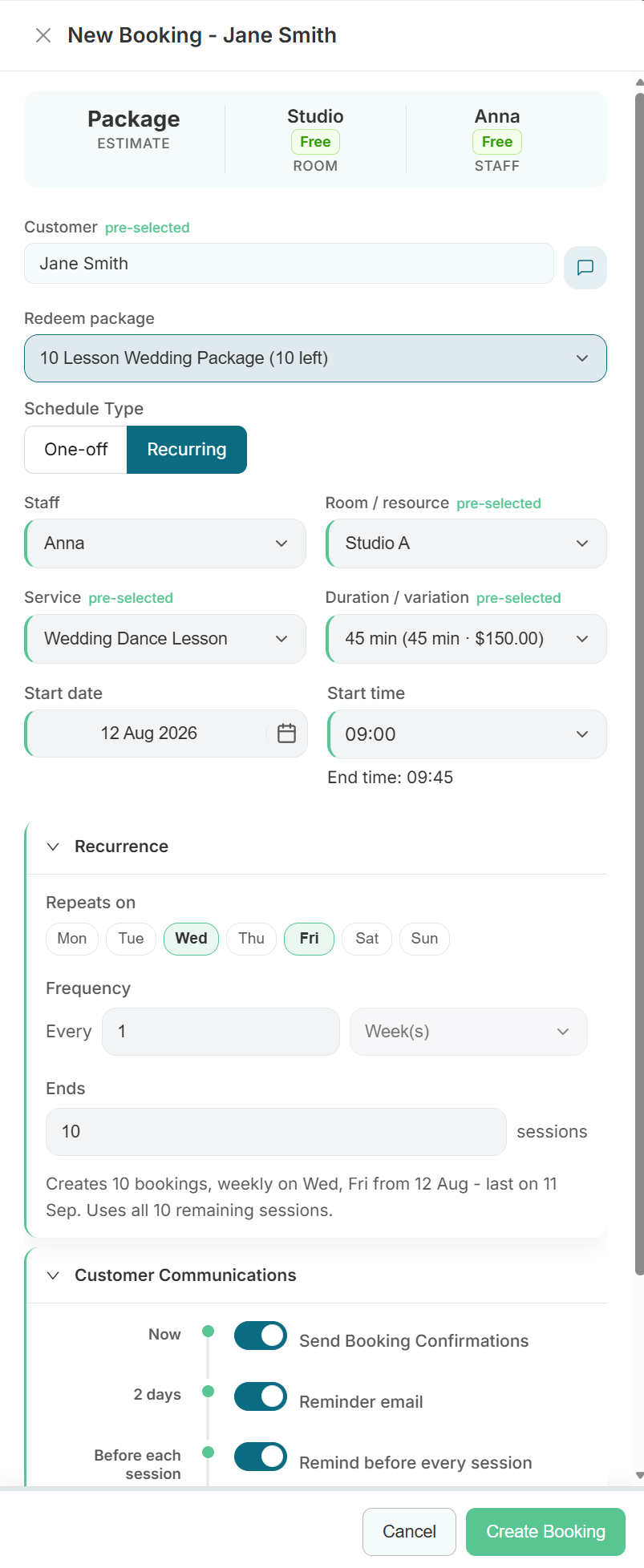
Reminders can go out before every session rather than only for the first booking - see the Customer Communications section on the same drawer.
When a pack is the wrong shape
Packs are credits, not a reserved seat. When someone must hold the same spot in a defined run of sessions, sell the run itself instead:
- A fixed-length series with one price - sell a multi-week course.