
Email and SMS templates
Automated messages are the ones your customers actually read - the confirmation, the reminder the night before, the receipt. Templates is where all of them live, so you can make them sound like your business instead of like a database.
Open Templates under Catalog & Setup in the sidebar.
How templates are organised
Each template has a type, a purpose, and usually a trigger that decides when it sends.
| Type | Used for |
|---|---|
| Confirmations, reminders, follow-ups, invoices | |
| Message | SMS, WhatsApp, and Messenger sends |
| Web page | Hosted pages such as booking detail links |
| Invoice and health-fund documents |
Purposes separate transactional (booking and invoice messages), reminder, marketing, support quick reply, and automation.
The booking message timeline
Out of the box, a booking generates a sequence you can edit individually:
- Booking confirmed - sent as soon as the booking is made.
- Before booking - the reminder email, one day ahead by default.
- Final nudge (SMS) - a short text close to the appointment.
- After booking - the follow-up, useful for rebooking prompts and reviews.
There are also templates for cancellations, reschedules, no-shows, invoices, level promotions, staff notifications, and staff invites.
Edit a template
- Open Templates and select the one you want.
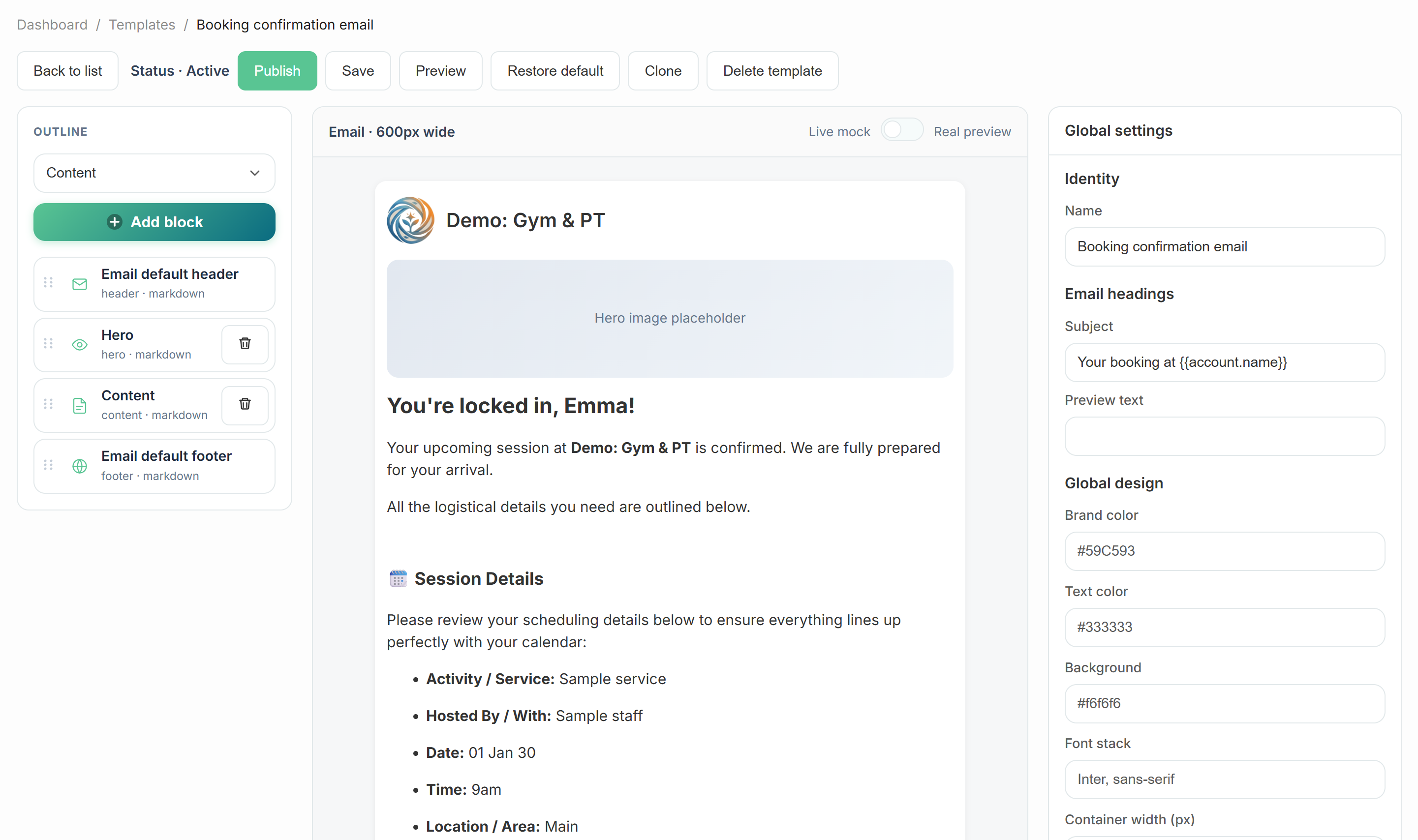
- Edit the sections - header and footer are fixed and pull your logo, address, and contact details from Settings, so your branding stays consistent.
- Add or reorder content blocks: hero, content, image, two column, CTA button, add-to-calendar, location map, divider.
- Type
@anywhere in a text field to insert a merge tag such as{{customer.name}}or the booking link. - Preview, then save. The next send uses your wording.
SMS is a different craft
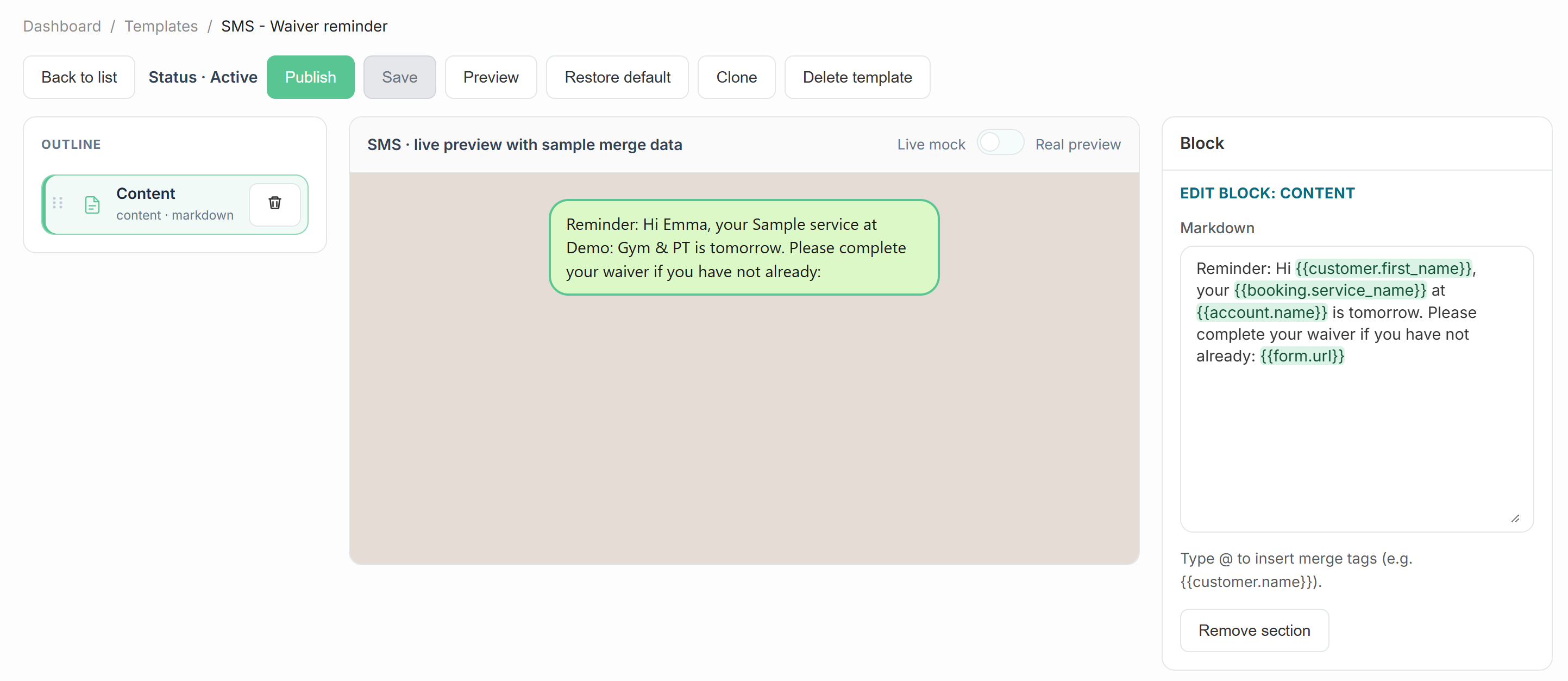
- Keep it under one message segment where you can - long texts cost more and read worse.
- Lead with the business name so the text is not anonymous.
- Include the booking link merge tag: customers use it for time, location, and directions.
- Skip the pleasantries. "Hi Sam, your 9:00am massage at Ivy Spa is tomorrow" is the whole job.
See set up SMS messaging for numbers and compliance.
Marketing templates are separate
Templates under the Reach section are for broadcast campaigns and live with the campaign tools. The Templates page in Catalog & Setup covers the messages your operations send automatically. Keeping them apart means editing a promotion can never accidentally change a booking confirmation.
A good rewrite checklist
- Does the first line say what happened, in plain words?
- Are the time, date, and location correct - and in the customer's language, not yours?
- Is there one obvious next step (a link or a phone number)?
- Would you be happy receiving it at 7am?